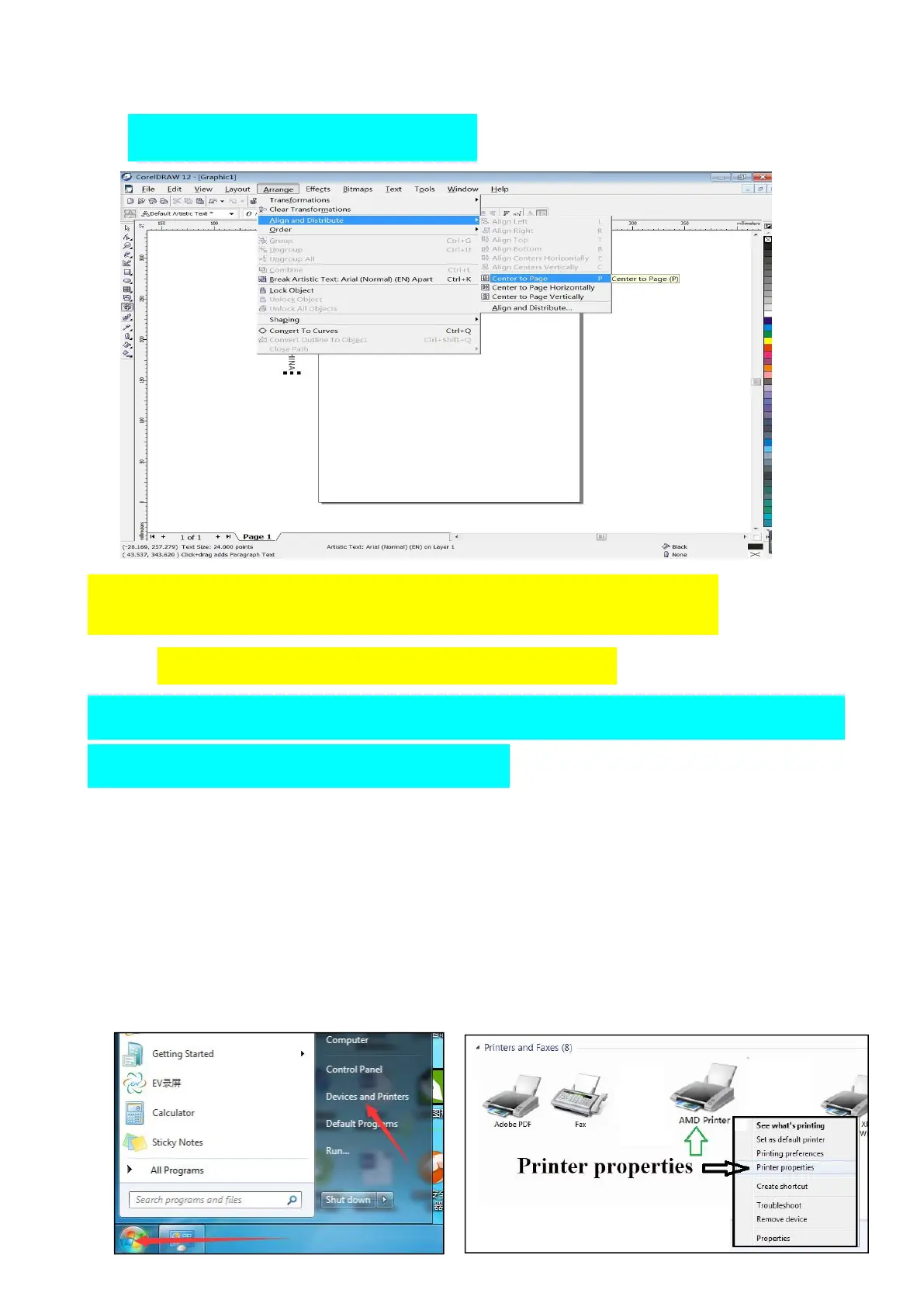
(
3
)
Then click Arrange - Align and Distribute - Center to page to
finish design layout.
(4)Add paper size in printer driver
(pls check video) ( driver name AMD printer )
paper size must be same with page size in
CorelDraw, 252mmx297mm.
① Click the start button in the lower left corner of the computer, find
Devices and Printers. (check picture below)
② Click Devices and Printers, find driver name “AMD printer”.
③ Right-click “AMD printer” icon, find “Printer properties”, left-click
“printer properties”.


 To Next Page