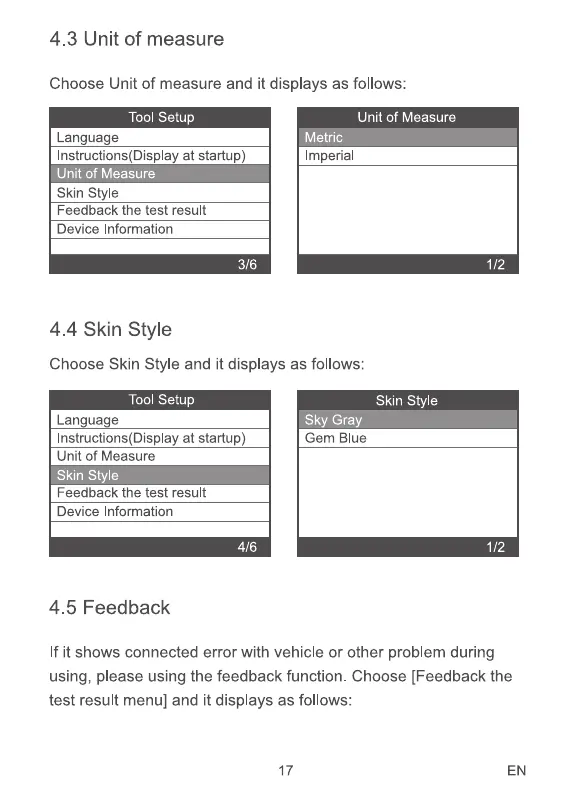
4.3 Unit of measure
Choose Unit of measure and it displays as follows:
Tool Setup
Lan ua e
Instructions(DispIay at startup)
Unit of Measure
Skin style
Feedback the test result
Device Information
4.4 Skin Style
Unit of Measure
Imperial
Choose Skin Style and it displays as follows:
Tool Setup
Language
Instructions(DispIay at startup)
Unit of Measure
Skin Style
Feedback the test result
Device Information
4/6
4.5 Feedback
Skin Style
Gem Blue
1/2
1/2
If it shows connected error with vehicle or other problem during
using, please using the feedback function. Choose [Feedback the
test result menu] and it displays as follows:
17 EN


 To Next Page