This document is a usage guide for the ANFCNA™ Heavy-Duty Commercial Foodservice Center, Model CFUFHC21PW. It provides detailed instructions on operating, maintaining, and troubleshooting the unit.
Function Description:
The ANFCNA™ Foodservice Center is a heavy-duty commercial freezer designed to store food at controlled temperatures. Its primary function is to maintain a consistent internal temperature, with a range of -10°F to 10°F (-24°C to -12°C), to ensure food safety and preservation. The unit features a control panel with various buttons and indicators for temperature setting, mode selection, and alarm management. It is equipped with an "Extreme Freeze" function for rapid cooling of large quantities of food and includes several alarm functions to alert users to potential issues such as high temperature, open door, or power failure. The device also offers a "Control Lockout" feature to prevent accidental changes to settings and a "Sabbath Mode" for specific operational requirements. A "Manual Defrost" option is available for immediate defrosting cycles.
Important Technical Specifications:
- Temperature Range: -10°F to 10°F (-24°C to -12°C).
- Temperature Display Modes: °F or °C, selectable via the "Temp Display" button.
- Extreme Freeze Duration: Automatically turns off after 72 hours, or can be manually deactivated.
- High Temperature Alarm Threshold: Activates if the cabinet temperature rises above 23°F (-5°C) for more than one hour.
- Door Ajar Alarm Threshold: Activates if the door is open for more than five minutes.
- Power Failure Indicator: "Power Loss" LED illuminates upon power restoration after an outage.
- System Error Alarms: "E7", "E8", or "E9" displayed for operational errors.
- Manual Defrost Cycle: Lasts for thirty minutes.
Usage Features:
- Turning Unit ON/OFF: The unit can be turned ON by pressing the DOWN arrow button twice within two seconds when the display shows "10". To turn OFF, press the UP arrow button until the display reads "10", then press the UP arrow button two more times within two seconds, and the display will show "OF".
- Temperature Setting: The desired temperature is set using the UP and DOWN arrow buttons on the control panel.
- Temperature Mode Change: Pressing the "Temp Display" button toggles the temperature display between °F and °C.
- Extreme Freeze: Activated by pressing the "Extreme Freeze" button, indicated by "-F-" on the display. This mode runs the compressor continuously for faster cooling of large quantities of warm food (up to 3 pounds per cubic foot of freezer space, not exceeding 60 pounds for a 20 cubic foot unit). It is recommended to cool hot foods to room temperature before placing them in the unit.
- Control Lockout: Activated by pressing and holding the "Control Lock" button for three seconds, displaying "LO". This prevents accidental changes to temperature and Extreme Freeze settings. To cancel, press and hold the "Control Lock" button again for three seconds, displaying "UL".
- Sabbath Mode: Activated by simultaneously pressing and holding the "Control Lock" and "Temp Display" buttons for three seconds, displaying "Sb" for one second before the display turns off. In this mode, all lights and electrical activity are disabled, except for the compressor, which continues to operate automatically. To stop, repeat the activation process.
- Manual Defrost: Initiated by pressing the "Extreme Freeze" and "Alarm Reset" buttons simultaneously for five seconds, displaying "dE". The cycle lasts thirty minutes, after which the unit returns to normal operation.
- Alarm Reset: The "Alarm Reset" button is used to silence audible alarms (beeps) for high temperature, door ajar, and power failure.
Maintenance Features:
- Alarm Functions for Monitoring:
- Temperature Alarm: "Hi Temp" indicator illuminates if the cabinet temperature exceeds 23°F (-5°C). An audible alarm sounds if this condition persists for over an hour. The display will show the actual internal temperature until it drops below 23°F (-5°C).
- Door Ajar Alarm: Activates if the door is open for more than five minutes, with an audible beep and the "Door Ajar" indicator illuminating. If the door remains open for 15 minutes, the interior light shuts off.
- Power Failure Alarm: After power is restored, the "Power Loss" LED illuminates. If the internal temperature rose above 23°F (-5°C) during the outage, the "Hi Temp" indicator will also illuminate, and an audible alarm will sound. The "Duration" indicator will show how many hours the temperature was above 23°F (-5°C).
- System Error Alarms: "E7", "E8", or "E9" indicate operational errors. Users are instructed to contact customer service.
- Troubleshooting: The "Alarm Function Table" provides a quick reference for display statuses, functions, and corresponding responses, including contact information for support.
- Safety Warning: The manual explicitly states that the Foodservice Center still has electrical power while in "OF" mode, and users must disconnect the freezer from the outlet before cleaning or moving it.

 Need help?
 General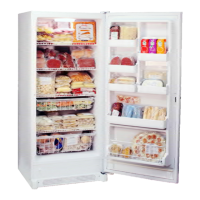

 To Next Page