Note
Not in all cases can the product name be
determined correctly.
The Angelbird SSD Manager shows you a live
view of the TRIM activity happening on the
disks in your computer.
It also allows you to register your Angelbird
products for the extended limited warranty.
Furthermore it has a refresh feature, which
allows you to clean and refresh your CFast
recording media before reusing.
INTRODUCTION
Main Window
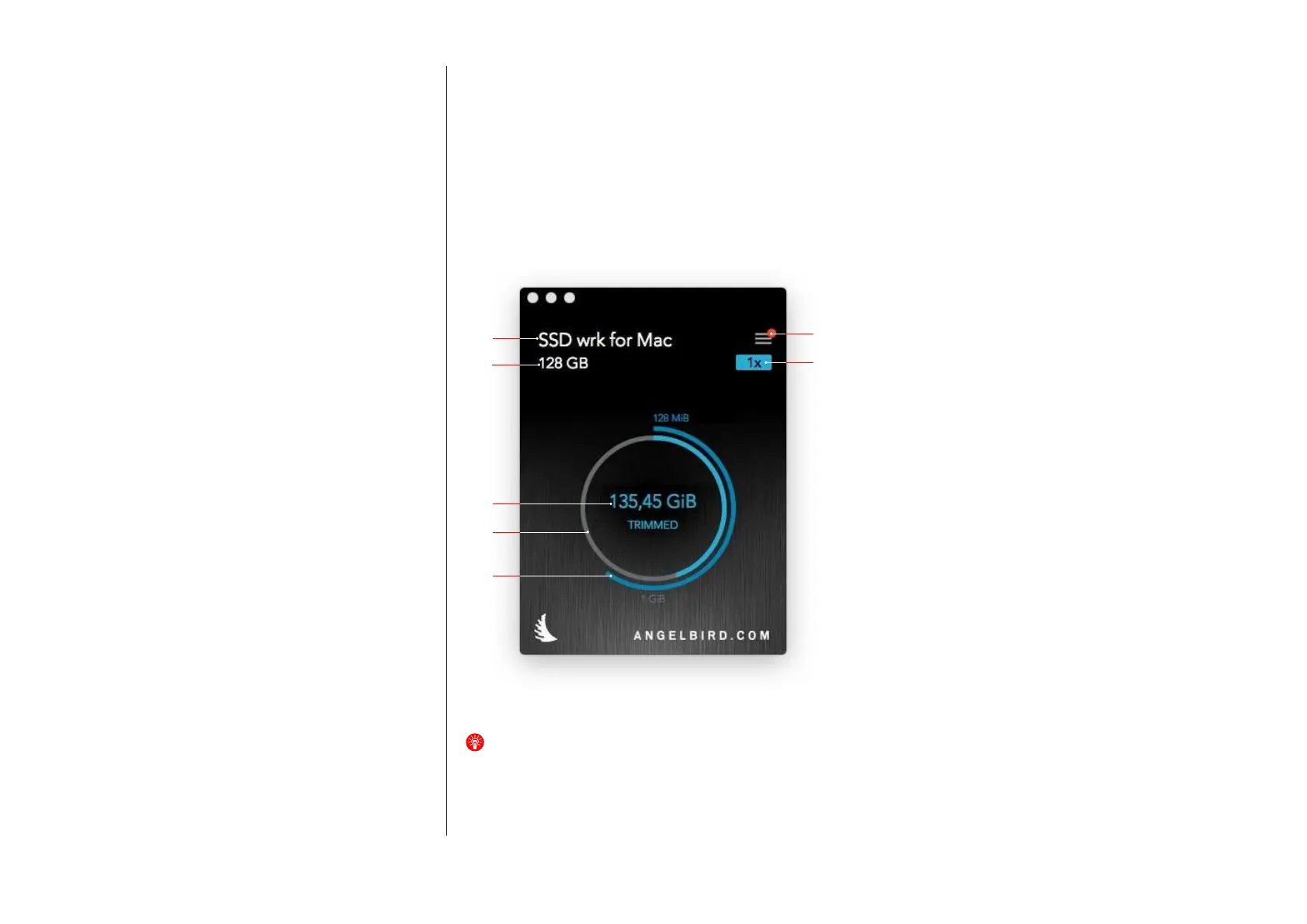
The main window of the application
looks as in g. 1.
USER INTERFACE
g. 1
The window has the following elements:
1. Drive selection
2. Open the device list window
3. Drive storage capacity
4. TRIM multiplier
The amount of times the whole drive capacity
has been TRIMed
5. Total amount of capacity that was TRIMed
since the TRIM Monitor was installed
6. Low capacity TRIM activity
Thisringwilllluponceforevery128MiB
TRIMed (inner ring).
7. High capacity TRIM activity
Thisringwilllluponceforevery1GiB
TRIMed (outer ring).
1
3
5
6
7
3
4


 To Next Page
 Loading...