Need help?
Do you have a question about the Anker Eufy G20 Series and is the answer not in the manual?
Explains the Gyroscope and Accelerometer smart sensors used for navigation.
Addresses user concerns about the RoboVac's ability to clean an entire house.
Compares the features and specifications of the G10, G20, and G30 series models.
Provides information on charging time and battery life across different suction modes.
Troubleshooting steps for when the RoboVac fails to dock at the charging station.
Guidance on how to prevent or resolve issues with the RoboVac getting stuck under furniture.
Advice on carpet compatibility and solutions for the RoboVac getting stuck on carpets.
Information on the EufyHome app for tracking parts maintenance and accessory services.
Details on the recommended cleaning and replacement frequency for RoboVac accessories.
Provides instructions on how to properly charge the RoboVac for optimal performance.
Offers advice on preparing the environment and starting the RoboVac for cleaning.
Troubleshooting steps for common noise issues experienced with the RoboVac.
Diagnosing and resolving noise issues specifically related to the rolling brush.
Troubleshooting steps for noise originating from the suction fan.
Provides the estimated charging time for the RoboVac from empty to full.
Explains the meaning of the LED status indicator on the charging base.
Step-by-step guide for the initial charging process of a new RoboVac.
Information on leaving a fully charged RoboVac on its base for readiness.
Troubleshooting steps for when the RoboVac shows a red charging indicator light.
Explains factors affecting running time and potential battery issues.
Troubleshooting guide for when the RoboVac fails to power on or start.
Troubleshooting battery errors indicated by 5 beeps and a red light.
Clarifies the voltage compatibility and regional charger information.
Steps to resolve offline status, including Wi-Fi and app connectivity checks.
Solutions for errors related to stuck bumpers, wheels, and brushes.
Solutions for errors where the device is trapped or suspended.
Solutions for low battery shutdown and magnetic strip detection errors.
Solutions for path tracking sensor and charging base obstruction errors.
Troubleshooting for battery, wheel, brush, fan, and sensor module errors.
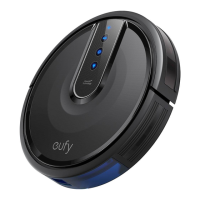
The Eufy G20 Series Robotic Vacuum Cleaner is designed to provide efficient and autonomous cleaning for your home, leveraging smart dynamic navigation and a range of user-friendly features. This device is part of Eufy's Smart Dynamic Navigation Series, which also includes models like the G10 Hybrid, G20 Hybrid, G30, G30 Edge, G30 Verge, and G30 Hybrid, each offering slightly different functionalities tailored to various cleaning needs.
The primary function of the Eufy G20 Series RoboVac is to autonomously clean floors, removing dust, dirt, and debris. It utilizes a combination of smart sensors, including a gyroscope and accelerometer, to navigate your home intelligently. This "Smart Dynamic Navigation" system allows the RoboVac to determine its direction and distance of movement, enabling it to follow an efficient Z-shaped cleaning path. This method ensures comprehensive coverage of your floor space, cleaning 4x4m areas one by one from near to far. The RoboVac G20 series prioritizes cleaning the area in front of its charging station first, then moves to adjacent sides. Once the Z-shaped path is completed, it proceeds to clean along the edges and corners of the room, ensuring no spot is missed. After the entire cleaning cycle, the RoboVac automatically returns to its charging base.
The G20 series is particularly effective for homes with a single floor area up to 180 sqm (2000 sq ft). Its smart dynamic navigation makes it more efficient in its cleaning path compared to Eufy's Bounce series. A key feature of all G series models is "Auto-return cleaning." If the initial cleaning cycle doesn't cover all areas and the battery level drops below 20%, the RoboVac will return to its charging base. It recharges until the battery reaches 80% and then navigates back to the exact spot where it stopped to continue cleaning the remaining areas.
The G20 series boasts a stronger suction power of 2500 Pa, making it suitable for various floor types, including hard floors and low-pile carpets. While the G10 Hybrid is specifically designed for hard floors, the G20 series can handle low to medium pile carpets up to 0.67 inches (17mm) in height. However, it's important to note that high-pile carpets exceeding this height may cause the RoboVac to get stuck. For such areas, boundary strips can be used to block off the RoboVac, as its magnetic sensors will recognize these strips and prevent it from crossing over.
Operating the Eufy G20 Series RoboVac is designed to be straightforward and convenient. Before its first use, it's recommended to fully charge the device for 5-6 hours until the LED indicator displays a solid blue light. The battery protection circuit ensures that the battery is not overcharged, allowing you to keep the RoboVac on its charging base even after it's fully charged, ensuring it's always ready for its next cleaning cycle.
When preparing for a cleaning session, it's advisable to remove power cords and other items from the floor that might interfere with the RoboVac's cleaning path. This helps ensure efficient and uninterrupted cleaning of the entire house. For optimal performance, it's best to start the RoboVac from its charging base, as this allows it to successfully return to the base on its own after cleaning. The smart navigation eliminates the need for manual intervention during cleaning; the RoboVac will automatically determine its route.
The G20 series offers four distinct suction modes: Quiet, Standard, Turbo, and Max. Each mode provides different levels of suction power and, consequently, varying running times. For instance, on hard floors, the Quiet mode (600Pa) can run for up to 120 minutes, while the Max mode (2000Pa) runs for about 45 minutes. On low-pile carpets, these times are reduced, with Quiet mode lasting 80 minutes and Max mode 36 minutes. This flexibility allows users to choose the appropriate mode based on their cleaning needs and desired noise level.
The RoboVac can be controlled via the EufyHome app, which provides additional functionalities. For models that support it, the app can track cleaning reports, including the area cleaned and total cleaning time (a feature more prominent in the G30 series). The app also plays a crucial role in managing maintenance schedules and accessory services.
In case of operational issues, the RoboVac provides voice alerts to inform users about problems such as a stuck front bumper, wheel, side brush, or rolling brush, or if the device is trapped or suspended. These alerts are accompanied by quick solutions, guiding users on how to resolve the issue. For example, if the front bumper is stuck, the voice alert will prompt the user to tap it repeatedly to remove dust or move the device to a new position. If the RoboVac goes offline, users are advised to check if it's turned on, ensure the Wi-Fi indicator is solid blue, and verify their Wi-Fi router and phone are working correctly. If the issue persists, a "reset WiFi" voice alert can be triggered by pressing and holding the start button for 10 seconds.
Regular cleaning and maintenance are crucial for the optimal performance and longevity of your Eufy G20 Series RoboVac. The EufyHome app offers a convenient "Parts Maintenance Schedule/Accessory Services" feature for supported models, including the G20 series. This feature keeps track of when consumable parts, such as filters and brushes, need to be cleaned or replaced, and provides reminders. Within the app, users can access detailed information on how to replace each accessory.
The maintenance schedule varies depending on the part:
Beyond scheduled maintenance, there are specific troubleshooting steps for common issues. For noise-related problems, users are advised to remove the dust collector, clean the suction inlet, and ensure filters are properly aligned. If the noise persists, checking the rolling brush and side brushes for obstructions or wear is recommended. For charging issues, ensuring proper connection of the adapter and charging base, and checking the battery for proper installation are key steps. If the RoboVac runs for a shorter time than expected, a full 6-hour charge is recommended, and if the issue persists, the battery might need replacement. If the RoboVac fails to power on, users should ensure the main power switch on the bottom of the device is in the "I" position and can try flipping it off and on a few times to dislodge any dust.
Overall, the Eufy G20 Series Robotic Vacuum Cleaner is designed to be a reliable and intelligent cleaning assistant, with features that promote ease of use and simplify maintenance, ensuring a consistently clean home.
 General
| App Control | Yes |
|---|---|
| Voice Control | Yes (Amazon Alexa, Google Assistant) |
| Scheduling | Yes |
| Auto Recharge | Yes |
| Drop Sensing | Yes |
| Bump Sensing | Yes |
| Noise Level | 55 dB |
| Type | Robot Vacuum |
| Model | G20 Series |
| Wi-Fi Connectivity | Yes |
| Boundary Strips | Yes |

 To Next Page