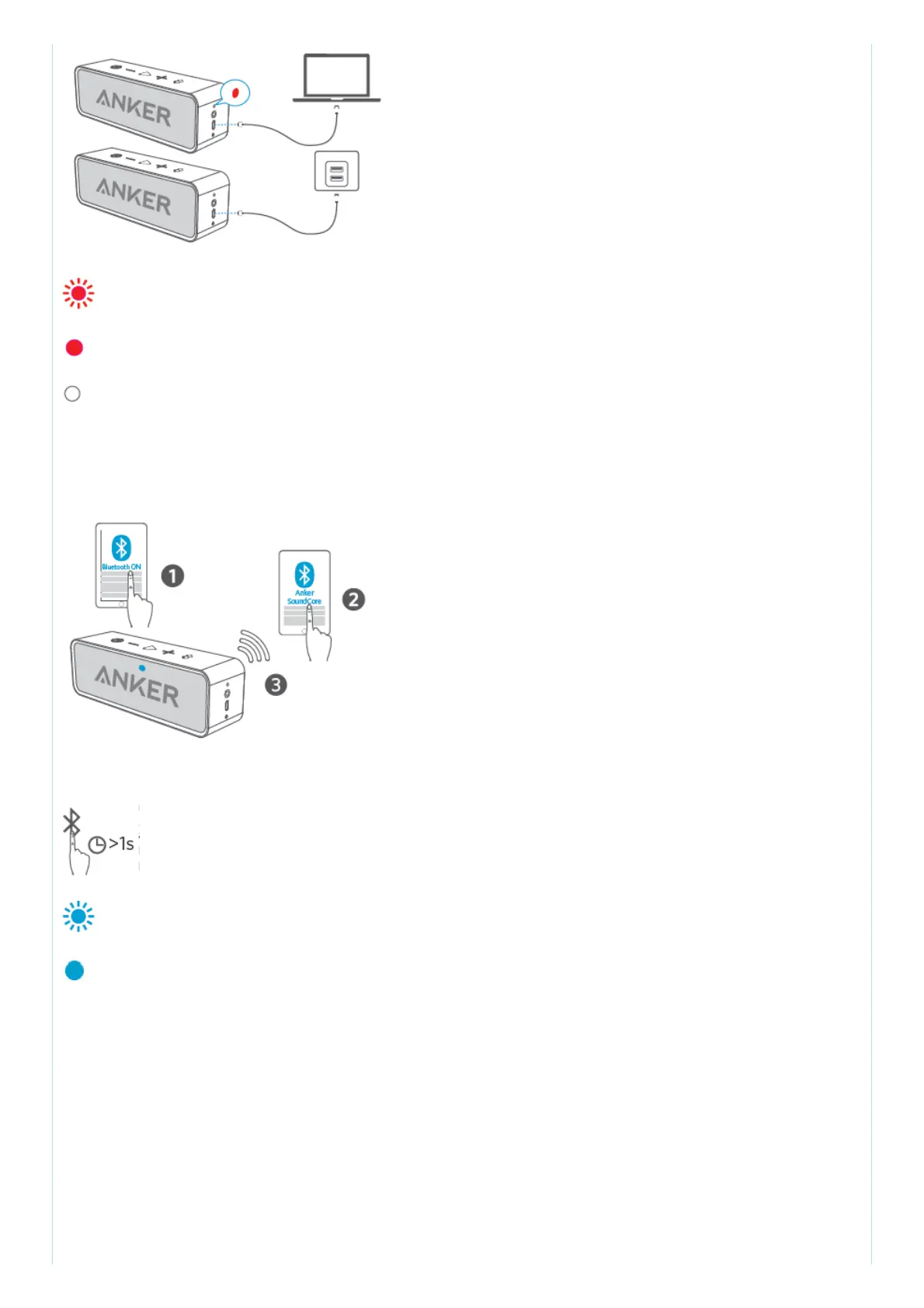
Flashing red Low power
Steady red Charging
Off Fully charged
Use the included USB cable to charge your SoundCore and make sure it is fully charged before first
use.
3. Pair with your device
Un-pair connected device and re-enter pairing mode
Rapidly flashing blue Pairing mode
Steady blue Connected to a device
When turned on, SoundCore will automatically connect to the last connected device if available. If
not, SoundCore will enter pairing mode.
Having connection problems? Remove SoundCore from your device’s Bluetooth history, ensure it’s
less than 3 feet away then try pairing again.
4. Connect via AUX



 To Next Page