64
PT-BR
Verde constante
Conectado a dois
dispositivos
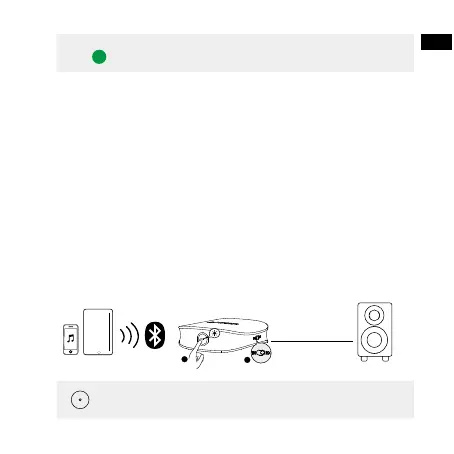
Conectar a dois smartphones/tablets Bluetooth de uma vez
• Esta função só está disponível no modo RX.
• O Soundsync só pode receber a fonte de áudio de um smartphone/
tablet por vez.
1.Conecte o primeiro smartphone/tablet ao seu Soundsync, desative o
Bluetooth no seu primeiro smartphone/tablet depois de conectado.
2.Pressione duas vezes o botão multifunção para entrar no modo de
emparelhamento Bluetooth.Emparelhe o segundo smartphone ou tablet
com seu Soundsync.
3.Quando o segundo smartphone/tablet se conectar ao Soundsync, ative
o Bluetooth no seu primeiro smartphone/tablet novamente e procure por
“Anker Soundsync” na lista de Bluetooth para se conectar.
AUX / SPDIF IN
1
2
x 2
Pressione
Reproduzir/pausar (disponível apenas no
modo RX)


 To Next Page