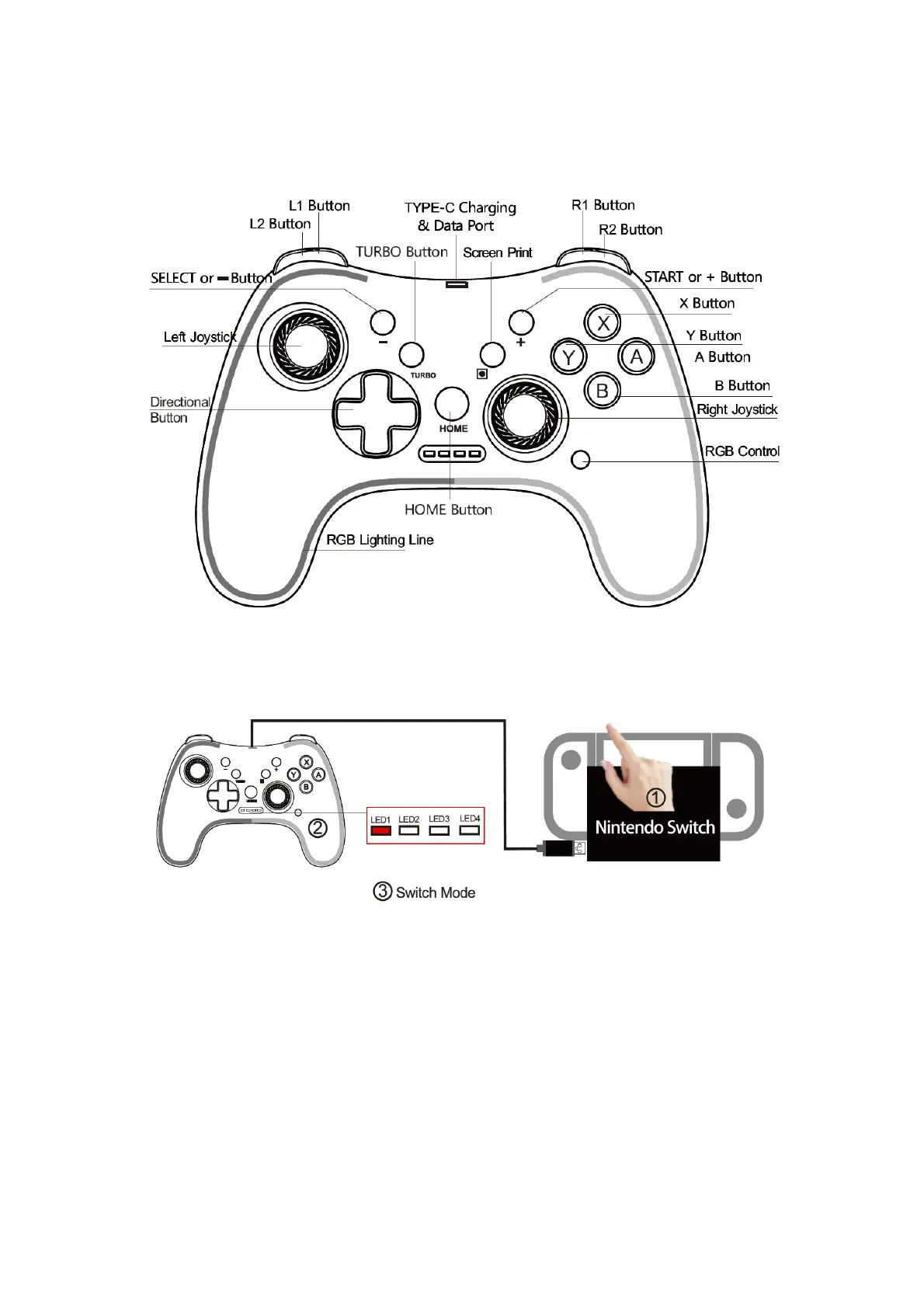
Product Overview
Switch Gamepad Mode--Connect for Nintendo Switch Console
1. Press the POWER to wake-up the Nintendo Switch gaming console.
2. Connect the game controller with type-C cable to USB port of Nintendo Switch gaming
console charging dock, the LED1,2,3,4 flash together for paring.
3. After Nintendo Switch console recognized the controller, the gamepad will vibration for 1
second, then connect, and press A button to confirm the connection, the LED1 will be long
on.
4. If the LED light is still off after go through all the above steps, try to open Pro Controller
Wired Communication in system setting Panel.



 To Next Page