8
2.1 VIDEO CONNECTIONS
To configure inputs, see section 3.6 and to configure video outputs see section 3.1.
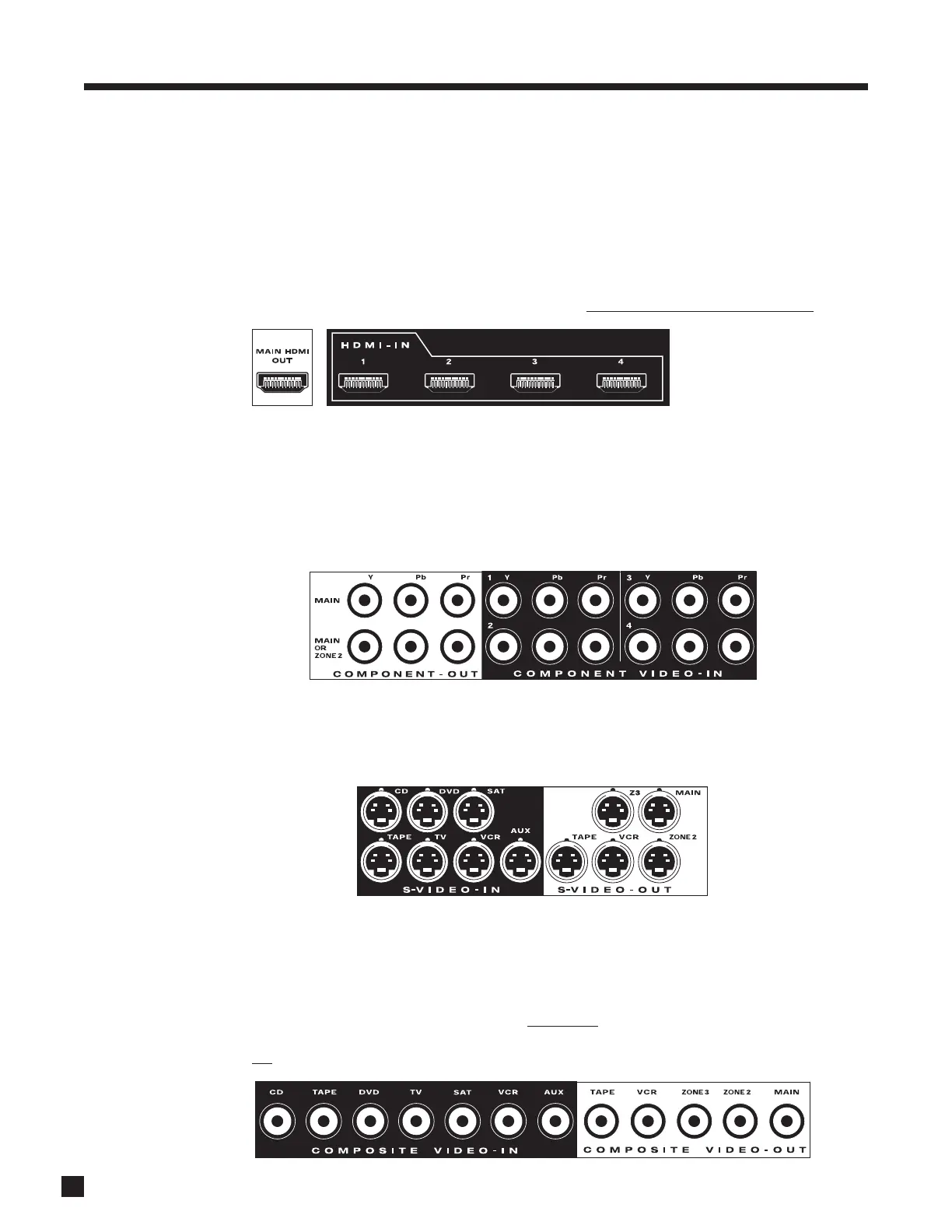
HDMI (digital):
Audio and video are transmitted from source components to the AVM 50. Maximum video resolution is
1080p/60. Audio is transmitted as Dolby Digital, DTS, or up to six channels of PCM. Connect HDMI output to
a display with HDMI or DVI input – one with High-bandwidth Digital Content Protection (HDCP) is required to
display protected material. If the source material is copy-protected with HDCP, then only HDMI video output
is active (see section 4.14). DVD players usually enable HDCP even when the disc is a home movie
.
Component Video (analog):
Component video uses three coaxial cables and has a maximum resolution of 1080p/60 in bypass mode and
1080i/60 or 1080p/30 if processed. The second Component video output can be assigned in different ways –
as either processed or unprocessed MAIN output, or unprocessed ZONE2 output. Component video input
can be converted to HDMI output. If the source material is copy-protected with Macrovision, then
maximum resolution using Component video output is 480p (see section 4.14).
S-Video (analog):
Maximum resolution is 480i (NTSC) / 576i (PAL). This connection keeps brightness and color separate for a
better picture than Composite. S-Video input can be converted to Component and HDMI output (MAIN only).
Composite Video (analog):
Maximum resolution is 480i (NTSC) / 576i (PAL). This traditional format combines the black/white and color
information for transmission on a single coaxial cable. To be displayed, the information has to be separated,
a process that degrades video quality.
CCoommppoossiittee vviiddeeoo iinnppuuttss ccaann nnoott bbee ffeedd tthhrroouugghh tthhee AAVVMM 5500’’ss vviiddeeoo
pprroocceessssiinngg..
If you use a VCR, one with S-Video output is recommended. If the source is black and white, for
example
a security camera, it can be plugged into a Component video’s Y input. If there is no choice but to
use a color source’s composite output through video processing, a composite to S-Video converter is
needed (not
a S-Video to composite adapter turned backwards, which adds a lot of noise).
2. CONNECTIONS
120 V 60 Hz
170 W MAX
EX P ANSION PORT
SHOCK HAZARD
DO N O T OPE N .
RISQUE DE CHOC ÉLECTRIQUE
NE P AS OUVRIR
MAIN AUDIO-OUT (BALANCED)
SUB 2
MAIN AUDIO-OUT
120 V 60 Hz
170 W MAX
EX P ANSION PORT
SHOCK HAZARD
DO N O T OPE N .
RISQUE DE CHOC ÉLECTRIQUE
NE P AS OUVRIR
MAIN AUDIO-OUT (BALANCED)
SUB 2
MAIN AUDIO-OUT
120 V 60 Hz
170 W MAX
EX P ANSION PORT
SHOCK HAZARD
DO N O T OPE N .
RISQUE DE CHOC ÉLECTRIQUE
NE P AS OUVRIR
MAIN AUDIO-OUT (BALANCED)
SUB 2
MAIN AUDIO-OUT
120 V 60 Hz
170 W MAX
EX P ANSION PORT
SHOCK HAZARD
DO N O T OPE N .
RISQUE DE CHOC ÉLECTRIQUE
NE P AS OUVRIR
MAIN AUDIO-OUT (BALANCED)
SUB 2
MAIN AUDIO-OUT
120 V 60 Hz
170 W MAX
EX P ANSION PORT
SHOCK HAZARD
DO N O T OPE N .
RISQUE DE CHOC ÉLECTRIQUE
NE P AS OUVRIR
MAIN AUDIO-OUT (BALANCED)
SUB 2
MAIN AUDIO-OUT
HDMI switching requires
at least two seconds per
stage, i.e. at least four
seconds from source to
processor to display.


 To Next Page
 Loading...