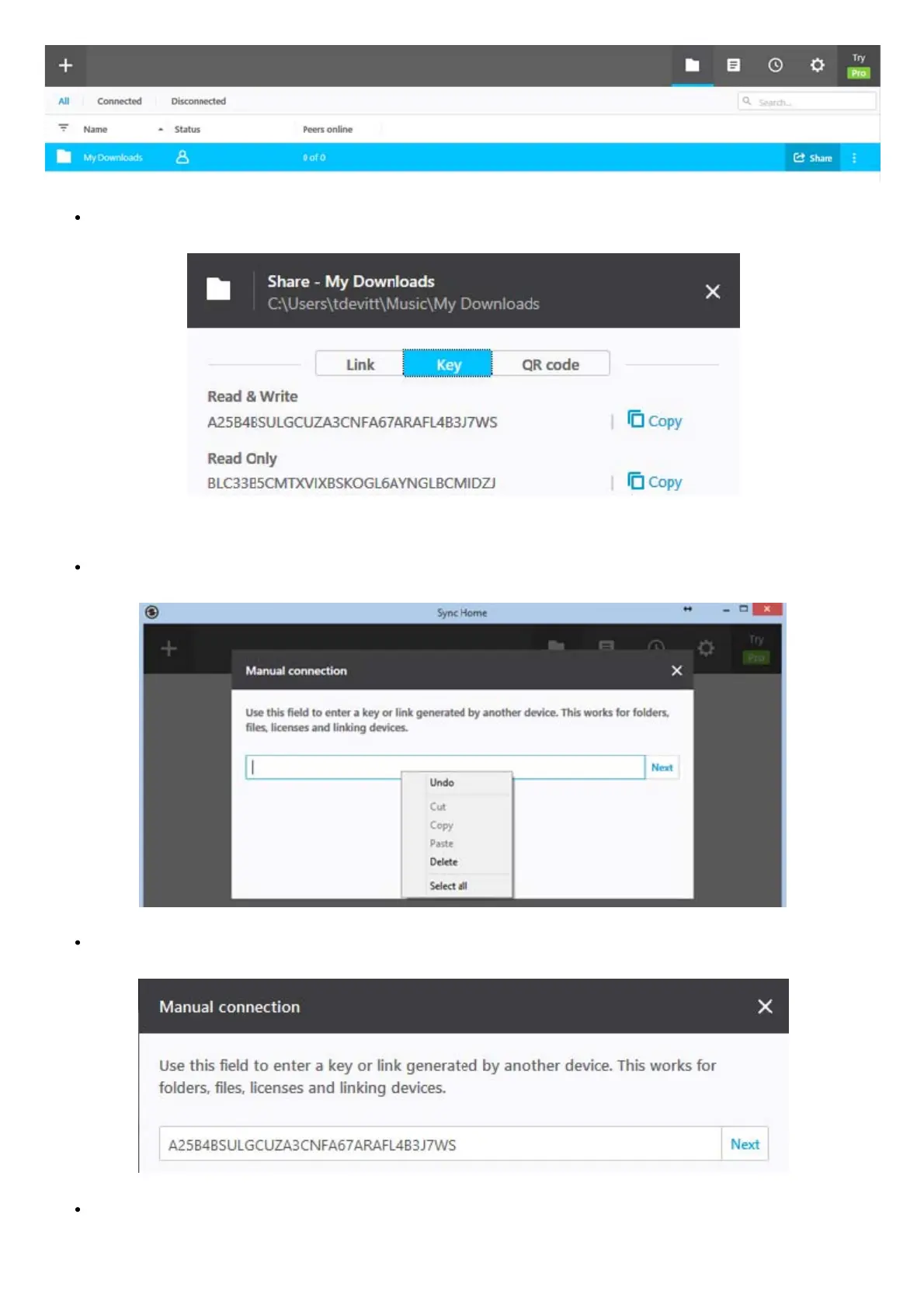
On the following screen click ‘Copy’ next to the ‘Read & Write’ key:
The key will be copied to the Windows clipboard.
Go back to the Resilio Sync screen on the Antipodes, right click the keyboard or mouse button.and click ‘Paste’:
Go back to the Resilio Sync screen on the Antipodes, right click the keyboard or mouse button.and click ‘Paste’:
You will then be prompted to enter a destination folder. Select the folder for the music to be synced to, for example
/storage/MyDownloads, and click ‘Open’:



 To Next Page