Antipodes Control Panel
ANTIPODES CONTROL PANEL:
For most setups, you will need to access the Antipodes Control Panel, such as to:
set which renderer app to use,
install or uninstall apps,
update your software periodically,
mount external storage.
The Antipodes Control Panel is a web-app installed on your Antipodes music server that you access using a browser (such as Safari, Firefox,
Chrome). Use any device with a browser (eg. desktop, laptop, tablet or smartphone) that is connected to the same network as your Antipodes
music server.
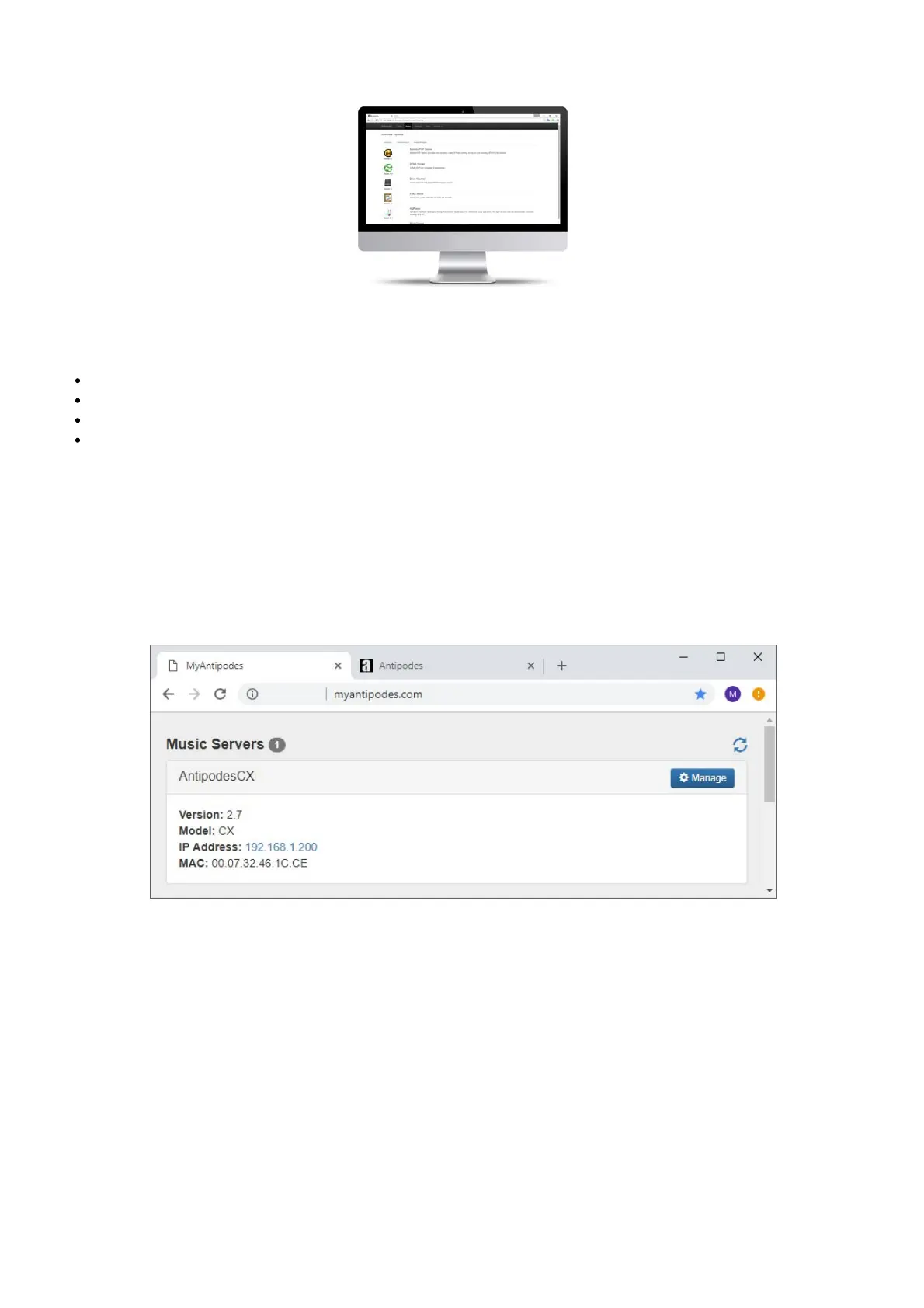
To get to the Antipodes Control Panel, start your Antipodes (see below for details of starting and shutting down your Antipodes) and use any
device to browse to http://myantipodes.com. Whenever you start or shutdown an Antipodes, it will communicate with myantipodes.com to
keep a record of any Antipodes on your network, and what its IP Address is. The sole purpose of this process is so that you can quickly get to
the Antipodes Control Panel of any Antipodes device on your network.
Click on the ‘Manage’ button or on the IP address of the Antipodes you wish to open and this will open the Antipodes Control Panel.



 To Next Page