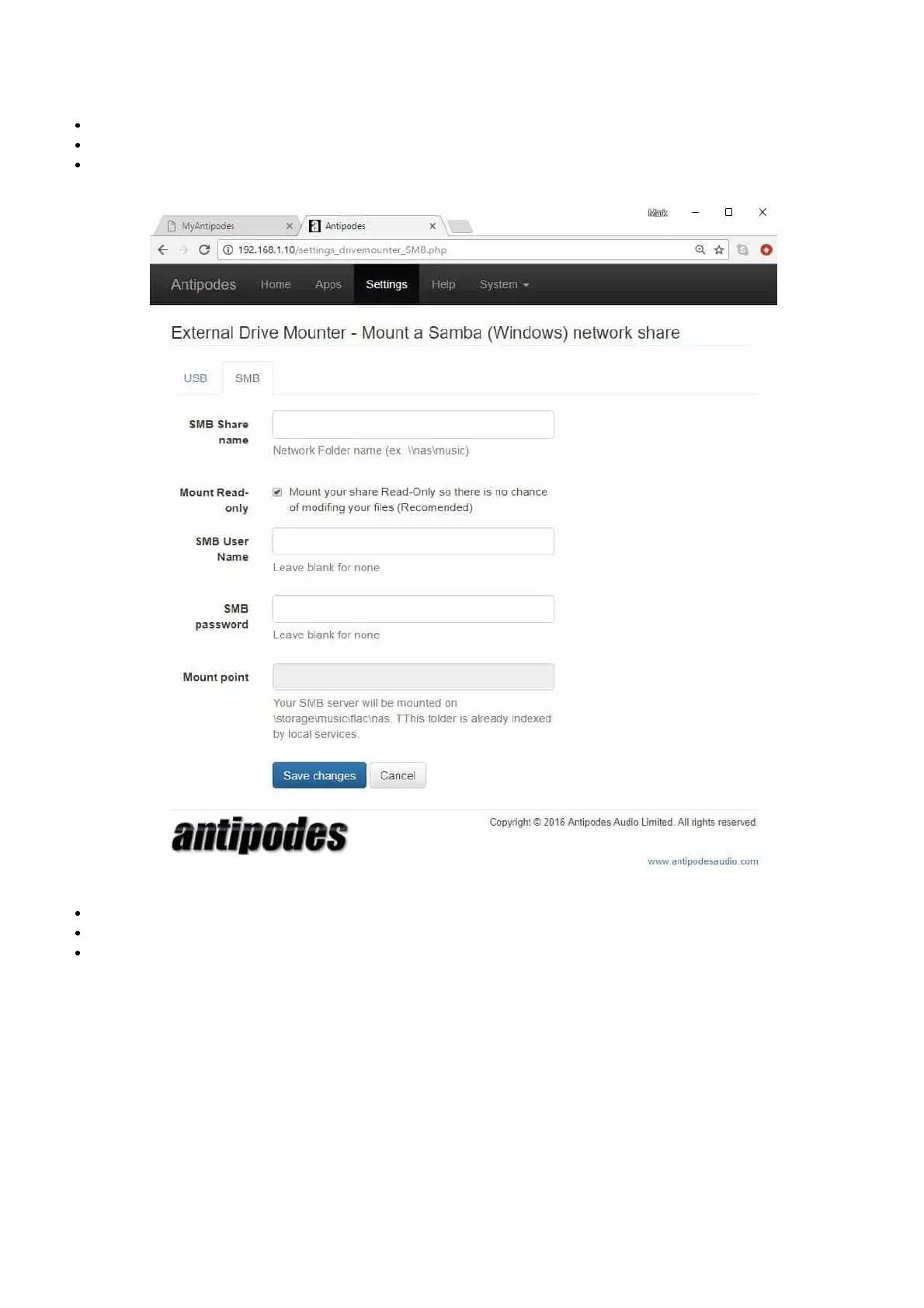
The Drive Mounter app also lets you ‘mount’ les stored on a NAS or any network share.
To be able to play music from a drive on your network:
At the Antipodes Control Panel, select the ‘Settings’ menu
In ‘Settings’, click on the ‘Drive Mounter’ icon
Click on the ‘SMB’ tab.
Enter the network address of the les
Provide User Name & Password for the device the les are on
Click on ‘Save Changes’.
Your remote les are now mounted on your Antipodes and can be added to your library for playback.



 To Next Page