– Library Settings
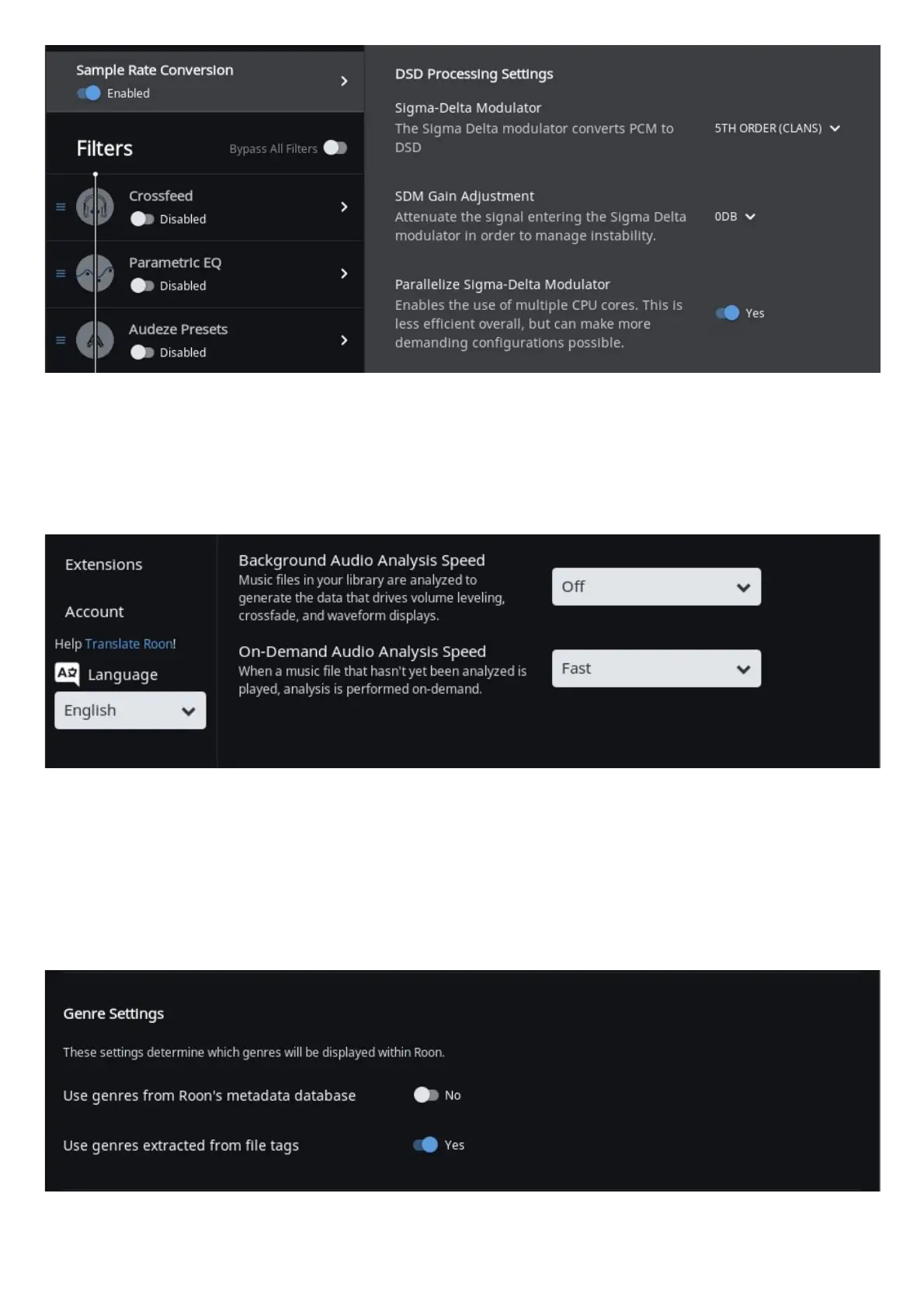
There are two Library settings we recommend you make. Open Settings and click on Library.
Antipodes servers run fanless for silent operation and for optimum sound quality. We highly recommend that the Background Audio Analysis
function be set as shown below.
If you have Background Audio Analysis on, then it will diminish sound quality while it is analysing your whole library. If you like the feature, then
set On-Demand Audio Analysis to ‘Fast’ and the analysis will happen almost instantaneously and only the rst time you play the track. This
makes it unnecessary to have the analysis running in the background.
But most importantly, you should never set the Background analysis to run any of the cores of a CX at 100%. The passive cooling of the CX is
not designed to support such a heavy sustained load.
The second setting is optional, and at Library Settings click on ‘Import Settings’.
We nd that most of our customers want to use the Genres already setup in their music les, because they have carefully organised their
library by setting genres that make sense to them. The default is to use Roon’s genres, and you can simply change to using the Genres in your



 To Next Page