MPD Solution
SETUP THE MPD SOLUTION:
MPD can be used as a complete solution, able to perform the server and renderer function with a single app. This contrasts with the more
common requirement to have a separate server app and separate renderer app.
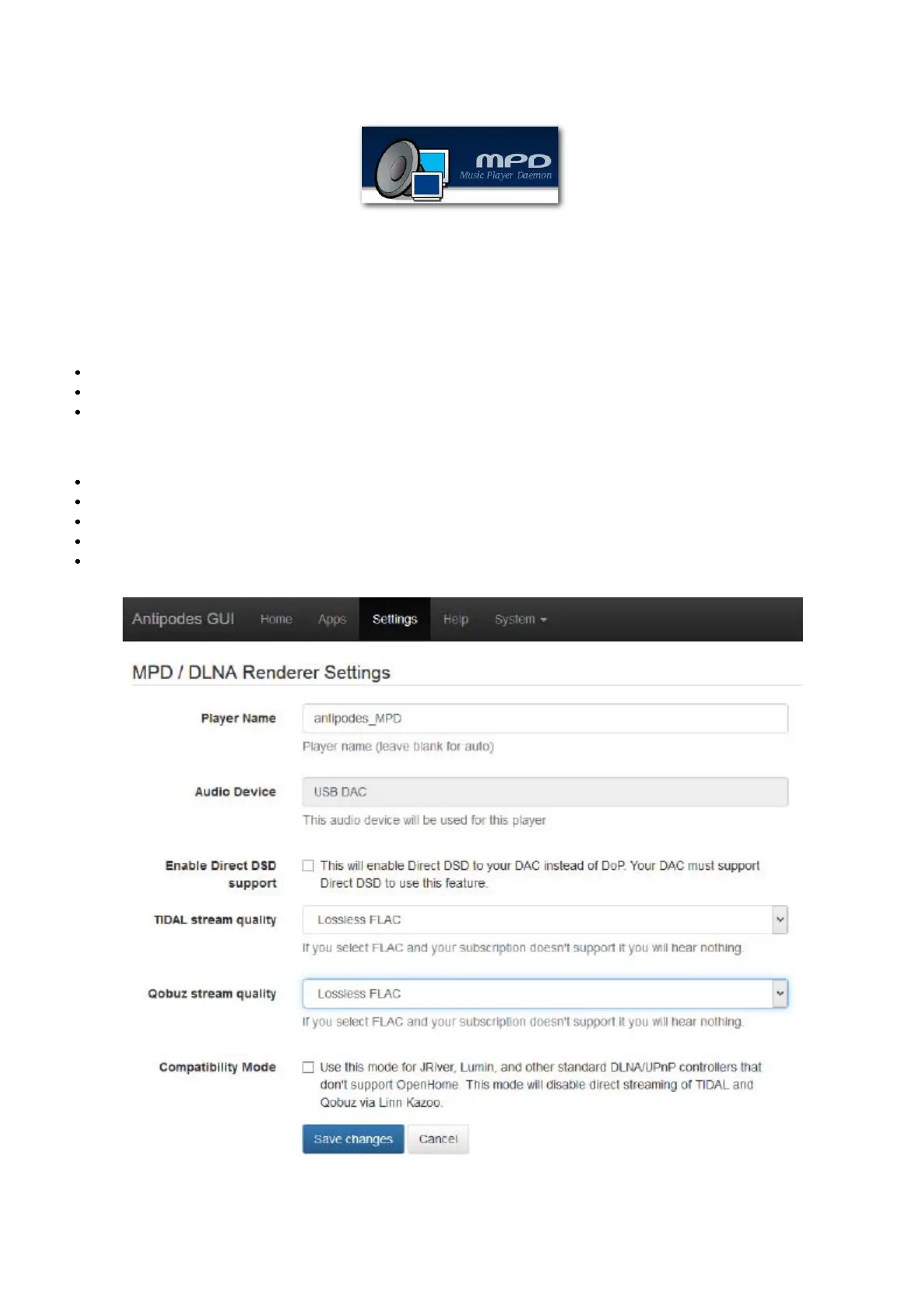
When using MPD as a complete solution, the rst step is to setup the MPD renderer app at the Antipodes Control Panel:
Select the menu item ‘Settings’
Click on the ‘MPD’ icon
This will open the screen shown below.
Now:
Give the player a name
Select the audio device
Select how your DAC should receive DSD les.
Set streaming quality levels consistent with your streaming service license.
Click on ‘Save Changes’.
REMOTE CONTROL



 To Next Page