MPD Renderer
SETUP MPD DLNA RENDERER:
If you wish to use a DLNA/UPnP solution and want an Antipodes to perform the DLNA renderer function then you can use MPD.
Setup the renderer in the Antipodes Control Panel of an Antipodes that is connected via USB to your DAC:
Select the menu item ‘Settings’
Click on the ‘MPD’ icon
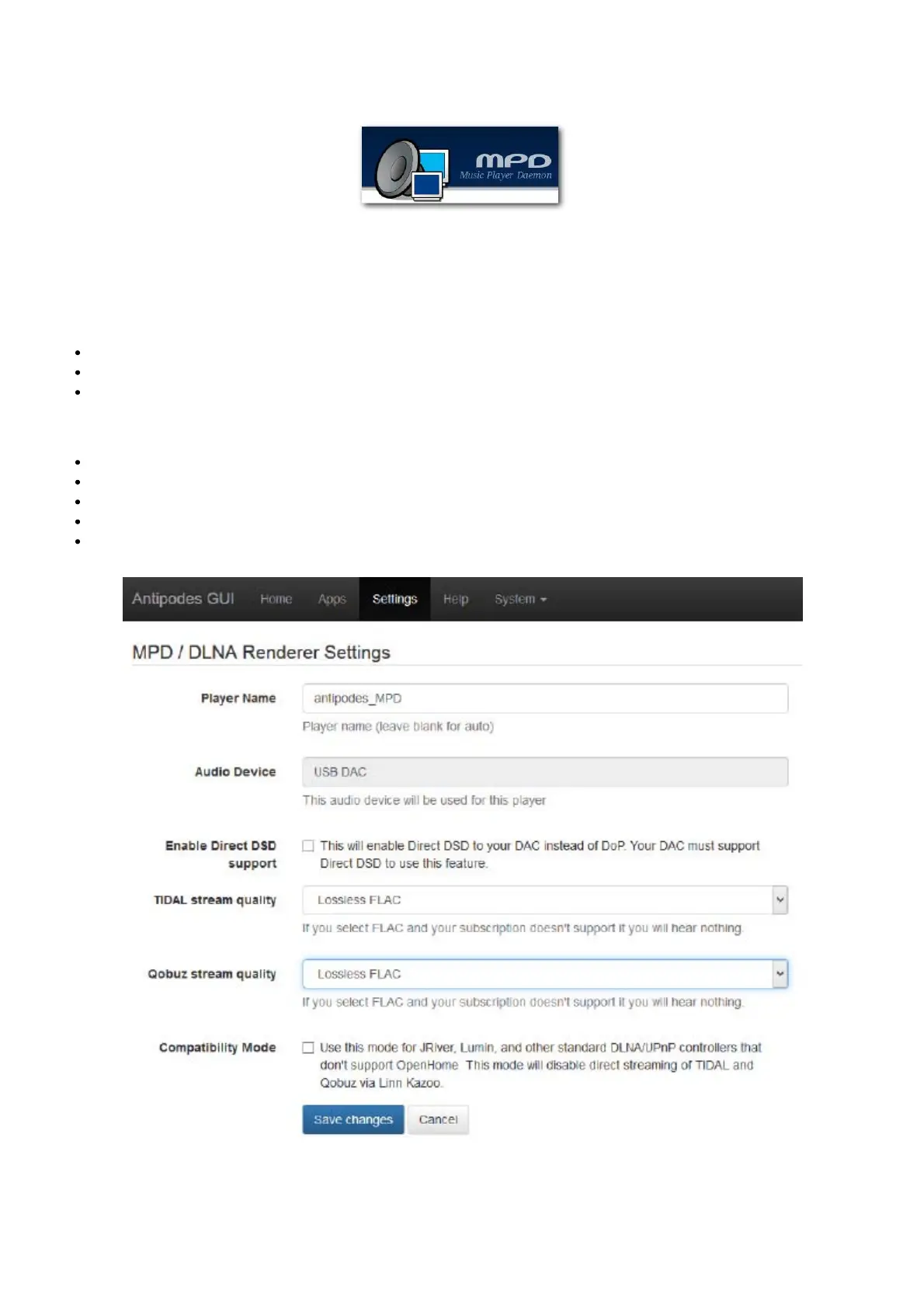
This will open the screen shown below.
Now:
Give the player a name
Select the audio device
Select how your DAC should receive DSD les.
Set streaming quality levels consistent with your streaming service license.
Click on ‘Save Changes’.
REMOTE CONTROL
When used in a DLNA/UPnP solution, you need to use a DLNA/UPnP remote control app on your remote device. Visit the app store for your
device and search on DLNA or UPnP and you will discover an ever-evolving range of possible applications. Within the remote app you need to



 To Next Page