Squeezebox DLNA Server
SETUP SQUEEZEBOX DLNA SERVER:
You can setup an Antipodes music server as a DLNA Server a number of ways:
Use Minimserver
Use MiniDLNA
Use PLEX
But in many cases we nd the simplest solution and with the widest compatibility is achieved by installing one plug-in to Squeezebox server to
enable it to be a DLNA Server.
In the Antipodes Control Panel, navigate to Apps/Squeezebox Server, to open Squeezebox Server. Then click on ‘Settings’ at the bottom right of
the screen.
The Settings screen opens on the ‘Basic Settings’ tab. Here, you can scan your library to make all your media les available via Squeezebox
Server.
If you need more details on the steps above, see the article on the Squeezebox and Squeezelite solution.
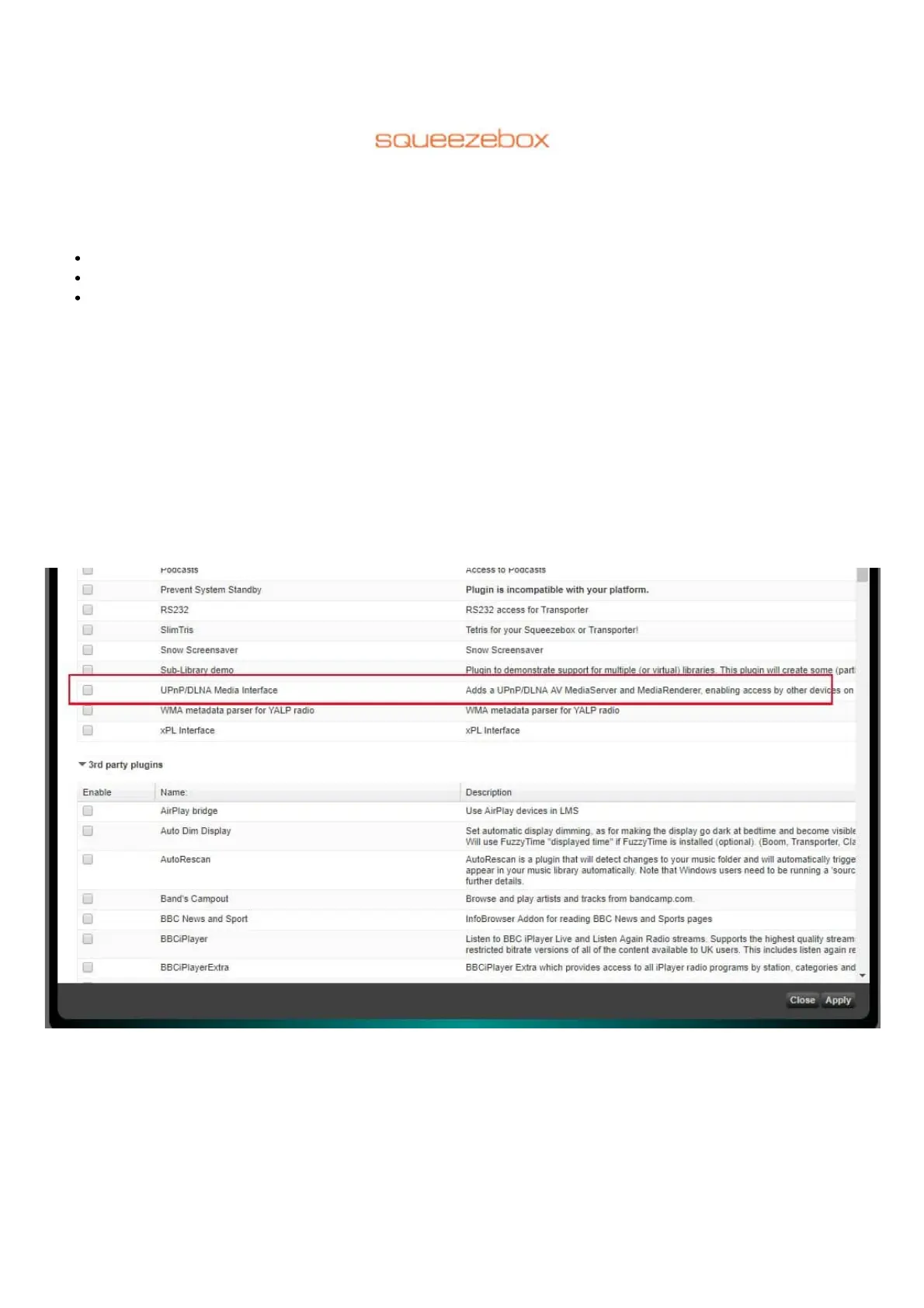
Now select the ‘Plugins’ tab and scroll down to nd the DLNA server plugin under ‘Inactive Plugins’.
Click to place a tick in the box on the left of the plugin and then click on the ‘Apply’ button at the bottom right of the screen.
You will then see this screen.



 To Next Page