APW8 Power Supply Maintenance Guide
16
TEST11 与 TEST7 负极万用表量测 VCC 12-13V: TEST11 and TEST7 negative
multimeters measure VCC 12-13V
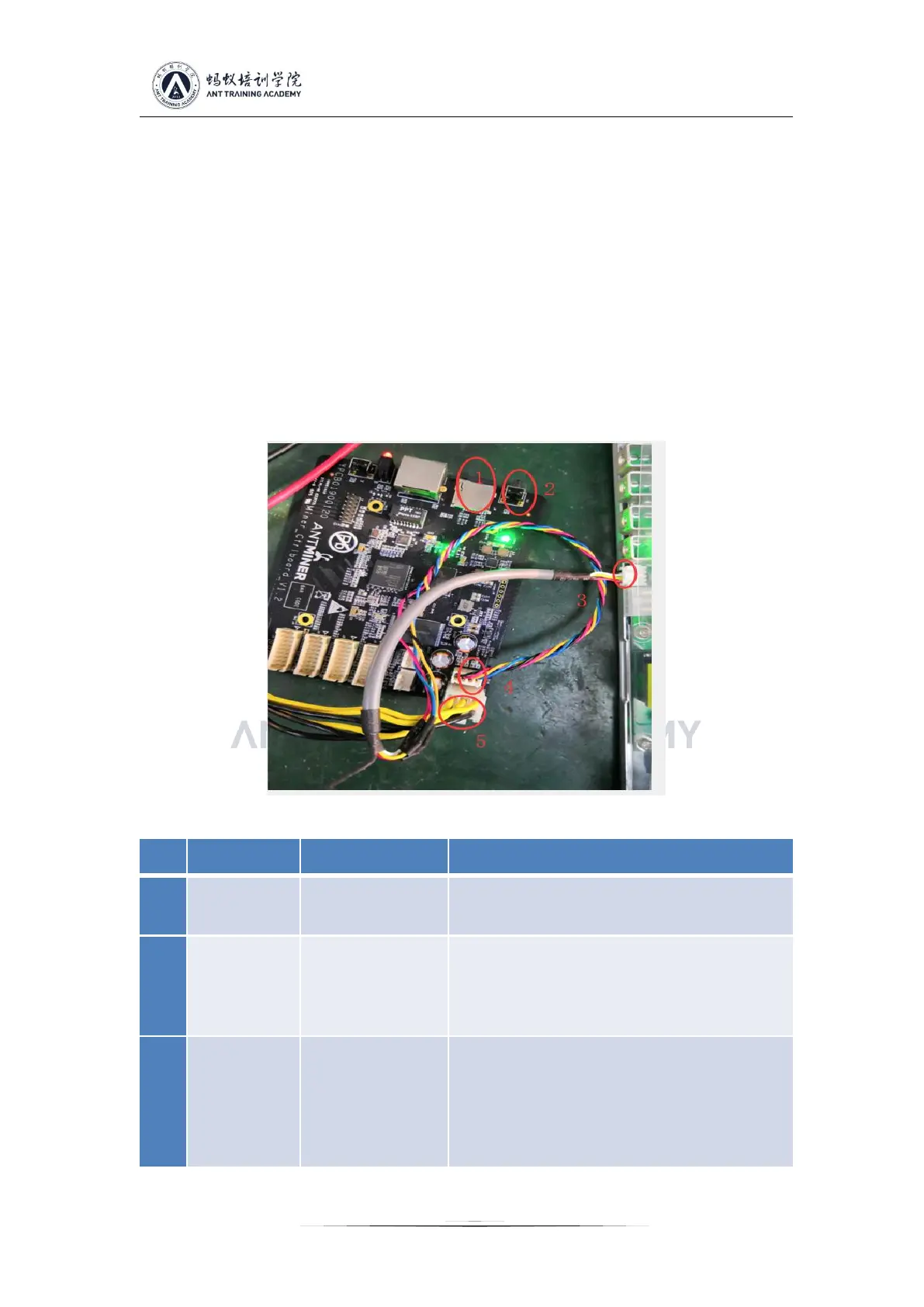
2.41 Diagram for S15 control panel V1.2 and APW8 power PIC port connection test, label 1 is the
dedicated card test firmware, 2 is the DC voltage debugging high-low conversion button, 3 is the
PIC communication port, 4 is the control panel socket, 5 is 12V power supply; note that yellow
indicates positive and black indicates negative. Note: After the general power supply defective
products are repaired, the power supply only needs to be short connected with the PIC
communication J15 port EN-GND pin, and if there is voltage output 16V, it is normal, and the
following single test for the control panel is not requried (when the PIC single chip is damaged, or
when the firmware is abnormal, it needs to test a small panel before re-burning), and the
corresponding mining machine test can be directly installed.
2.5 Simple judgment and maintenance of common faults of mine power supply
1. Use a multimeter to confirm that the current voltage is above 205V, so
that the power can be turned on.
2. Detect whether the power supply has an output short circuit or overload.
This situation will cause the power supply to enter the lock protection state.
It needs to be re-powered after the fault is removed to recover.
1. Check if the fan is running normally
2. Check if the cooling air duct of the power supply is blocked.
3. Check if the power supply has accumulated excessive dust inside for a
long time.
4. Check if the power used by the power supply or the ambient temperature
exceeds the value of the power supply limit curve.



 To Next Page