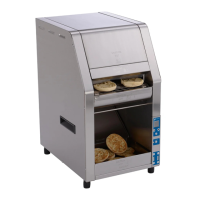
HCT-5H BUN TOASTER
6
P/N 1011256 Rev. I 3/18
McDonald’s
Operating Instructions
Follow these steps to start the toaster:
1. Plug in the power cord. Press and release the
Power Button to turn on. Wait until the Control
Panel displays “Ready”.
2. Set the Compression Knob to 4 (recommended).
3. Insert product into the designated area of the Bun
Feeder with the cut side of the bun facing down.
Toasted product drops into the Bun Buffer.
OPERATION
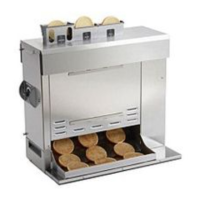
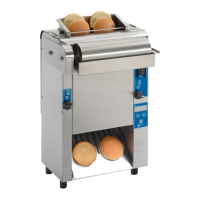
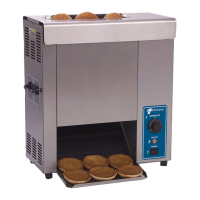
Figure 2. HCT-5H
Bun Feeder
Control
Panel
Bun
Buffer
Bun Buffer
Frame
Language Selection
Follow these steps to set the language option for the
toaster.
1. Plug in the power cord and turn the toaster on.
2. See Figure 3. Press and hold the MENU button for
five seconds.
3. Press◄ until the display shows “English”.
4. Press OK.
5. Press ◄ or ► to select your preferred language.
The available languages appear in the following
order:
• English
• Spanish
• French Canadian
6. Press the OK button to save the changes.
7. Return the toaster to service.
Adjusting Toast Quality
There are variations in bun products that are used
on the A.J Antunes HCT-5H toaster such as moisture
content, bun formulations, age, tolerances etc. The
HCT-5H was designed to compensate for bun variations
by allowing user to adjust the compression, light/dark
(speed) & temperatures settings in order to achieve a
Gold Standard toasted product.
1. LIGHT DARK ADJUSTMENT: Adjust the light dark
setting with the < or > buttons. The default light/dark
setting on the HCT-5H from the factory is 0 but can be
adjusted from Lighter (0-10) to Darker (0-10). Light 10
is the lightest setting and dark 10 is the darkest. Each
increase in “lighter” value will increase the pass through
time and each increase in “darker” value with decrease
the pass through time.
2. TEMPERATURE ADJUSTMENT: Adjust the set
point temperature on the platens in the program menu.
The default temperature settings on the HCT-5H are
A Platen: 282°C (540°F) B Platen: 282°C (540°F)
C Platen: 254°C (490°F). The temperatures can be
increased to +/- 50°F (10°C) if needed to achieve an
acceptable toast quality.
3. COMPRESSION ADJUSTMENT: Adjust the com-
pression knob on the side of the unit. The default com-
pression setting on the HCT-5H is 4 but is adjustable
from 1-7. It is acceptable to adjust the compression
from 1-7 as needed to achieve the desired toast quality
and bun compression.
Left (Back)
Button
Right (Forward)
Button


 To Next Page
 Loading...