Need help?
Do you have a question about the AOC Breeze and is the answer not in the manual?
Connects the tablet to a PC using a USB cable for data transfer.
Safely disconnects the tablet from a PC after file transfer operations.
Copies an APK file and installs applications on the device.
Removes installed applications through the device's settings menu.
 General
| Processor model | - |
|---|---|
| Processor family | Rockchip ARM9 |
| Processor frequency | 0.8 GHz |
| Internal memory | 0.25 GB |
| Storage media | Flash |
| Card reader integrated | Yes |
| Internal storage capacity | 4 GB |
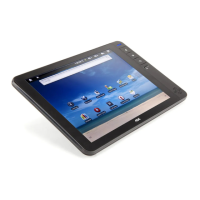
| Display diagonal | 8 \ |
| Display resolution | 800 x 600 pixels |
| Full HD | No |
| Power requirements | 3.7V DC |
| Compatible operating systems | Android |
| Number of built-in speakers | 1 |
| Wi-Fi standards | 802.11b, 802.11g |
| Top Wi-Fi standard | 802.11g |
| USB 2.0 ports quantity | 2 |
| Ethernet LAN (RJ-45) ports | 0 |
| Battery capacity | 4500 mAh |
| Continuous audio playback time | 12 h |
| Continuous video playback time | 6 h |
| Form factor | Slate |
| Product color | Black |
 Weight and Dimensions
| Depth | 145 mm |
|---|---|
| Width | 215 mm |
| Height | 14.5 mm |
| Weight | 500 g |

 To Next Page