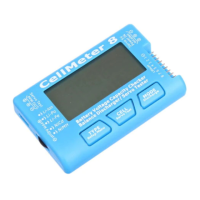
CellMeter 8
Battery Voltage Capacity Checker
1.
2.
3.
CellMeter 8
Battery Voltage Capacity Checker
INTRODUCTION
CellMeter 8
It can be used with the most common battery typ
• LiIon
• LiPo
• LiFe
• NiCd
• NiMH
Lithium battery types
support 2S~8S. Test 1S lithium battery
UBEC to NiCd/MH
Nickel battery type
support 4S~8S
lithium batter
CONNECTING A BATTERY PACK
CellMeter 8
The connecting port of the lithium battery is 9 pin 2.54mm
the
of the balanced line plug is aligned with the CellMeter
the NiCd/MH port.
Nickel battery connection port specifi
spacing of the main line of 2.54mm nickel batteries
generally 2 pin size
connecting the plug
PARAMETERS
CellMeter 8
above
Setup button is to enter the next parameter settings
mode
parameters
setting state
increase
CellMeter 8
Battery Voltage Capacity Checker
INTRODUCTION
CellMeter 8
It can be used with the most common battery typ
• LiIon
• LiPo
• LiFe
• NiCd
• NiMH
Lithium battery types
support 2S~8S. Test 1S lithium battery
UBEC to NiCd/MH
Nickel battery type
support 4S~8S
lithium batter
CONNECTING A BATTERY PACK
CellMeter 8
The connecting port of the lithium battery is 9 pin 2.54mm
the lithium battery pack balance line plug
of the balanced line plug is aligned with the CellMeter
the NiCd/MH port.
Nickel battery connection port specifi
spacing of the main line of 2.54mm nickel batteries
generally 2 pin size
connecting the plug
PARAMETERS
CellMeter 8
above
Setup button is to enter the next parameter settings
mode
parameters
setting state
increase
CellMeter 8
Battery Voltage Capacity Checker
INTRODUCTION
CellMeter 8
It can be used with the most common battery typ
• LiIon
Nickel Ca
• NiMH (
Lithium battery types
support 2S~8S. Test 1S lithium battery
UBEC to NiCd/MH
Nickel battery type
support 4S~8S
lithium batter
CONNECTING A BATTERY PACK
CellMeter 8
The connecting port of the lithium battery is 9 pin 2.54mm
lithium battery pack balance line plug
of the balanced line plug is aligned with the CellMeter
the NiCd/MH port.
Nickel battery connection port specifi
spacing of the main line of 2.54mm nickel batteries
generally 2 pin size
connecting the plug
PARAMETERS
CellMeter 8
above
Menu Setup button
Setup button is to enter the next parameter settings
mode
Return to battery detection mode
parameters
setting state
increase
CellMeter 8
Battery Voltage Capacity Checker
INTRODUCTION
CellMeter 8
It can be used with the most common battery typ
Lithium Ion
Lithium Polymer
Lithium Ferrite
Nickel Ca
(Nickel Metal Hydrate
Lithium battery types
support 2S~8S. Test 1S lithium battery
UBEC to NiCd/MH
Nickel battery type
support 4S~8S
lithium batter
CONNECTING A BATTERY PACK
CellMeter 8
The connecting port of the lithium battery is 9 pin 2.54mm
lithium battery pack balance line plug
of the balanced line plug is aligned with the CellMeter
the NiCd/MH port.
Nickel battery connection port specifi
spacing of the main line of 2.54mm nickel batteries
generally 2 pin size
connecting the plug
PARAMETERS
CellMeter 8
Menu Setup button
Setup button is to enter the next parameter settings
Return to battery detection mode
parameters
setting state
increase
CellMeter 8
Battery Voltage Capacity Checker
INTRODUCTION
CellMeter 8
CellMeter 8 is a clever device that can show you the condition of your battery packs.
It can be used with the most common battery typ
Lithium Ion
Lithium Polymer
Lithium Ferrite
Nickel Ca
Nickel Metal Hydrate
Lithium battery types
support 2S~8S. Test 1S lithium battery
UBEC to NiCd/MH
Nickel battery type
support 4S~8S
lithium battery to the Lithium port for CellMeter 8 to provide working power.
CONNECTING A BATTERY PACK
CellMeter 8 there are two battery connection ports
The connecting port of the lithium battery is 9 pin 2.54mm
lithium battery pack balance line plug
of the balanced line plug is aligned with the CellMeter
the NiCd/MH port.
Nickel battery connection port specifi
spacing of the main line of 2.54mm nickel batteries
generally 2 pin size
connecting the plug
PARAMETERS
CellMeter 8
Connect the lithium battery or nickel battery in the working state
Menu Setup button
Setup button is to enter the next parameter settings
Return to battery detection mode
parameters
Short press MODE key to increase the parameter
setting state
Long press CELL button to qui
CellMeter 8
Battery Voltage Capacity Checker
INTRODUCTION
CellMeter 8 is a clever device that can show you the condition of your battery packs.
It can be used with the most common battery typ
Lithium Ion
Lithium Polymer
Lithium Ferrite
Nickel Ca
Nickel Metal Hydrate
Lithium battery types
support 2S~8S. Test 1S lithium battery
UBEC to NiCd/MH
Nickel battery type
support 4S~8S
such as the need to test less than 4S of nickel batteries
y to the Lithium port for CellMeter 8 to provide working power.
CONNECTING A BATTERY PACK
there are two battery connection ports
The connecting port of the lithium battery is 9 pin 2.54mm
lithium battery pack balance line plug
of the balanced line plug is aligned with the CellMeter
the NiCd/MH port.
Nickel battery connection port specifi
spacing of the main line of 2.54mm nickel batteries
generally 2 pin size
connecting the plug
Can simultaneously connect Lithium battery and Nickel battery
PARAMETERS
Connect the lithium battery or nickel battery in the working state
Menu Setup button
Setup button is to enter the next parameter settings
Return to battery detection mode
Short press MODE key to increase the parameter
Long press CELL button to qui
CellMeter 8
Battery Voltage Capacity Checker
INTRODUCTION
CellMeter 8 is a clever device that can show you the condition of your battery packs.
It can be used with the most common battery typ
Lithium Ion
Lithium Polymer
Lithium Ferrite
Nickel Cadmium
Nickel Metal Hydrate
Lithium battery types
support 2S~8S. Test 1S lithium battery
UBEC to NiCd/MH port for CellMeter 8 to provide working power.
Nickel battery type (
such as the need to test less than 4S of nickel batteries
y to the Lithium port for CellMeter 8 to provide working power.
CONNECTING A BATTERY PACK
there are two battery connection ports
The connecting port of the lithium battery is 9 pin 2.54mm
lithium battery pack balance line plug
of the balanced line plug is aligned with the CellMeter
the NiCd/MH port.
Nickel battery connection port specifi
spacing of the main line of 2.54mm nickel batteries
generally 2 pin size
connecting the plug
Lithium battery and Nickel battery Connection Diagram
Can simultaneously connect Lithium battery and Nickel battery
PARAMETERS
Connect the lithium battery or nickel battery in the working state
Menu Setup button
Setup button is to enter the next parameter settings
Return to battery detection mode
Short press MODE key to increase the parameter
Long press CELL button to qui
CellMeter 8
Battery Voltage Capacity Checker
INTRODUCTION
CellMeter 8 is a clever device that can show you the condition of your battery packs.
It can be used with the most common battery typ
Lithium Polymer
Lithium Ferrite
dmium
Nickel Metal Hydrate
Lithium battery types
Li
support 2S~8S. Test 1S lithium battery
port for CellMeter 8 to provide working power.
(NiCd or NiMH
such as the need to test less than 4S of nickel batteries
y to the Lithium port for CellMeter 8 to provide working power.
CONNECTING A BATTERY PACK
there are two battery connection ports
The connecting port of the lithium battery is 9 pin 2.54mm
lithium battery pack balance line plug
of the balanced line plug is aligned with the CellMeter
Nickel battery connection port specifi
spacing of the main line of 2.54mm nickel batteries
generally 2 pin size
The negative electrode is aligned with the top of the 3 pin interface whe
The positive electrode should be aligned with the 3 pin interface
Lithium battery and Nickel battery Connection Diagram
Can simultaneously connect Lithium battery and Nickel battery
PARAMETERS S
Connect the lithium battery or nickel battery in the working state
Menu Setup button
Setup button is to enter the next parameter settings
Return to battery detection mode
Short press MODE key to increase the parameter
Long press CELL button to qui
CellMeter 8
Battery Voltage Capacity Checker
INTRODUCTION
CellMeter 8 is a clever device that can show you the condition of your battery packs.
It can be used with the most common battery typ
Lithium Polymer
Po
support 2S~8S. Test 1S lithium battery
port for CellMeter 8 to provide working power.
NiCd or NiMH
such as the need to test less than 4S of nickel batteries
y to the Lithium port for CellMeter 8 to provide working power.
CONNECTING A BATTERY PACK
there are two battery connection ports
The connecting port of the lithium battery is 9 pin 2.54mm
lithium battery pack balance line plug
of the balanced line plug is aligned with the CellMeter
Nickel battery connection port specifi
spacing of the main line of 2.54mm nickel batteries
The negative electrode is aligned with the top of the 3 pin interface whe
The positive electrode should be aligned with the 3 pin interface
Lithium battery and Nickel battery Connection Diagram
Can simultaneously connect Lithium battery and Nickel battery
SETTING
Connect the lithium battery or nickel battery in the working state
Menu Setup button
Setup button is to enter the next parameter settings
Return to battery detection mode
Short press MODE key to increase the parameter
Long press CELL button to qui
CellMeter 8
Battery Voltage Capacity Checker
CellMeter 8 is a clever device that can show you the condition of your battery packs.
It can be used with the most common battery typ
Nickel Metal Hydrate)
Po
Li
support 2S~8S. Test 1S lithium battery
port for CellMeter 8 to provide working power.
NiCd or NiMH
such as the need to test less than 4S of nickel batteries
y to the Lithium port for CellMeter 8 to provide working power.
CONNECTING A BATTERY PACK
there are two battery connection ports
The connecting port of the lithium battery is 9 pin 2.54mm
lithium battery pack balance line plug
of the balanced line plug is aligned with the CellMeter
Nickel battery connection port specifi
spacing of the main line of 2.54mm nickel batteries
The negative electrode is aligned with the top of the 3 pin interface whe
The positive electrode should be aligned with the 3 pin interface
Lithium battery and Nickel battery Connection Diagram
Can simultaneously connect Lithium battery and Nickel battery
ETTING
Connect the lithium battery or nickel battery in the working state
Menu Setup button
Enter parameter setting mode
Setup button is to enter the next parameter settings
Return to battery detection mode
Short press MODE key to increase the parameter
Long press CELL button to qui
CellMeter 8
Battery Voltage Capacity Checker
CellMeter 8 is a clever device that can show you the condition of your battery packs.
It can be used with the most common battery typ
)
Ion
support 2S~8S. Test 1S lithium battery
port for CellMeter 8 to provide working power.
NiCd or NiMH
such as the need to test less than 4S of nickel batteries
y to the Lithium port for CellMeter 8 to provide working power.
CONNECTING A BATTERY PACK
there are two battery connection ports
The connecting port of the lithium battery is 9 pin 2.54mm
lithium battery pack balance line plug
of the balanced line plug is aligned with the CellMeter
Nickel battery connection port specifi
spacing of the main line of 2.54mm nickel batteries
The negative electrode is aligned with the top of the 3 pin interface whe
The positive electrode should be aligned with the 3 pin interface
Lithium battery and Nickel battery Connection Diagram
Can simultaneously connect Lithium battery and Nickel battery
ETTING
Connect the lithium battery or nickel battery in the working state
Enter parameter setting mode
Setup button is to enter the next parameter settings
Return to battery detection mode
Short press MODE key to increase the parameter
Long press CELL button to qui
Battery Voltage Capacity Checker
CellMeter 8 is a clever device that can show you the condition of your battery packs.
It can be used with the most common battery typ
Ion
Li
support 2S~8S. Test 1S lithium battery
port for CellMeter 8 to provide working power.
NiCd or NiMH),
such as the need to test less than 4S of nickel batteries
y to the Lithium port for CellMeter 8 to provide working power.
CONNECTING A BATTERY PACK
there are two battery connection ports
The connecting port of the lithium battery is 9 pin 2.54mm
lithium battery pack balance line plug
of the balanced line plug is aligned with the CellMeter
Nickel battery connection port specifi
spacing of the main line of 2.54mm nickel batteries
The negative electrode is aligned with the top of the 3 pin interface whe
The positive electrode should be aligned with the 3 pin interface
Lithium battery and Nickel battery Connection Diagram
Can simultaneously connect Lithium battery and Nickel battery
ETTING
Connect the lithium battery or nickel battery in the working state
Enter parameter setting mode
Setup button is to enter the next parameter settings
Return to battery detection mode
Short press MODE key to increase the parameter
Long press CELL button to qui
Battery Voltage Capacity Checker
CellMeter 8 is a clever device that can show you the condition of your battery packs.
It can be used with the most common battery typ
Li
Fe
support 2S~8S. Test 1S lithium battery
port for CellMeter 8 to provide working power.
),without the need for additional power supply of CellMeter 8 can
such as the need to test less than 4S of nickel batteries
y to the Lithium port for CellMeter 8 to provide working power.
CONNECTING A BATTERY PACK
there are two battery connection ports
The connecting port of the lithium battery is 9 pin 2.54mm
lithium battery pack balance line plug
of the balanced line plug is aligned with the CellMeter
Nickel battery connection port specification for 3 pin 2.54mm spacing
spacing of the main line of 2.54mm nickel batteries
The negative electrode is aligned with the top of the 3 pin interface whe
The positive electrode should be aligned with the 3 pin interface
Lithium battery and Nickel battery Connection Diagram
Can simultaneously connect Lithium battery and Nickel battery
ETTING
Connect the lithium battery or nickel battery in the working state
Enter parameter setting mode
Setup button is to enter the next parameter settings
Return to battery detection mode
Short press MODE key to increase the parameter
Long press CELL button to qui
User Guide and Manual
Battery Voltage Capacity Checker
CellMeter 8 is a clever device that can show you the condition of your battery packs.
It can be used with the most common battery typ
Fe
without the need for additional power supply
support 2S~8S. Test 1S lithium battery
you need to access more than 3S of nickel batteries or 5V
port for CellMeter 8 to provide working power.
without the need for additional power supply of CellMeter 8 can
such as the need to test less than 4S of nickel batteries
y to the Lithium port for CellMeter 8 to provide working power.
CONNECTING A BATTERY PACK
there are two battery connection ports
The connecting port of the lithium battery is 9 pin 2.54mm
lithium battery pack balance line plug
Connect the battery pack to the plug
of the balanced line plug is aligned with the CellMeter
cation for 3 pin 2.54mm spacing
spacing of the main line of 2.54mm nickel batteries
The negative electrode is aligned with the top of the 3 pin interface whe
The positive electrode should be aligned with the 3 pin interface
Lithium battery and Nickel battery Connection Diagram
Can simultaneously connect Lithium battery and Nickel battery
Connect the lithium battery or nickel battery in the working state
Enter parameter setting mode
Setup button is to enter the next parameter settings
Return to battery detection mode
Parameter setting modeShort press CELL key to reduce the
Short press MODE key to increase the parameter
Long press CELL button to qui
User Guide and Manual
Battery Voltage Capacity Checker
CellMeter 8 is a clever device that can show you the condition of your battery packs.
It can be used with the most common battery typ
without the need for additional power supply
you need to access more than 3S of nickel batteries or 5V
port for CellMeter 8 to provide working power.
without the need for additional power supply of CellMeter 8 can
such as the need to test less than 4S of nickel batteries
y to the Lithium port for CellMeter 8 to provide working power.
CONNECTING A BATTERY PACK
there are two battery connection ports
The connecting port of the lithium battery is 9 pin 2.54mm
Connect the battery pack to the plug
of the balanced line plug is aligned with the CellMeter
cation for 3 pin 2.54mm spacing
spacing of the main line of 2.54mm nickel batteries
The negative electrode is aligned with the top of the 3 pin interface whe
The positive electrode should be aligned with the 3 pin interface
Lithium battery and Nickel battery Connection Diagram
Can simultaneously connect Lithium battery and Nickel battery
Connect the lithium battery or nickel battery in the working state
Enter parameter setting mode
Setup button is to enter the next parameter settings
Parameter setting modeShort press CELL key to reduce the
Short press MODE key to increase the parameter
Long press CELL button to qui
User Guide and Manual
Battery Voltage Capacity Checker /
CellMeter 8 is a clever device that can show you the condition of your battery packs.
It can be used with the most common battery typ
without the need for additional power supply
you need to access more than 3S of nickel batteries or 5V
port for CellMeter 8 to provide working power.
without the need for additional power supply of CellMeter 8 can
such as the need to test less than 4S of nickel batteries
y to the Lithium port for CellMeter 8 to provide working power.
CONNECTING A BATTERY PACK
there are two battery connection ports
The connecting port of the lithium battery is 9 pin 2.54mm
Connect the battery pack to the plug
of the balanced line plug is aligned with the CellMeter
cation for 3 pin 2.54mm spacing
spacing of the main line of 2.54mm nickel batteries
The negative electrode is aligned with the top of the 3 pin interface whe
The positive electrode should be aligned with the 3 pin interface
Lithium battery and Nickel battery Connection Diagram
Can simultaneously connect Lithium battery and Nickel battery
Connect the lithium battery or nickel battery in the working state
Enter parameter setting mode
Setup button is to enter the next parameter settings
Parameter setting modeShort press CELL key to reduce the
Short press MODE key to increase the parameter
Long press CELL button to quickly reduce
Balance Discharger
CellMeter 8 is a clever device that can show you the condition of your battery packs.
It can be used with the most common battery types used for RC modeling
without the need for additional power supply
you need to access more than 3S of nickel batteries or 5V
port for CellMeter 8 to provide working power.
without the need for additional power supply of CellMeter 8 can
such as the need to test less than 4S of nickel batteries
y to the Lithium port for CellMeter 8 to provide working power.
CONNECTING A BATTERY PACK
there are two battery connection ports:
The connecting port of the lithium battery is 9 pin 2.54mm
Connect the battery pack to the plug
of the balanced line plug is aligned with the CellMeter
cation for 3 pin 2.54mm spacing
spacing of the main line of 2.54mm nickel batteries
The negative electrode is aligned with the top of the 3 pin interface whe
The positive electrode should be aligned with the 3 pin interface
Lithium battery and Nickel battery Connection Diagram
Can simultaneously connect Lithium battery and Nickel battery
Connect the lithium battery or nickel battery in the working state
Enter parameter setting mode
Setup button is to enter the next parameter settings
Parameter setting modeShort press CELL key to reduce the
Short press MODE key to increase the parameter
ckly reduce
User Guide and Manual
Balance Discharger
CellMeter 8 is a clever device that can show you the condition of your battery packs.
es used for RC modeling
without the need for additional power supply
you need to access more than 3S of nickel batteries or 5V
port for CellMeter 8 to provide working power.
without the need for additional power supply of CellMeter 8 can
such as the need to test less than 4S of nickel batteries
y to the Lithium port for CellMeter 8 to provide working power.
:
The connecting port of the lithium battery is 9 pin 2.54mm
Connect the battery pack to the plug
of the balanced line plug is aligned with the CellMeter
cation for 3 pin 2.54mm spacing
spacing of the main line of 2.54mm nickel batteries
The negative electrode is aligned with the top of the 3 pin interface whe
The positive electrode should be aligned with the 3 pin interface
Lithium battery and Nickel battery Connection Diagram
Can simultaneously connect Lithium battery and Nickel battery
Connect the lithium battery or nickel battery in the working state
Enter parameter setting mode
Setup button is to enter the next parameter settings
Parameter setting modeShort press CELL key to reduce the
Short press MODE key to increase the parameter
ckly reduce
User Guide and Manual
Balance Discharger
CellMeter 8 is a clever device that can show you the condition of your battery packs.
es used for RC modeling
without the need for additional power supply
you need to access more than 3S of nickel batteries or 5V
port for CellMeter 8 to provide working power.
without the need for additional power supply of CellMeter 8 can
such as the need to test less than 4S of nickel batteries
y to the Lithium port for CellMeter 8 to provide working power.
The connecting port of the lithium battery is 9 pin 2.54mm
Connect the battery pack to the plug
of the balanced line plug is aligned with the CellMeter 8 Lithium port
cation for 3 pin 2.54mm spacing
spacing of the main line of 2.54mm nickel batteries
The main line of the nickel battery pack is
The negative electrode is aligned with the top of the 3 pin interface whe
The positive electrode should be aligned with the 3 pin interface
Lithium battery and Nickel battery Connection Diagram
Can simultaneously connect Lithium battery and Nickel battery
Connect the lithium battery or nickel battery in the working state
Enter parameter setting mode
Setup button is to enter the next parameter settings
Long press is o
Parameter setting modeShort press CELL key to reduce the
Short press MODE key to increase the parameter
ckly reduce
User Guide and Manual
Balance Discharger
CellMeter 8 is a clever device that can show you the condition of your battery packs.
es used for RC modeling
without the need for additional power supply
you need to access more than 3S of nickel batteries or 5V
port for CellMeter 8 to provide working power.
without the need for additional power supply of CellMeter 8 can
such as the need to test less than 4S of nickel batteries
y to the Lithium port for CellMeter 8 to provide working power.
The connecting port of the lithium battery is 9 pin 2.54mm
Can be directly inserted into the 2.54mm of
Connect the battery pack to the plug
8 Lithium port
cation for 3 pin 2.54mm spacing
The main line of the nickel battery pack is
The negative electrode is aligned with the top of the 3 pin interface whe
The positive electrode should be aligned with the 3 pin interface
Lithium battery and Nickel battery Connection Diagram
Can simultaneously connect Lithium battery and Nickel battery
Connect the lithium battery or nickel battery in the working state
Enter parameter setting mode
Parameter setting mode
Long press is o
Parameter setting modeShort press CELL key to reduce the
Short press MODE key to increase the parameter
ckly reduce
Long press MODE button for the rapid
User Guide and Manual
Balance Discharger
CellMeter 8 is a clever device that can show you the condition of your battery packs.
es used for RC modeling
without the need for additional power supply
you need to access more than 3S of nickel batteries or 5V
port for CellMeter 8 to provide working power.
without the need for additional power supply of CellMeter 8 can
such as the need to test less than 4S of nickel batteries
y to the Lithium port for CellMeter 8 to provide working power.
Can be directly inserted into the 2.54mm of
Connect the battery pack to the plug
8 Lithium port
cation for 3 pin 2.54mm spacing
The main line of the nickel battery pack is
The negative electrode is aligned with the top of the 3 pin interface whe
The positive electrode should be aligned with the 3 pin interface
Lithium battery and Nickel battery Connection Diagram
Can simultaneously connect Lithium battery and Nickel battery
Connect the lithium battery or nickel battery in the working state
Parameter setting mode
Long press is o
Parameter setting modeShort press CELL key to reduce the
Short press MODE key to increase the parameter
Long press MODE button for the rapid
User Guide and Manual
Balance Discharger
CellMeter 8 is a clever device that can show you the condition of your battery packs.
es used for RC modeling
without the need for additional power supply
you need to access more than 3S of nickel batteries or 5V
port for CellMeter 8 to provide working power.
without the need for additional power supply of CellMeter 8 can
such as the need to test less than 4S of nickel batteries
y to the Lithium port for CellMeter 8 to provide working power.
Can be directly inserted into the 2.54mm of
Connect the battery pack to the plug
8 Lithium port
cation for 3 pin 2.54mm spacing
The main line of the nickel battery pack is
The negative electrode is aligned with the top of the 3 pin interface whe
The positive electrode should be aligned with the 3 pin interface
Lithium battery and Nickel battery Connection Diagram
Can simultaneously connect Lithium battery and Nickel battery
Connect the lithium battery or nickel battery in the working state
Parameter setting mode
Long press is o
Parameter setting modeShort press CELL key to reduce the
Short press MODE key to increase the parameter.
Long press MODE button for the rapid
User Guide and Manual
Balance Discharger
CellMeter 8 is a clever device that can show you the condition of your battery packs.
es used for RC modeling
without the need for additional power supply
you need to access more than 3S of nickel batteries or 5V
without the need for additional power supply of CellMeter 8 can
such as the need to test less than 4S of nickel batteries
y to the Lithium port for CellMeter 8 to provide working power.
Can be directly inserted into the 2.54mm of
Connect the battery pack to the plug
8 Lithium port
cation for 3 pin 2.54mm spacing,
The main line of the nickel battery pack is
The negative electrode is aligned with the top of the 3 pin interface whe
The positive electrode should be aligned with the 3 pin interface
Lithium battery and Nickel battery Connection Diagram
Can simultaneously connect Lithium battery and Nickel battery
Connect the lithium battery or nickel battery in the working state
Parameter setting mode
Long press is o
Parameter setting modeShort press CELL key to reduce the
.Discharge end voltage parameter
Long press MODE button for the rapid
User Guide and Manual
Balance Discharger
CellMeter 8 is a clever device that can show you the condition of your battery packs.
es used for RC modeling
without the need for additional power supply
you need to access more than 3S of nickel batteries or 5V
without the need for additional power supply of CellMeter 8 can
such as the need to test less than 4S of nickel batteries
y to the Lithium port for CellMeter 8 to provide working power.
Can be directly inserted into the 2.54mm of
Connect the battery pack to the plug
(
,Can be directly inserted into the
The main line of the nickel battery pack is
The negative electrode is aligned with the top of the 3 pin interface whe
The positive electrode should be aligned with the 3 pin interface
Lithium battery and Nickel battery Connection Diagram
Can simultaneously connect Lithium battery and Nickel battery
Connect the lithium battery or nickel battery in the working state
Parameter setting mode
Long press is o
Parameter setting modeShort press CELL key to reduce the
Discharge end voltage parameter
Long press MODE button for the rapid
User Guide and Manual
Balance Discharger
CellMeter 8 is a clever device that can show you the condition of your battery packs.
es used for RC modeling
namely:
without the need for additional power supply
you need to access more than 3S of nickel batteries or 5V
without the need for additional power supply of CellMeter 8 can
such as the need to test less than 4S of nickel batteries
you need to access 2~8S
y to the Lithium port for CellMeter 8 to provide working power.
Can be directly inserted into the 2.54mm of
Connect the battery pack to the plug
(Negative
Can be directly inserted into the
The main line of the nickel battery pack is
The negative electrode is aligned with the top of the 3 pin interface whe
The positive electrode should be aligned with the 3 pin interface
Lithium battery and Nickel battery Connection Diagram
Can simultaneously connect Lithium battery and Nickel battery
Connect the lithium battery or nickel battery in the working state
Parameter setting mode
Long press is out of the parameter setting
Parameter setting modeShort press CELL key to reduce the
Discharge end voltage parameter
Long press MODE button for the rapid
User Guide and Manual
Balance Discharger /
CellMeter 8 is a clever device that can show you the condition of your battery packs.
namely:
without the need for additional power supply
you need to access more than 3S of nickel batteries or 5V
without the need for additional power supply of CellMeter 8 can
you need to access 2~8S
Can be directly inserted into the 2.54mm of
Connect the battery pack to the plug,
Negative
Can be directly inserted into the
The main line of the nickel battery pack is
The negative electrode is aligned with the top of the 3 pin interface whe
The positive electrode should be aligned with the 3 pin interface
Lithium battery and Nickel battery Connection Diagram
Can simultaneously connect Lithium battery and Nickel battery
Connect the lithium battery or nickel battery in the working state
Press
Parameter setting mode
ut of the parameter setting
Parameter setting modeShort press CELL key to reduce the
Discharge end voltage parameter
Long press MODE button for the rapid
User Guide and Manual
Balance Discharger
Servo Tester
CellMeter 8 is a clever device that can show you the condition of your battery packs.
namely:
without the need for additional power supply
you need to access more than 3S of nickel batteries or 5V
without the need for additional power supply of CellMeter 8 can
you need to access 2~8S
Can be directly inserted into the 2.54mm of
,The negative electrode
Negative
Can be directly inserted into the
The main line of the nickel battery pack is
The negative electrode is aligned with the top of the 3 pin interface whe
The positive electrode should be aligned with the 3 pin interface
Can simultaneously connect Lithium battery and Nickel battery
Press
Parameter setting mode
ut of the parameter setting
Parameter setting modeShort press CELL key to reduce the
Discharge end voltage parameter
Long press MODE button for the rapid
User Guide and Manual
Servo Tester
CellMeter 8 is a clever device that can show you the condition of your battery packs.
namely:
without the need for additional power supply
you need to access more than 3S of nickel batteries or 5V
without the need for additional power supply of CellMeter 8 can
you need to access 2~8S
Can be directly inserted into the 2.54mm of
The negative electrode
Negative Location close to
Can be directly inserted into the
The main line of the nickel battery pack is
The negative electrode is aligned with the top of the 3 pin interface whe
The positive electrode should be aligned with the 3 pin interface
Press
press to button 1S
Parameter setting mode
Short press Menu
ut of the parameter setting
Parameter setting modeShort press CELL key to reduce the
Discharge end voltage parameter
Long press MODE button for the rapid
User Guide and Manual
Servo Tester
CellMeter 8 is a clever device that can show you the condition of your battery packs.
without the need for additional power supply
CellMeter 8 can
you need to access more than 3S of nickel batteries or 5V
without the need for additional power supply of CellMeter 8 can
you need to access 2~8S
Can be directly inserted into the 2.54mm of
The negative electrode
Location close to
Can be directly inserted into the
The main line of the nickel battery pack is
The negative electrode is aligned with the top of the 3 pin interface whe
The positive electrode should be aligned with the 3 pin interface
press to button 1S
Short press Menu
ut of the parameter setting
Parameter setting modeShort press CELL key to reduce the
Discharge end voltage parameter
Long press MODE button for the rapid
User Guide and Manual
Servo Tester
CellMeter 8 is a clever device that can show you the condition of your battery packs.
CellMeter 8 can
you need to access more than 3S of nickel batteries or 5V
without the need for additional power supply of CellMeter 8 can
you need to access 2~8S
Can be directly inserted into the 2.54mm of
The negative electrode
Location close to
Can be directly inserted into the
The main line of the nickel battery pack is
The negative electrode is aligned with the top of the 3 pin interface whe
press to button 1S
Short press Menu
ut of the parameter setting
Parameter setting modeShort press CELL key to reduce the
Discharge end voltage parameter
Long press MODE button for the rapid
User Guide and Manual
Servo Tester
CellMeter 8 is a clever device that can show you the condition of your battery packs.
CellMeter 8 can
you need to access more than 3S of nickel batteries or 5V
without the need for additional power supply of CellMeter 8 can
you need to access 2~8S
Can be directly inserted into the 2.54mm of
The negative electrode
Location close to
Can be directly inserted into the
The main line of the nickel battery pack is
The negative electrode is aligned with the top of the 3 pin interface whe
press to button 1S
Short press Menu
ut of the parameter setting
Parameter setting modeShort press CELL key to reduce the
Discharge end voltage parameter
Long press MODE button for the rapid
User Guide and Manual
Servo Tester
CellMeter 8 is a clever device that can show you the condition of your battery packs.
CellMeter 8 can
you need to access more than 3S of nickel batteries or 5V
without the need for additional power supply of CellMeter 8 can
you need to access 2~8S
Can be directly inserted into the 2.54mm of
The negative electrode
Location close to
Can be directly inserted into the
The main line of the nickel battery pack is
The negative electrode is aligned with the top of the 3 pin interface whe
press to button 1S
Short press Menu
ut of the parameter setting
Parameter setting modeShort press CELL key to reduce the
Discharge end voltage parameter
Long press MODE button for the rapid
User Guide and Manual
Servo Tester
CellMeter 8 can
you need to access more than 3S of nickel batteries or 5V
without the need for additional power supply of CellMeter 8 can
you need to access 2~8S
Can be directly inserted into the 2.54mm of
The negative electrode
Location close to
Can be directly inserted into the
The main line of the nickel battery pack is
The negative electrode is aligned with the top of the 3 pin interface whe
press to button 1S
Short press Menu
ut of the parameter setting
Parameter setting modeShort press CELL key to reduce the
Discharge end voltage parameter
Long press MODE button for the rapid
CellMeter 8 can
you need to access more than 3S of nickel batteries or 5V
without the need for additional power supply of CellMeter 8 can
you need to access 2~8S
Can be directly inserted into the 2.54mm of
The negative electrode
Location close to
Can be directly inserted into the
The main line of the nickel battery pack is
The negative electrode is aligned with the top of the 3 pin interface whe
press to button 1S
Short press Menu
ut of the parameter setting
Parameter setting modeShort press CELL key to reduce the
Discharge end voltage parameter
Long press MODE button for the rapid


 To Next Page
 Need help?
 General