Connecting the unit
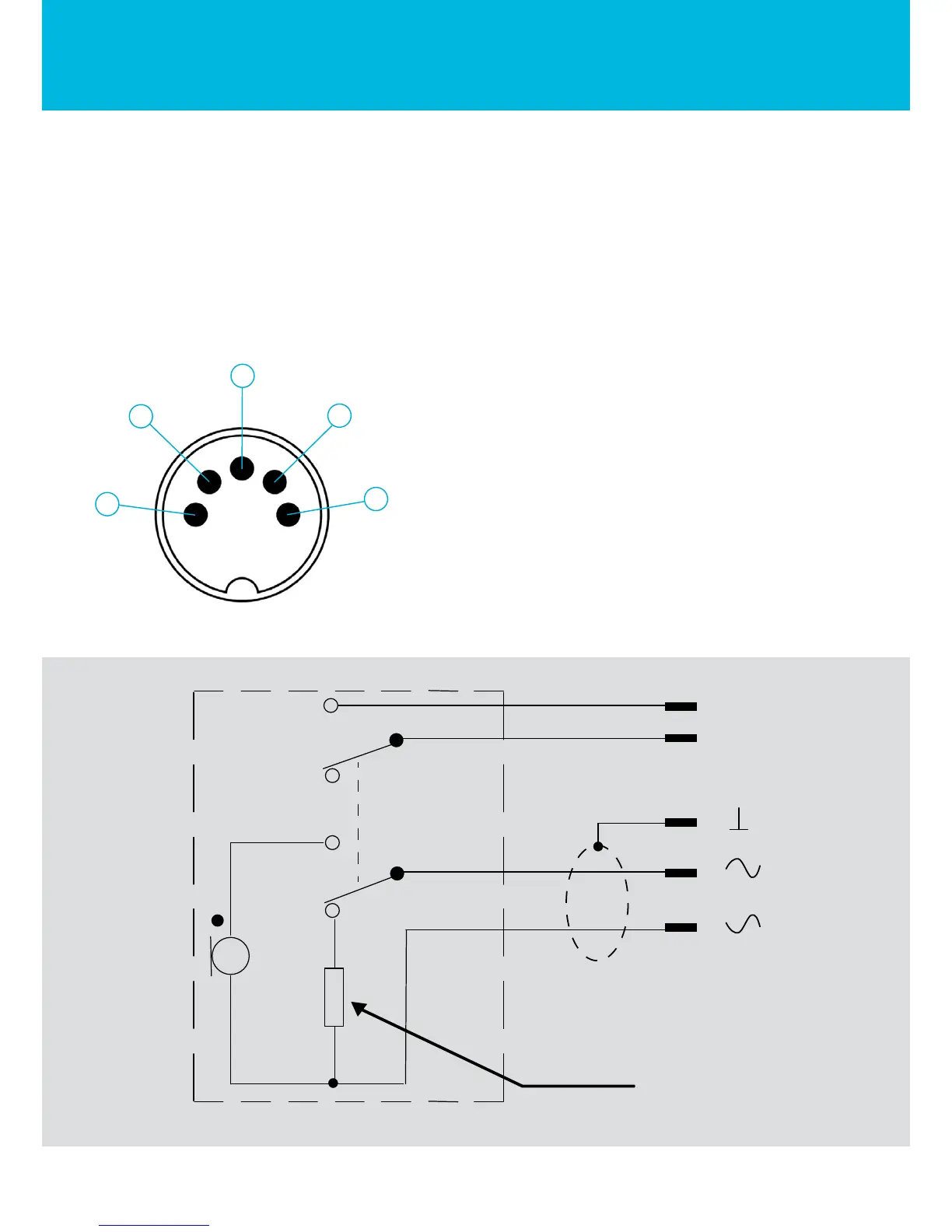
Consult the manual of your master unit before connecting the microphone. MICPAT-D has a 5 wire
connection and offers a balanced microphone level output and a separate paging contact. In case
your master unit is not equipped with a DIN5, please consult the connection diagram shown below.
DIN5-180° front view
1. White: microphone balanced signal +
2. Shield: signal ground
3. Red: microphone balanced signal -
4. Black: paging switch common
5. Yellow: paging switch contact
4
5
2
1
3
DIN 180°
1K2
WWW.APART-AUDIO.COM
3
5
2
4
1



 To Next Page