39
LED Patterns and Error Messages
Pattern
State
LED Colors
White
The LED on the system hardware provides important information about the operating state
of the hardware. The table below lists the LED ashing patterns associated with these states,
which can be useful in troubleshooting issues encountered with the hardware.
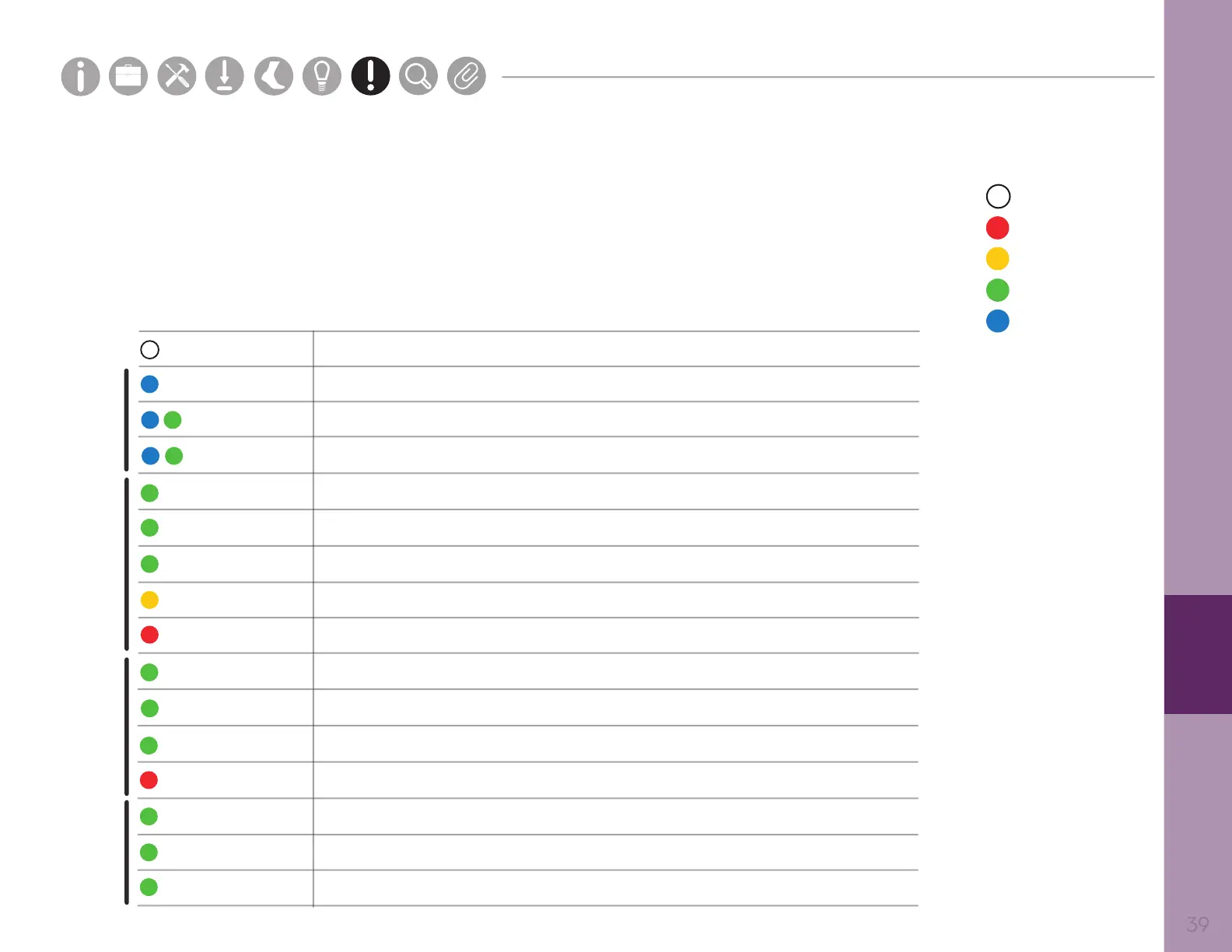
Solid white - Startup
Solid blue - charge is >90%
Blue, green every 2s - charge is >30% and <90%
Green every 2s - latency is <5s
Blue, green every 1s - charge is <30%
Green every 2s - latency is >5s
Green every 2s - Opal is transmitting data, <5s of latency
Solid green - AP has not received data from at least 1 Opal in >5s
Green every 2s - Opal is transmitting data, >5s of latency
Error
Solid green - Opal has not transmitted any data in >5s
Solid Green (Dock body front) - Power on
Battery is <10%
Green (Opal slot) - Opal has been detected by computer
Error
Solid Green (Dock body back) - USB port device detected by computer
brief
brief
long
long
Red
Yellow
Green
Blue
Docked Opal
Undocked OpalAccess Point
Docking
Station
Parts
Setup M.L. How to
M.L. Software Download Troubleshooting
Hardware Cong
Tech Stats/Info
Parts
Setup M.L. How to
M.L. Software Download Troubleshooting
Hardware Cong
Tech Stats/Info
Parts
Setup M.L. How to
M.L. Software Download Troubleshooting
Hardware Cong
Tech Stats/Info
Parts
Setup M.L. How to
M.L. Software Download Troubleshooting
Hardware Cong
Tech Stats/Info
Parts
Setup M.L. How to
M.L. Software Download Troubleshooting
Hardware Cong
Tech Stats/Info
Parts
Setup M.L. How to
M.L. Software Download Troubleshooting
Hardware Cong
Tech Stats/Info
Parts
Setup M.L. How to
M.L. Software Download Troubleshooting
Hardware Cong
Tech Stats/Info


 To Next Page
 Loading...