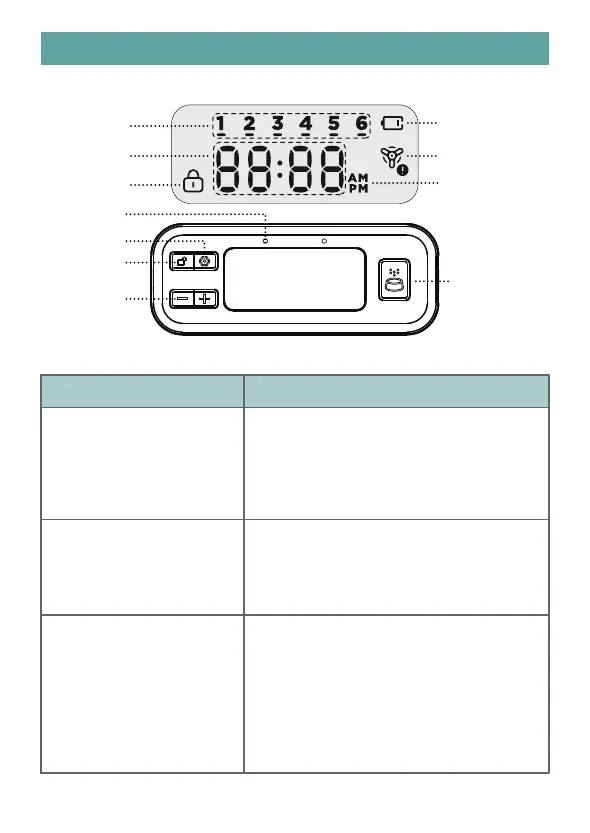
DISPLAY & CONTROL PANNEL
Buttons Function
Unlock/Return Button
In the locked state, press and hold for 3
seconds to unlock. In the unlocked state,
press and hold for 3 seconds to lock. In the
unlocked state, press once to return to the
last step.
UP/Down Button
In the unlocked state, press Up/Down to
choose time, portion, AM or PM. In the
locked state, press Up/Down to check the
meal settings.
OK/Setting Button In the unlocked state, press and hold for 3
seconds to start setting the current time and
feeding plan. After the plan is set up, press
and hold for 3 seconds again to end the
setting. In the unlocked state, press once to
confirm the setting and enter the next step.
Low Battery
Food Blockage
Before noon
After noon
Meal Number
Time or Portion
Locked Icon
Indicator
OK/Setting
Unlock/Return
Manual Feeding
Down/Up
3



 To Next Page