BATTERY
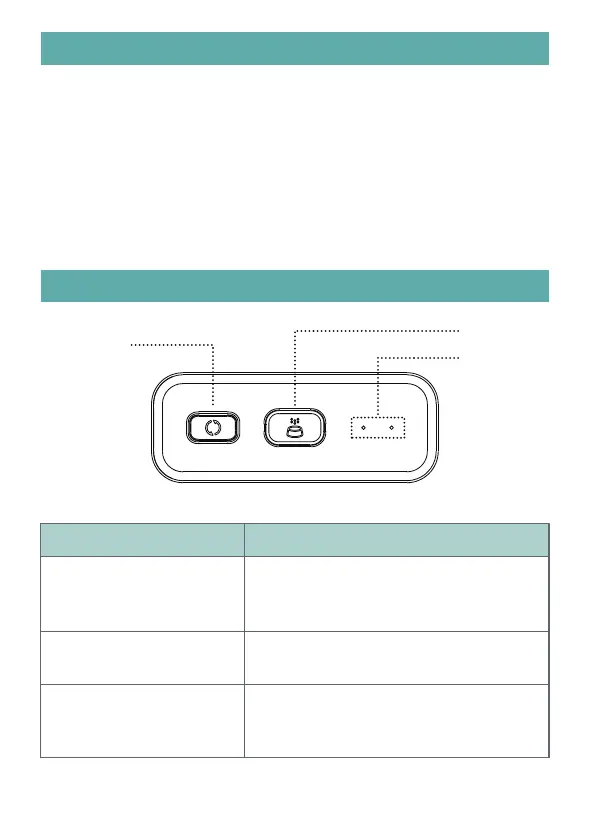
CONTROLL PANEL
Buttons Function
Wi-Fi Config Button
Press and hold for 5s to reset Wi-Fi
connection settings and all the feeder
settings.
Manual Feeding
Reset key Press and hold the Setup button until
the blue light blinks to force a connection
reset.
Feeding amount can be set in the App, the
default amount is 1 portion.
external power is cut. When there is battery only, the feeder will go to sleep
mode after 3 minutes of no operation. When in sleep mode, the network and
normally at the schedule feeding time.
Notes:
Rechargeable batteries are not recommended. Rechargeable batteries may
cause inaccurate power indications.
Manual Feeding
Wi-Fi Config
Indicator
3



 To Next Page