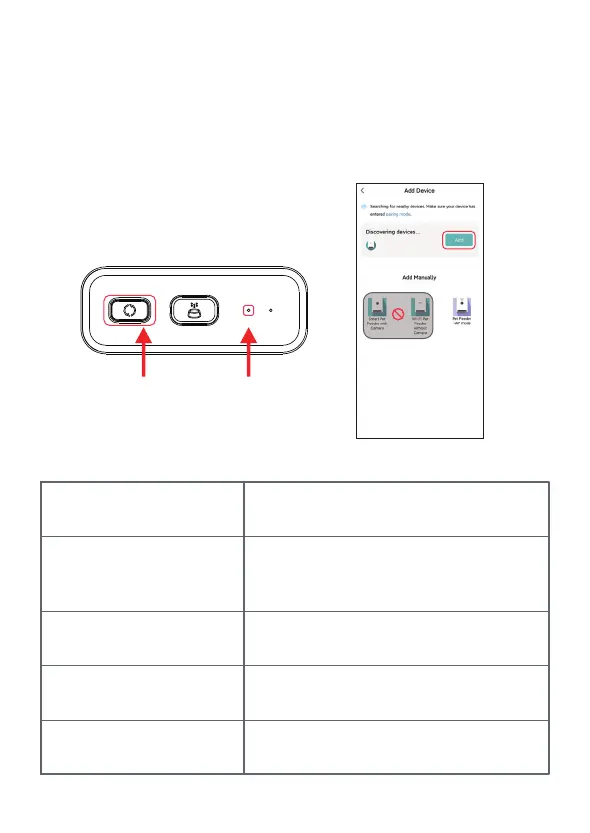
5. Power on the feeder, check whether the feeder’s indicator is flashing in red.
If the current indicator LED is in any other state, please press and hold the
Wi-Fi config button for about 5 seconds to reset the feeder.
Then mobile phone will detect the feeder by Bluetooth automatically. Once
detected, App will show a message to ask to add the feeder. If not, please
check the feeder’s indicator LED carefully.
Click Add button.
Long press to reset Flashing
Indicator LED status:
RED Flashing
Feeder is waiting for Wi-Fi network
configuration;
GREEN Flashing
Feeder is configured for the Wi-Fi network
and trying to connect. If the connection
fails, the green flashing will persist.
GREEN Always on
Feeder is connected to the Wi-Fi network.
It can be turned off in the settings.
RED Always on
Feeder is failed to connect to Wi-Fi network,
Always off
Feeder is only powered by battery only or
turned off manually.
8



 To Next Page