23English
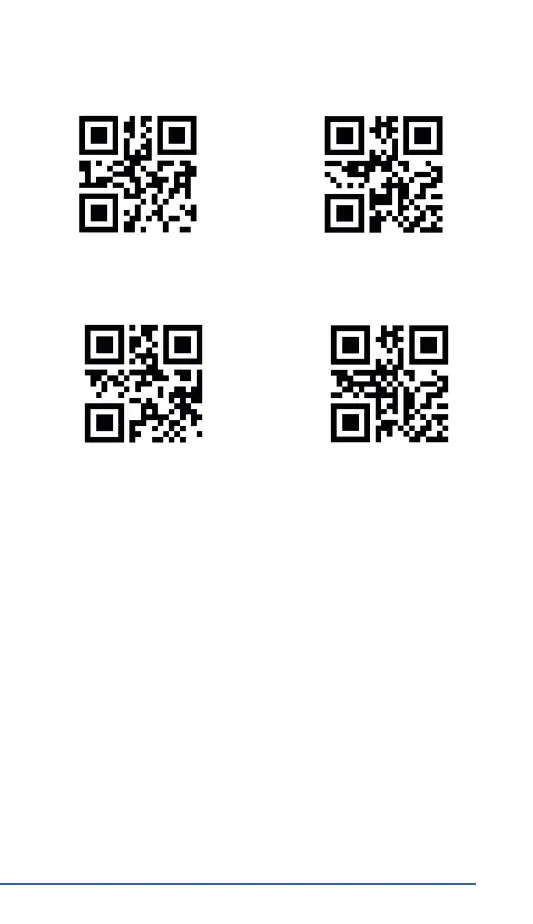
Terminator OFF
Terminators
Terminator Enter
Terminator Enter + Shi Terminator TAB
Scan the desired barcode to change a terminator. The barcode scanner
will then execute the congured terminator aer every scanned code.
Scan "Terminator OFF" to turn o the terminator.
8. Cleaning and Care
Ensure that the barcode scanner is not connected to any USB port before
cleaning. Use a so dry cloth to clean and wipe the barcode scanner with
it carefully. For cleaning, never immerse the device in water!
9. Safety instrucons and disclaimer
Never try to open the device to repair or make modicaons. Avoid con-
tact with the mains voltage. Do not short-circuit the product. The device
is not waterproof, hence please use it only in dry surroundings. Protect
it from high humidity, water and snow. Keep the device away from high
temperatures.
Do not expose the device to sudden changes in temperature or strong
vibraons, as this could damage the electronic components.


 To Next Page