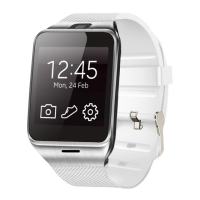
Note: In the phone setting, you can set the clock type and theme; in
the security settings, the default security code: 1122
3.4.9 Pedometer
In pedometer settings, drag to left, you can see steps and burn
calories, speed, mileage etc, movement information;
In the process of movement, if want to go back to the main menu, and
don’t want to stop step function, please press the power button, pedometer
function will continue to rum in the background. Motion synchronization data,
please see the behind dynamic capabilities.
3.4.10 Sleep monitoring
According to your sleep time to show the quality of your sleep..
3.4.11 Sedentary remind
Can set up the time remind you need to take exercise; it is
recommended that one time at least per hour.
3.4.12 QR code
Scan the QR code, can download the synchronization software, if
have the new version software to upgrade, please contact with our company,


 To Next Page
 Loading...