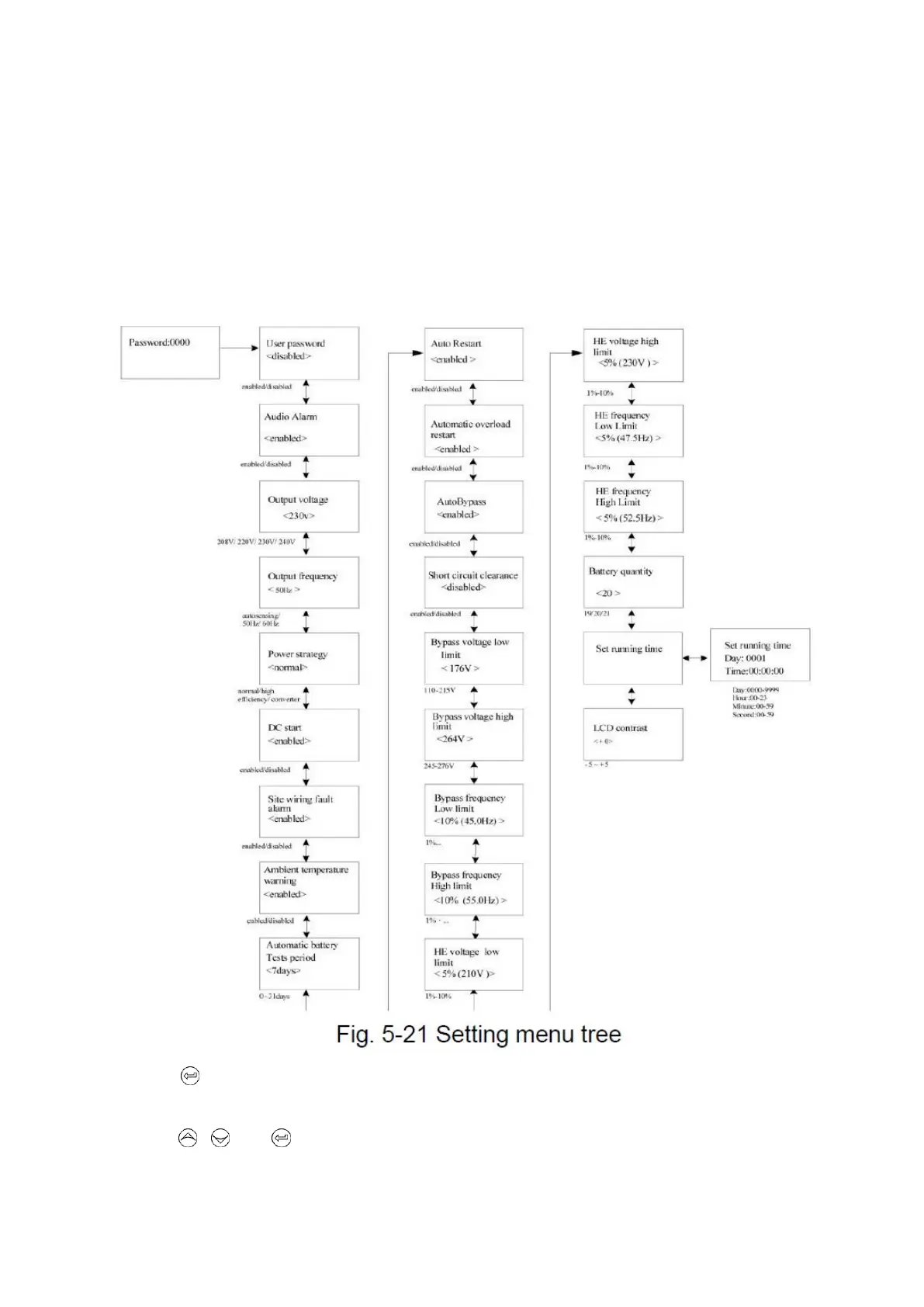
5.4.7 The setting menu
Please contact your local distributor for further informationbefore using the settings.Some
settings would change the specification, and some settings would enable or disable some
functions. The unsuitable option set by user may result in potential failures or protecting
function loss, even directly damage the load, battery or UPS.
The most of settings could only be done while UPS is in Bypass mode.
By press on the menu of “Identification”, the display would enter the next setting menu tree
if “User password”is disabled. If “User password”is enabled,the user should enter the password
by press , , and , then enter the next setting menu tree.


 To Next Page
 Loading...