T: +44(0)1638 510900 digitalsignage.anders-kern.co.uk E: airgoo@anders-kern.co.uk
T: +44(0)1638 510900 digitalsignage.anders-kern.co.uk E: airgoo@anders-kern.co.uk
2.2.2. The “My Displays” section
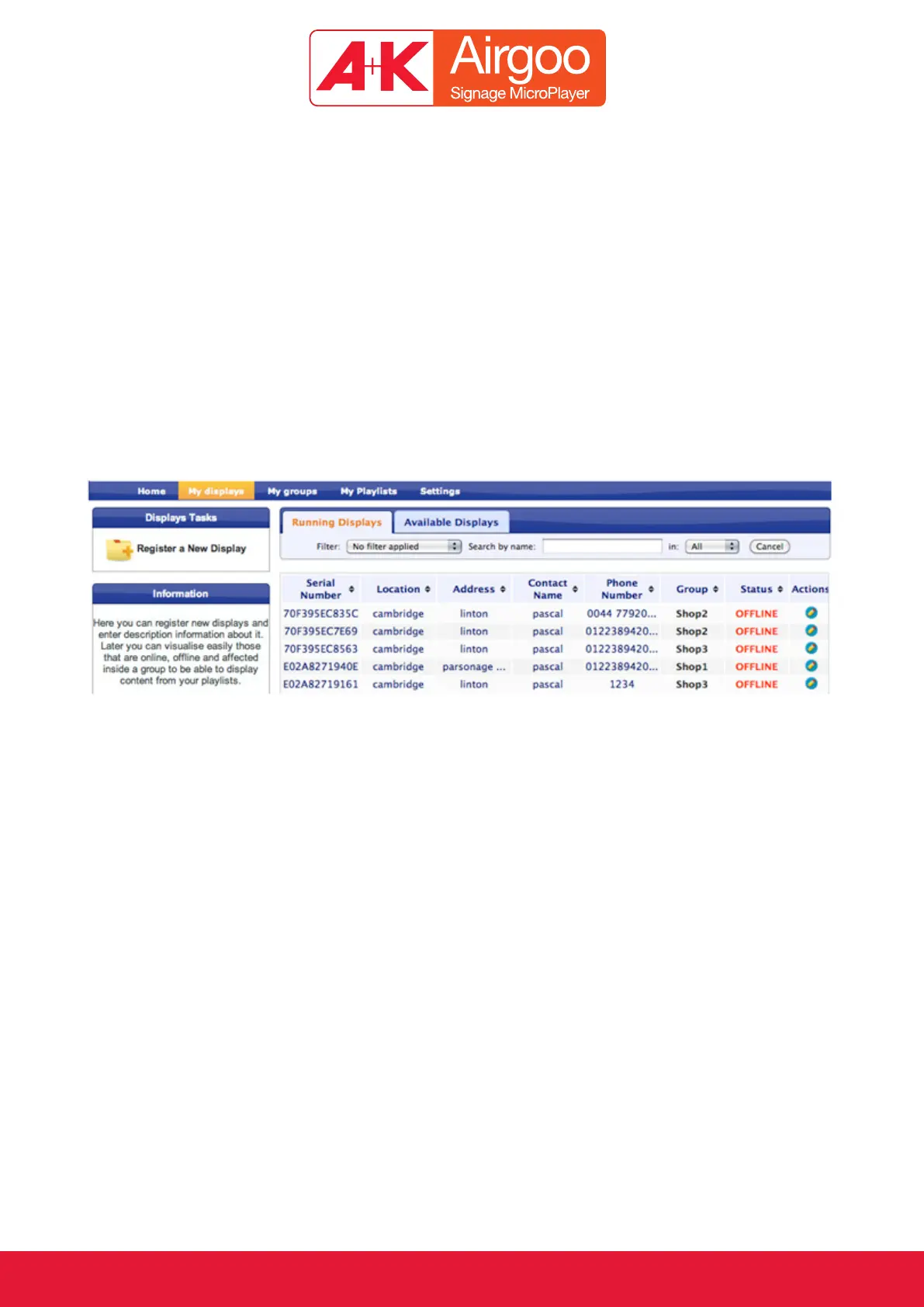
This section lists all the MicroPlayers that have been registered under the same account.
(Note: From now on we will refer to “Displays” as a combination of a MicroPlayer and a flat panel TV.)
Once a new display is successfully registered, it will appear in the “Available Displays” section.
Once the display has been linked to a specific Group it will be automatically moved to the
“Running Displays” section. In this case the following information will appear:
Location (as it has been recorded during the registration procedure)•
Which Group it belongs to•
Online or Offline status; the display will appear as online only if the actual display is connected •
to the Internet
Click on the blue pen under the action column to edit the following fields: location, address,
contact name and phone number. This will enable better management of the displays.


 To Next Page
 Loading...