CHAPTER 3
Devices and Ports
32 Keyboard
Keyboard 3
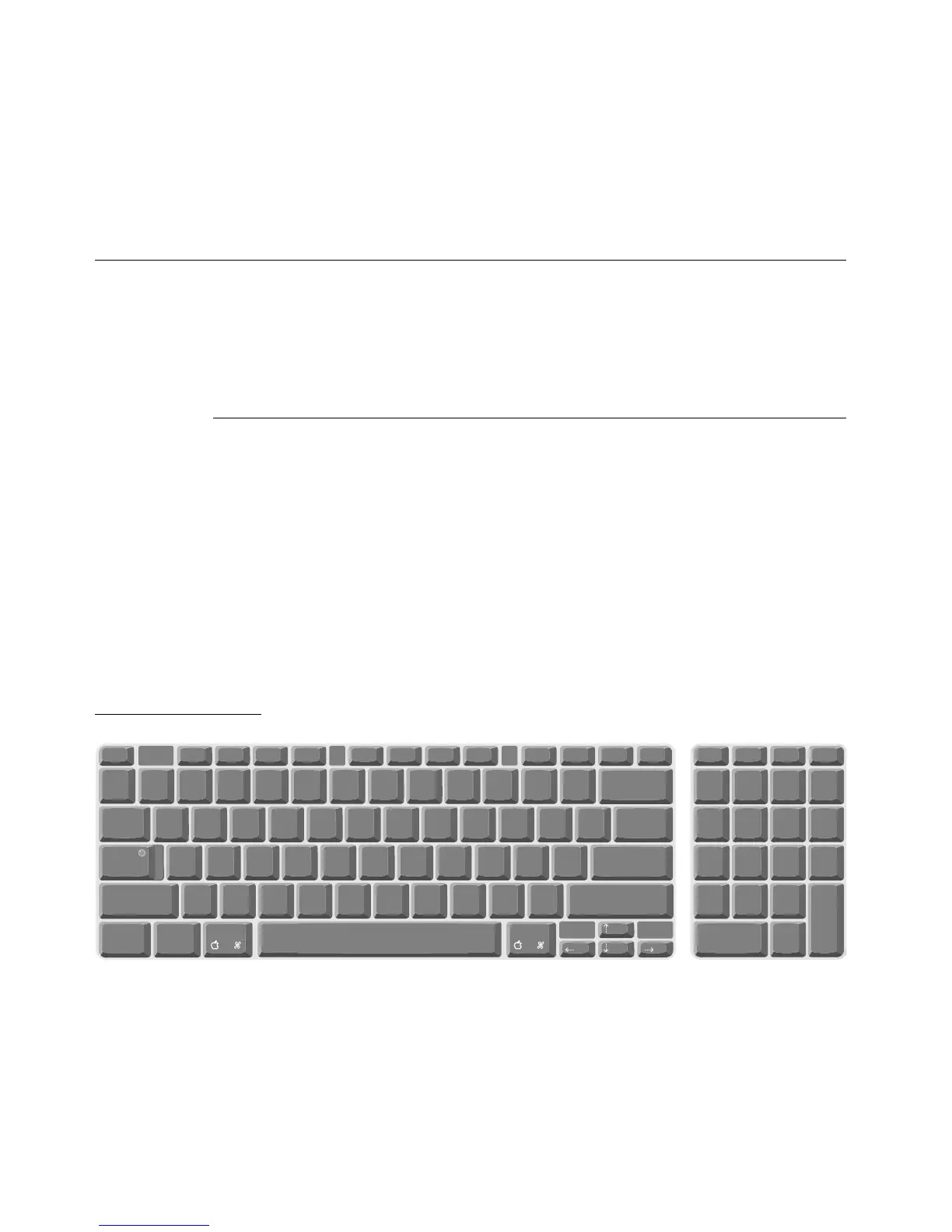
The Apple USB keyboard has a total of 82 keys, including 12 function keys, a
numeric keypad and a set of 4 cursor-control keys. The cursor-control keys are
in the inverted-T arrangement.
Keyboard Layout 3
There are versions of the Apple USB keyboard with different key layouts for
three standards used in different parts of the world: ANSI (US and North
America), JIS (Japan), and ISO (Europe). Figure 3-2 shows the keyboard layout
for the ANSI keyboard. Applications can determine which keyboard is
connected by calling the Gestalt Manager and checking for the corresponding
value of the gestaltKeyboardType selector:
■ gestaltUSBCosmoANSIKbd (value = 198)
■ gestaltUSBCosmoJISKbd (value = 200)
■ gestaltUSBCosmoISOKbd (value = 199)
Figure 3-2 ANSI keyboard layout
]
return
shift
~
`
!
1
@
2
#
3
$
4
%
5
^
6
&
7
*
8
(
9
)
0
clear
=/*
789-
456+
123
.
0 enter
-
-
+
=
esc
F2 F3 F4F1
QWE R T Y UI OP [
AS DF GHJ K L
;
'
ZXCVBNM, . /
{
?><
":
delete
\
tab
caps lock
shift
F9 F10 F11 F12 help home pg up pg dnF6 F7 F8
control option
}|
F5
num
lock



 To Next Page