CHAPTER 4
RAM Expansion
48 Main RAM Expansion
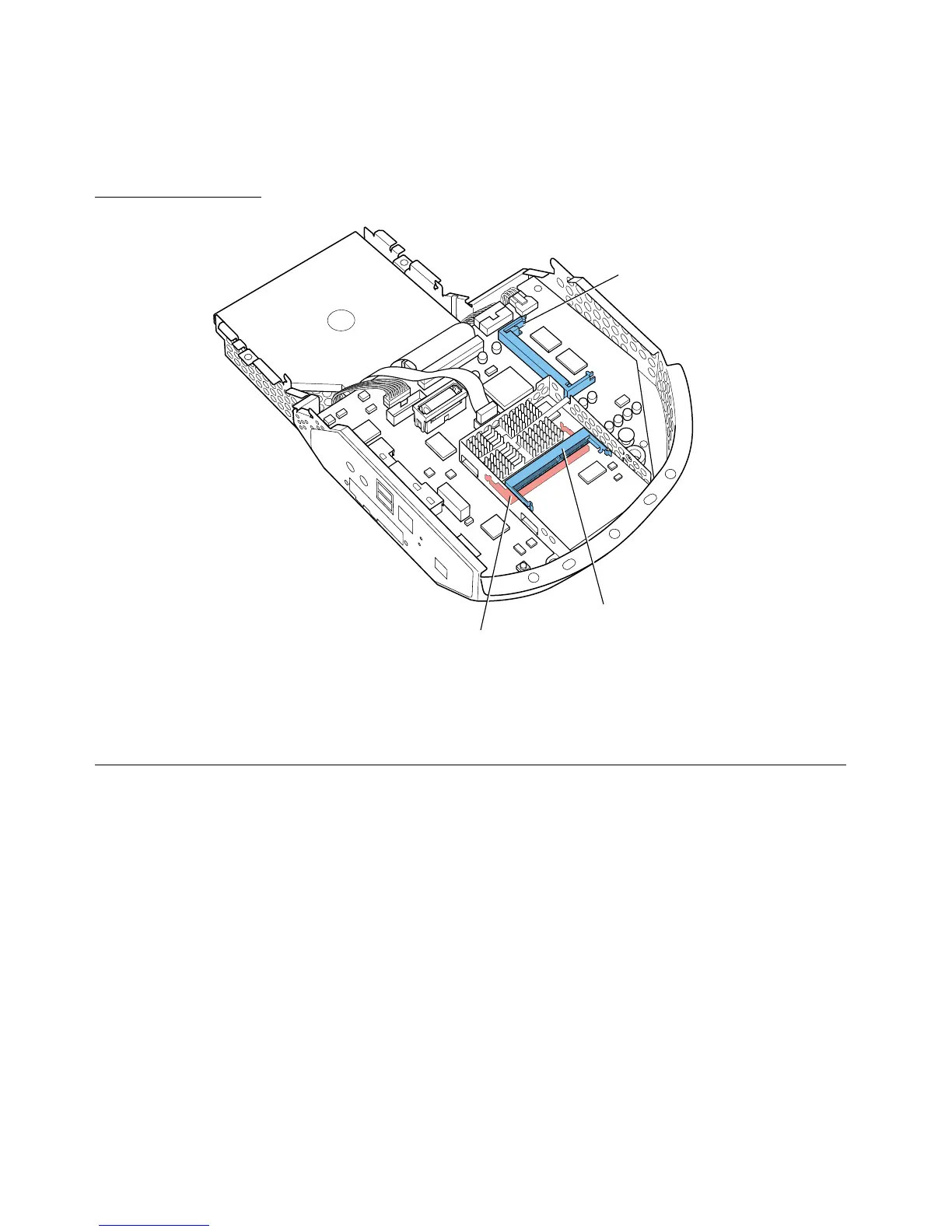
Figure 4-6 Locations of the RAM expansion slots
Main RAM Expansion 4
The iMac computer has two RAM expansion slots that accommodate standard
SO (small outline) DIMMs using SDRAM devices.
IMPORTANT
RAM expansion SO-DIMMs for the iMac must use SDRAM
devices. If the user installs an SO-DIMM that uses EDO or
SGRAM devices, the computer will beep several times
when the user attempts to restart the computer. ▲
An SO-DIMM for the iMac can contain either 16, 32, or 64 MB of memory.
Video RAM slot
Main RAM top slot
Main RAM bottom slot



 To Next Page