3
Back to My Mac User’s Guide
December 2007
Getting Started
YourstneedtosetupyourMaccomputersandhomenetworkforBacktoMyMac.
Here’s how.
Perform the following steps on each participating Mac:
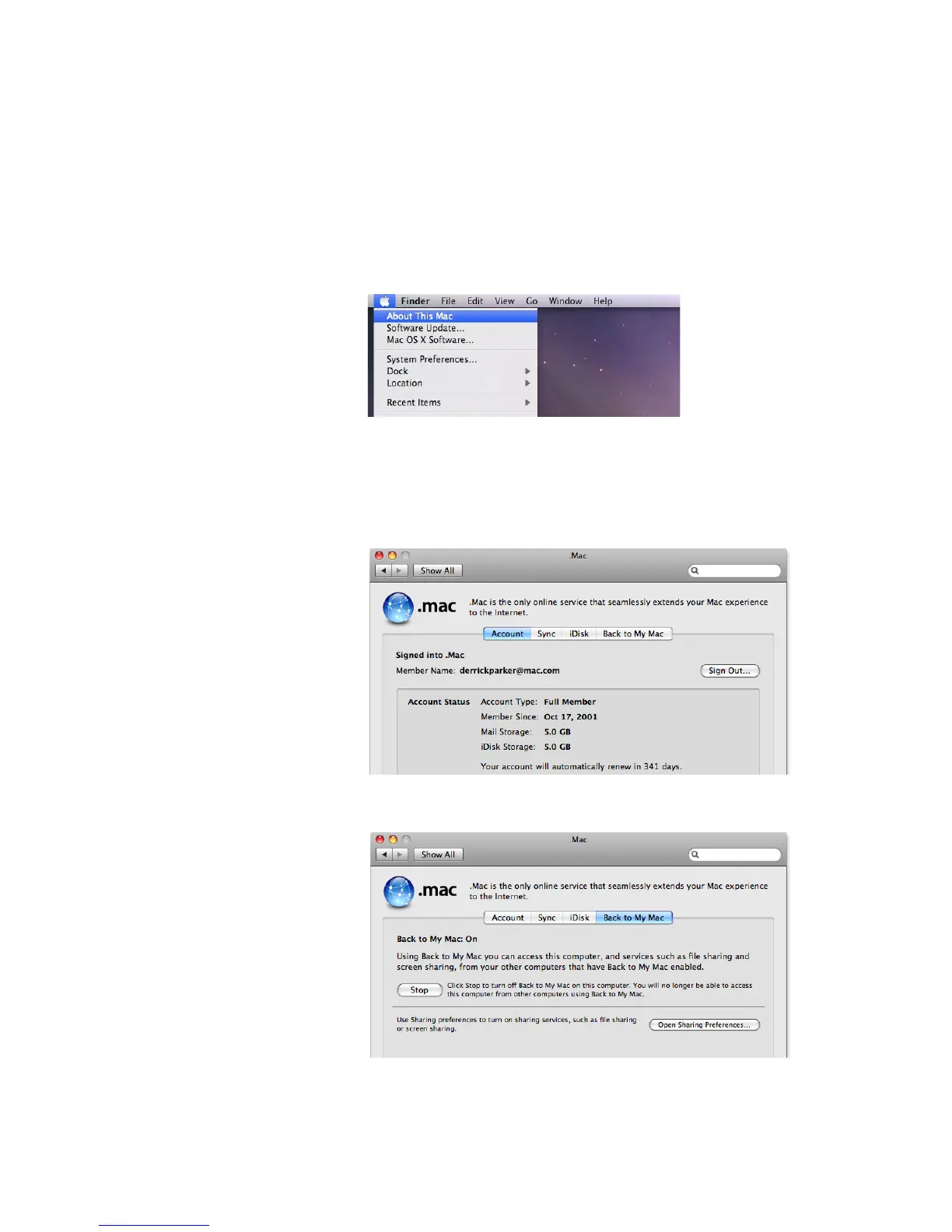
1.VerifythatyourMacisrunningMacOSXv10.5.1.Todoso,chooseAboutThisMacin
theApplemenu—ifanupdateisneeded,clickSoftwareUpdate.
2. FromtheApplemenu,chooseSystemPreferences.
3. UnderInternet&Sharing,click.Mac.
4. If you’re not already signed-in, sign in using your .Mac name and password.
Remember to use the same .Mac account information on each Mac.
5. ClicktheBacktoMyMactab.
6. ClickStartifBacktoMyMacisnotalreadyon.



 To Next Page