10 Chapter 1
Getting Started
Setting Up
Your PowerBook is designed so that you can set it up quickly and start using it right
away.
Step 1: Plug In the Power Adapter
m
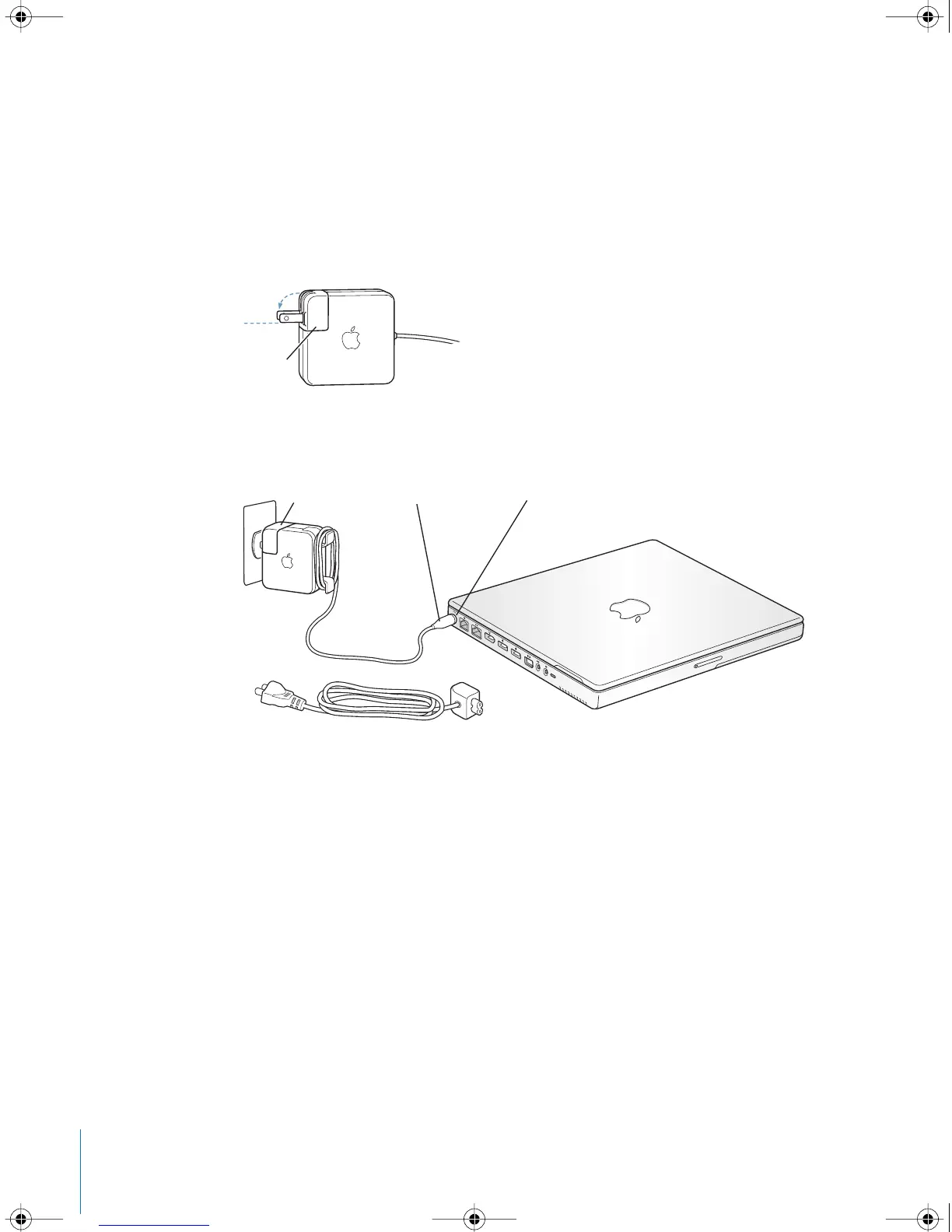
Plug the AC plug of your power adapter into an outlet and the power adapter plug into
the PowerBook power adapter port.
Important:
Be sure to snap the electrical prongs on your AC plug into their completely
extended position before you plug the adapter into the outlet.
To extend the reach of your power adapter, you can attach the AC cord if desired.
See “Using Your Power Adapter” on page 21.
AC plug
AC plug
AC cord
Power adapter plug
¯ Power adapter port
LL2540.book Page 10 Thursday, March 11, 2004 2:20 PM



 To Next Page