38 Chapter 3 Using Your Computer
Additional information on AirPort Extreme is available in AirPort Help. You can also find
information on the Apple AirPort website at www.apple.com/airport or at
www.apple.com/support.
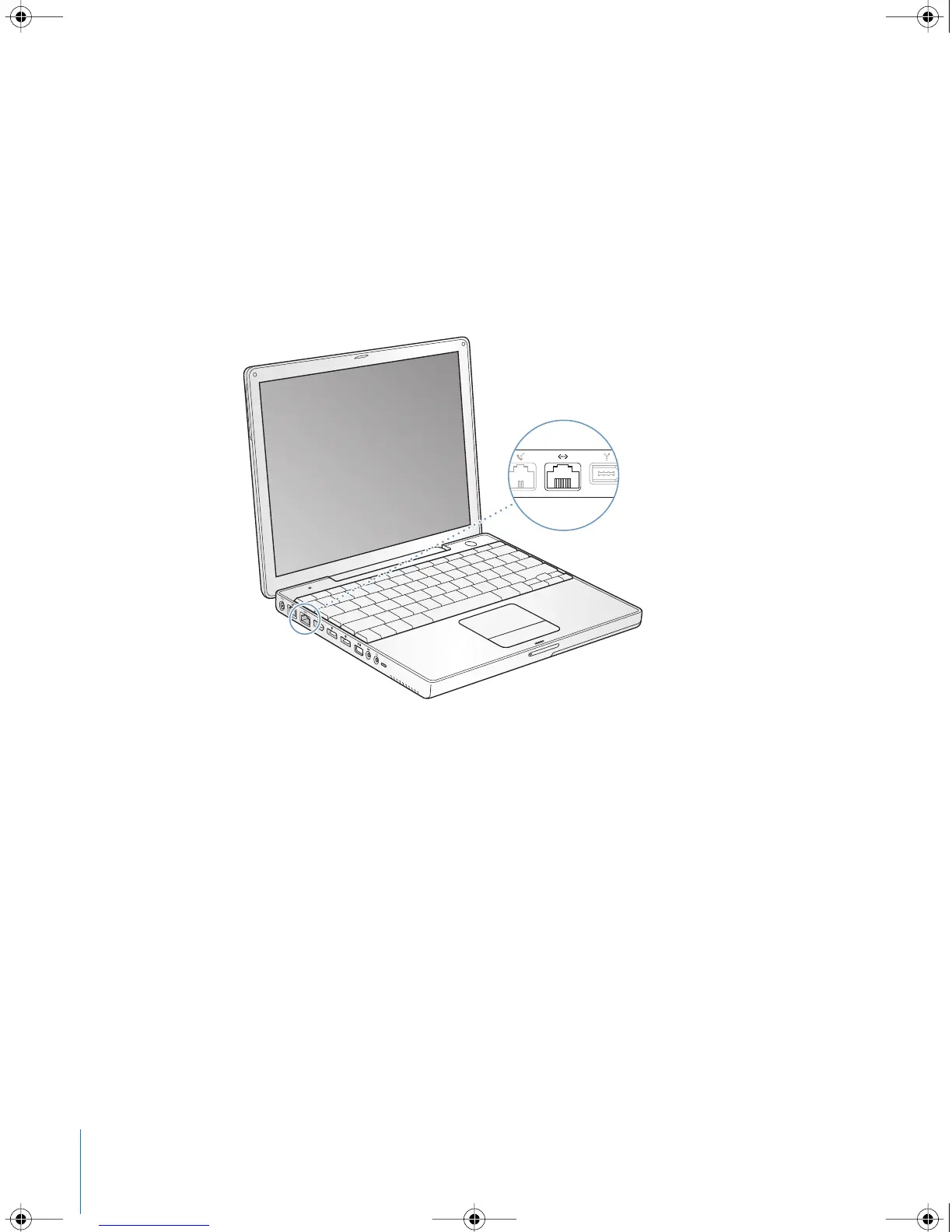
Ethernet (10/100Base-T)
Your computer comes with built-in 10/100 megabit per second (Mbit/s) twisted-pair
Ethernet networking capability, which you can use to connect to a network or to a
cable or DSL modem.
Connecting to a network gives you access to other computers. You may be able to
store and retrieve information; use network printers, modems, and email; or connect to
the Internet. You can also use Ethernet to share files between two computers or set up
a small network. The Ethernet port on your PowerBook automatically detects other
Ethernet devices. You don’t need an Ethernet crossover cable when connecting to
other Ethernet devices.
• Use 2-pair category 3 Ethernet cables to connect to a 10Base-T Ethernet network.
• Use 2-pair category 5 Ethernet cables to connect to a 100Base-T Ethernet network.
For More Information on Using Ethernet
Additional information, including setting up an Ethernet network and transferring files
using Ethernet, is available in Mac OS Help. Choose Help > Mac Help from the menu
bar and search for “Ethernet” or “network.”
For information on networking products you can use with your PowerBook, check the
Macintosh Products Guide at www.apple.com/guide.
®
LL2540.book Page 38 Thursday, March 11, 2004 2:20 PM



 To Next Page