Chapter 3 Using Your Computer 47
Removing and Replacing the Battery
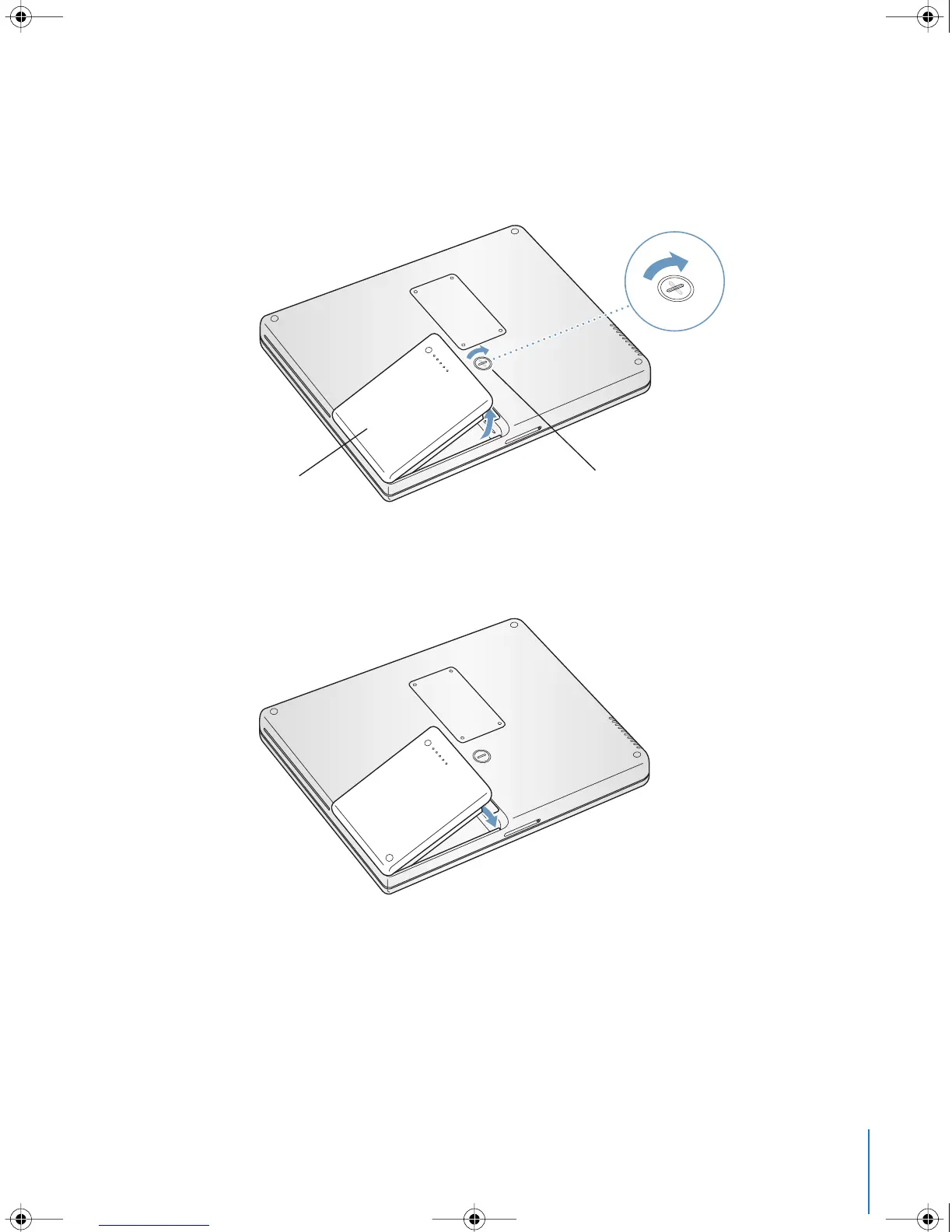
To remove the battery:
• Shut down your PowerBook. Turn it over and locate the battery latch. Use a coin to
turn the latch a quarter turn clockwise to unlock the battery, and gently remove it.
To replace the battery:
• Place the left side of the battery into the battery compartment. Gently press the right
side of the battery down until the battery latch locks into place.
Note: Dispose of batteries according to your local environmental laws and guidelines.
For more information, see “Battery Disposal Information” on page 94.
Battery Latch
LL2540.book Page 47 Thursday, March 11, 2004 2:20 PM



 To Next Page