78 Appendix C Connecting to the Internet
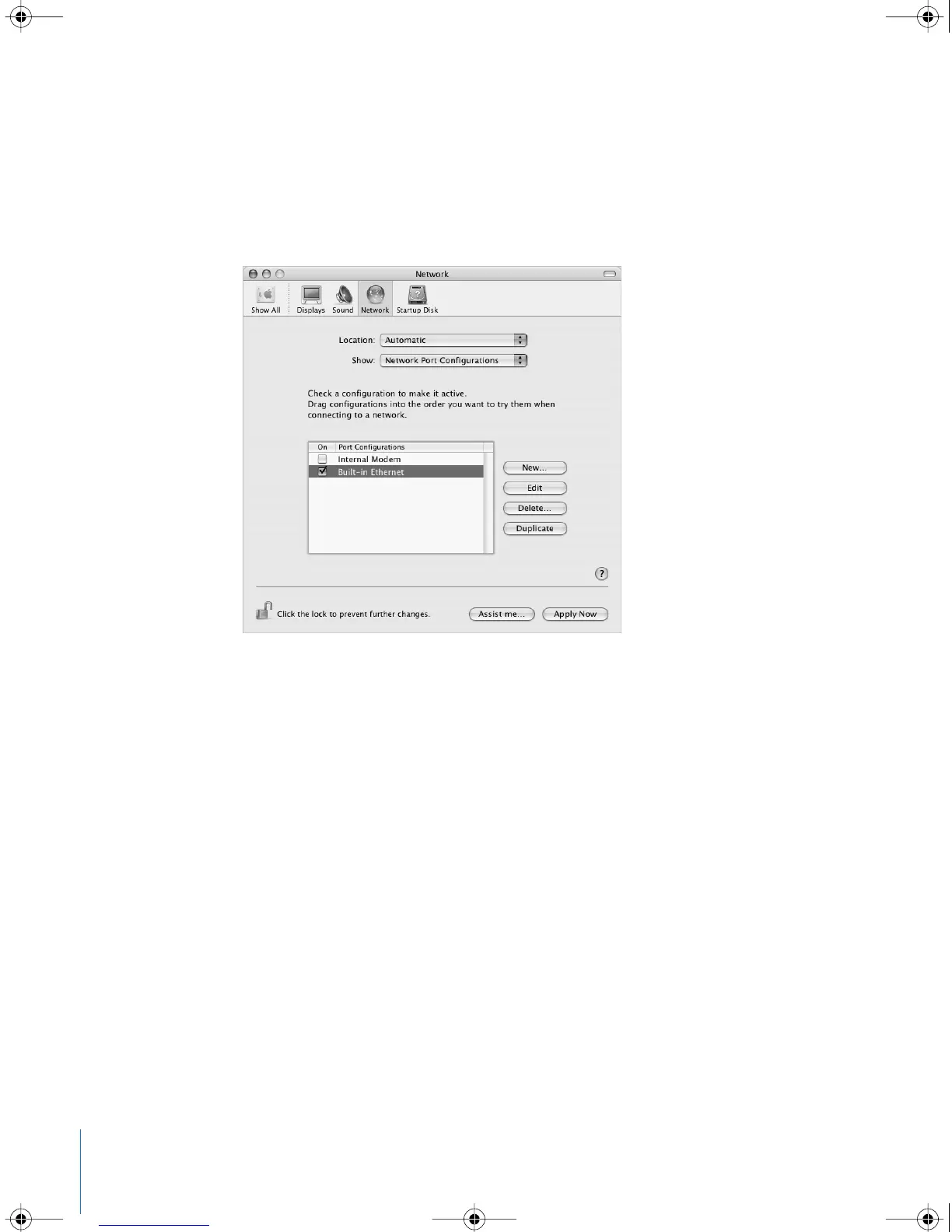
To set up Network preferences for the built-in Ethernet port:
1 Choose Apple (K) > System Preferences from the menu bar.
2 Click Network.
3 Choose Network Port Configurations from the Show pop-up menu.
4 Select the On checkbox next to Built-in Ethernet.
5 Drag Built-in Ethernet to the top of the Port Configurations list to make it the preferred,
or primary, network interface.
Next, follow the instructions to configure your network manually, using DHCP, or using
PPPoE, as instructed by your ISP or network administrator.
LL2540.book Page 78 Thursday, March 11, 2004 2:20 PM



 To Next Page