Appendix C Connecting to the Internet 85
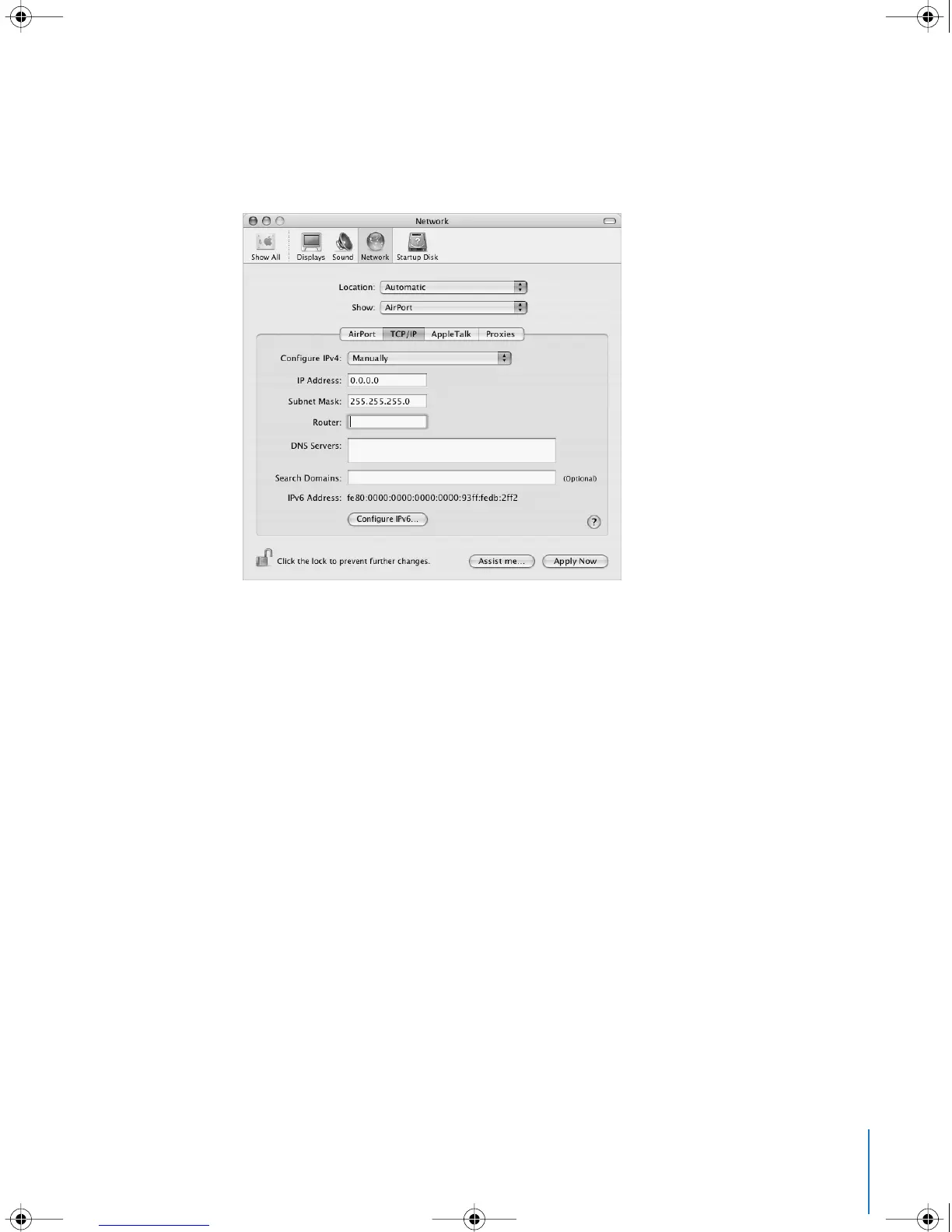
5 Choose AirPort from the Show pop-up menu.
6 Click TCP/IP, if necessary.
7 In the Configure IPv4 pop-up menu, choose either Manually or Using DHCP.
• If you chose Manually, type the other information into the corresponding fields.
• If you chose Using DHCP, you don’t need to enter any further information unless your
system administrator has instructed you to do so.
8 Click AirPort and select options for joining an AirPort Extreme network after restarting
or when your computer wakes from sleep.
9 Click Apply Now.
Once you configure your AirPort settings, you are ready to connect.
To test your AirPort Extreme connection:
m
Click the AirPort status icon in the menu bar and choose Turn AirPort On.
Any AirPort Extreme network in range should appear in the menu.
LL2540.book Page 85 Thursday, March 11, 2004 2:20 PM



 To Next Page