PowerBook G4 Hard Drive -
3
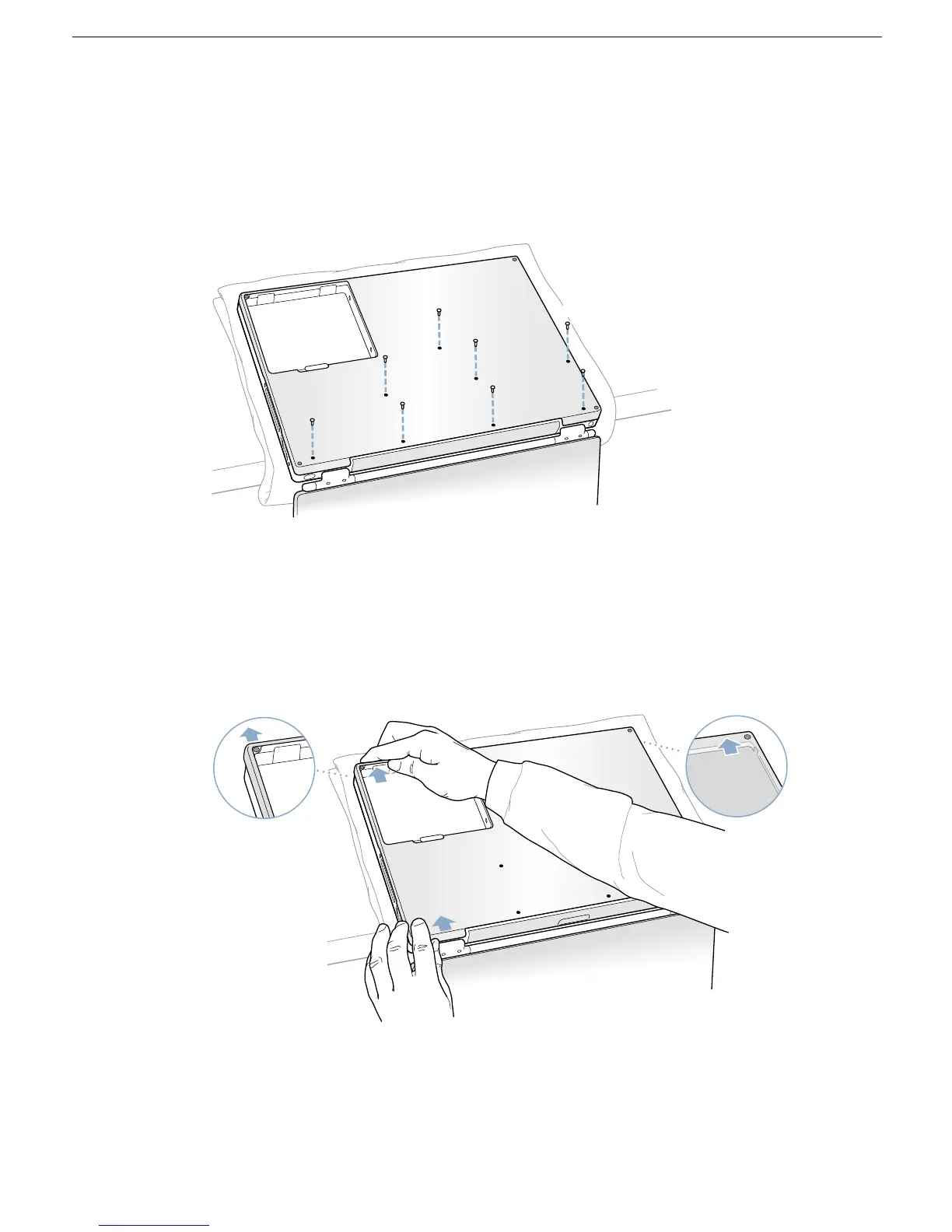
7. Use a Phillips screwdriver to remove the eight bottom case screws in the order shown.
(Figure 3)
Important:
To avoid damaging the case, be careful that the screwdriver tip does not
slip out of the screw head during removal.
Figure 3
Note:
In the following two steps you will disengage the left and right sides of the bottom
case and then pivot it forward to remove.
8. Carefully slide the bottom case away from you.
(Figure 4)
Important:
Do not push on the rubber feet of the bottom case.
Figure 4
7
8
5
2
3
4
1
6



 To Next Page