Control your Mac with Multi-Touch gestures
You can do a lot of things on your MacBook Air using simple gestures
on the trackpad. Here are some of the most popular ones.
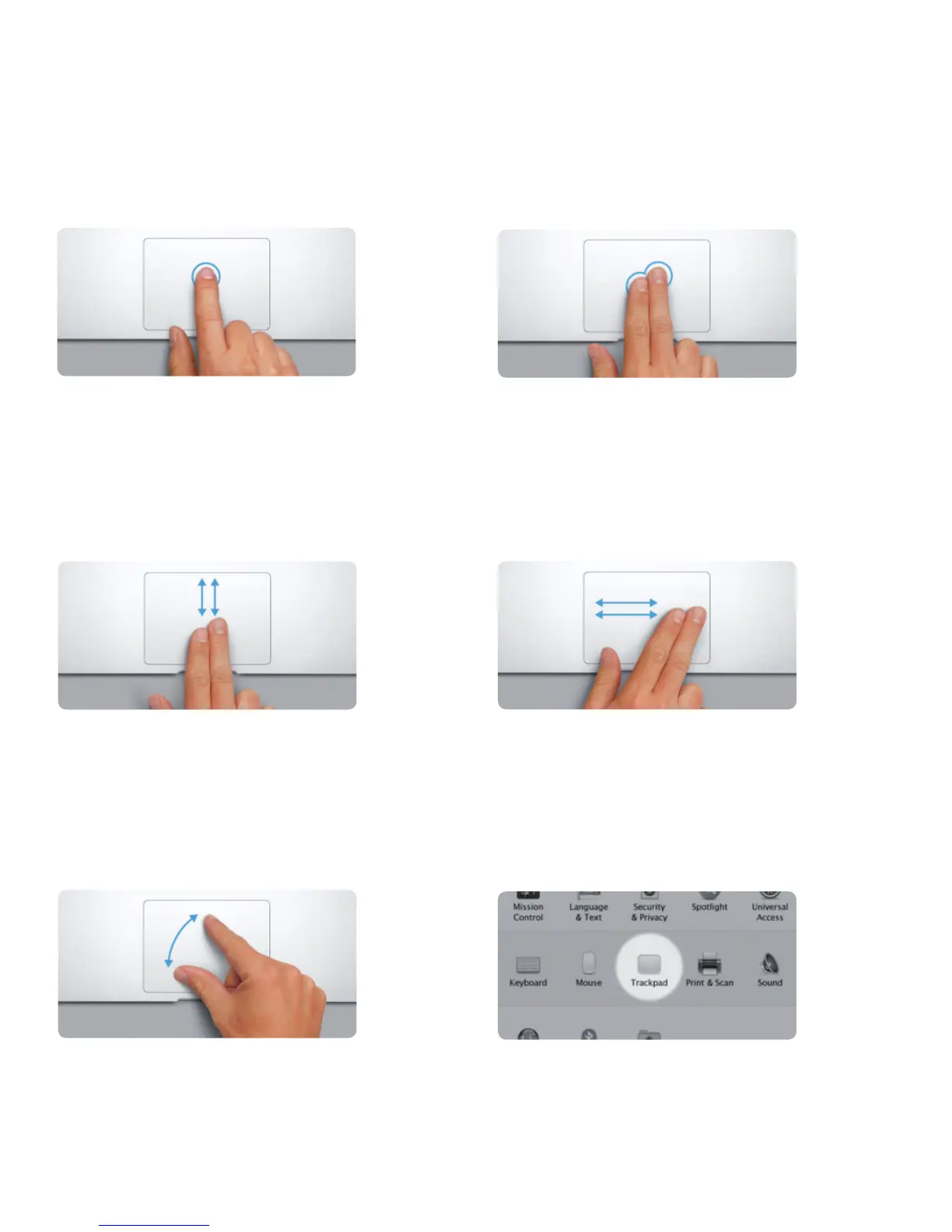
Click
Press down anywhere on the trackpad
to click. Or, with Tap to Click enabled,
simply tap the surface.
Secondary click (right click)
Click with two ngers to open shortcut
menus. Or, with Tap to Click enabled, tap
two ngers anywhere.
Swipe to navigate
Swipe with two ngers to ip through
webpages, documents, and more.
Two-nger scroll
Brush two ngers along the trackpad
to scroll in any direction—up, down,
or sideways.
Pinch to zoom
Zoom in and out of photos and webpages
more precisely by pinching your thumb
and nger.
Learn more
To learn more about gestures, choose
System Preferences from the Apple
menu and click Trackpad.



 To Next Page