iBook (14.1 LCD 16 VRAM) Take Apart - 84
Inverter Board
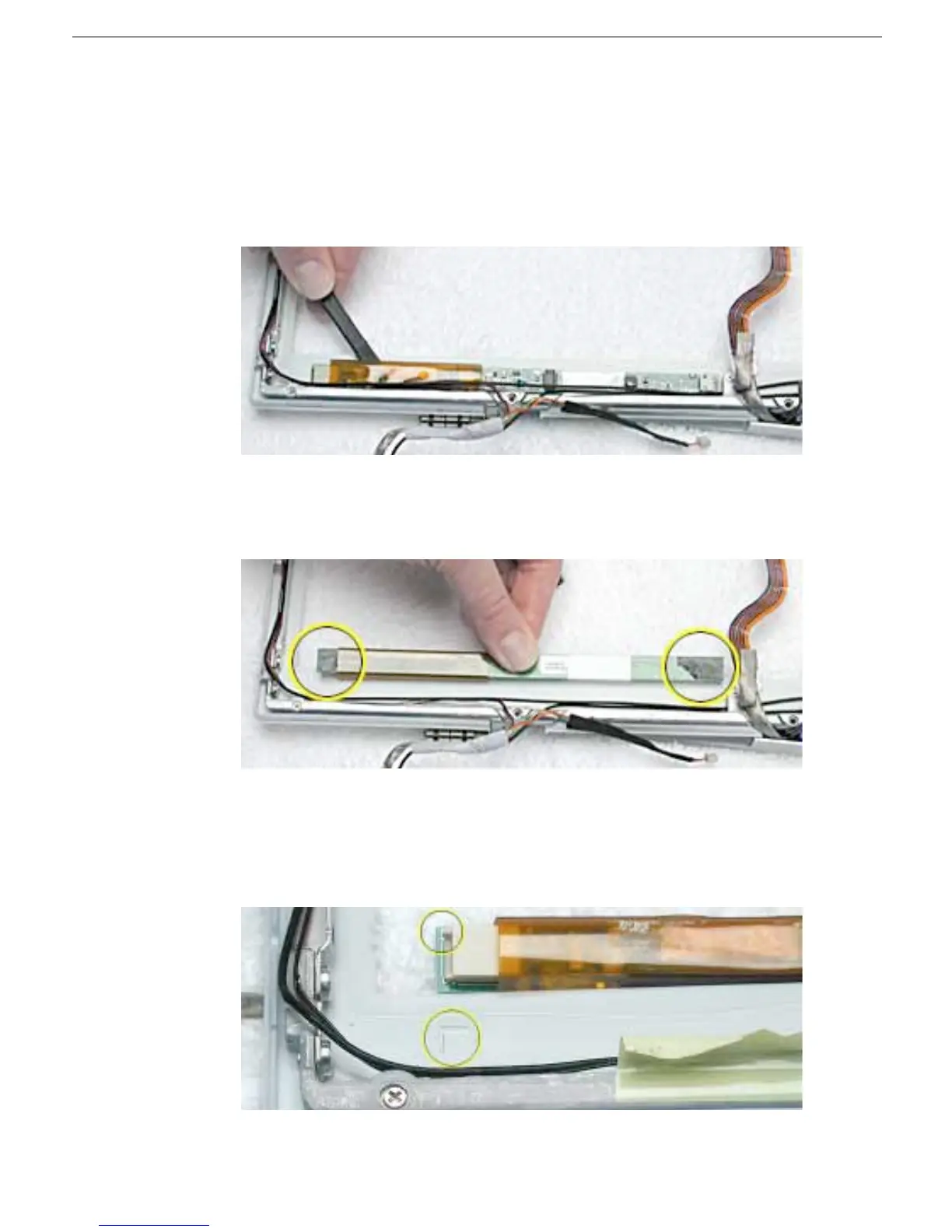
2. Replacement Note: Note the position of the inverter board and cables for the
installation of the replacement inverter board.
Warning: When lifting the inverter board, be careful not to pinch the cables that
are routed above the board.
Use a black stick to pry up the inverter board.
Replacement Note: The inverter board is held to the bezel assembly with double-
sided tape on each end of the board. Use new double-sided tape when installing the
replacement inverter board.
3. Install the replacement inverter board, and reassemble and test the computer.
Replacement Note: Make sure the left corner of the replacement inverter board
aligns with the raised L-shaped guide in the bezel assembly. Make sure the
replacement inverter board does not cover or pinch any cables.



 To Next Page