iBook (14.1 LCD 16 VRAM) Take Apart -
98
Microphone Cable
Procedure
Note:
Although your bezel assembly might appear somewhat different than shown, the
steps to follow are the same.
Warning:
Be careful not to strain or pinch the delicate microphone cable or
surrounding cables when performing this procedure.
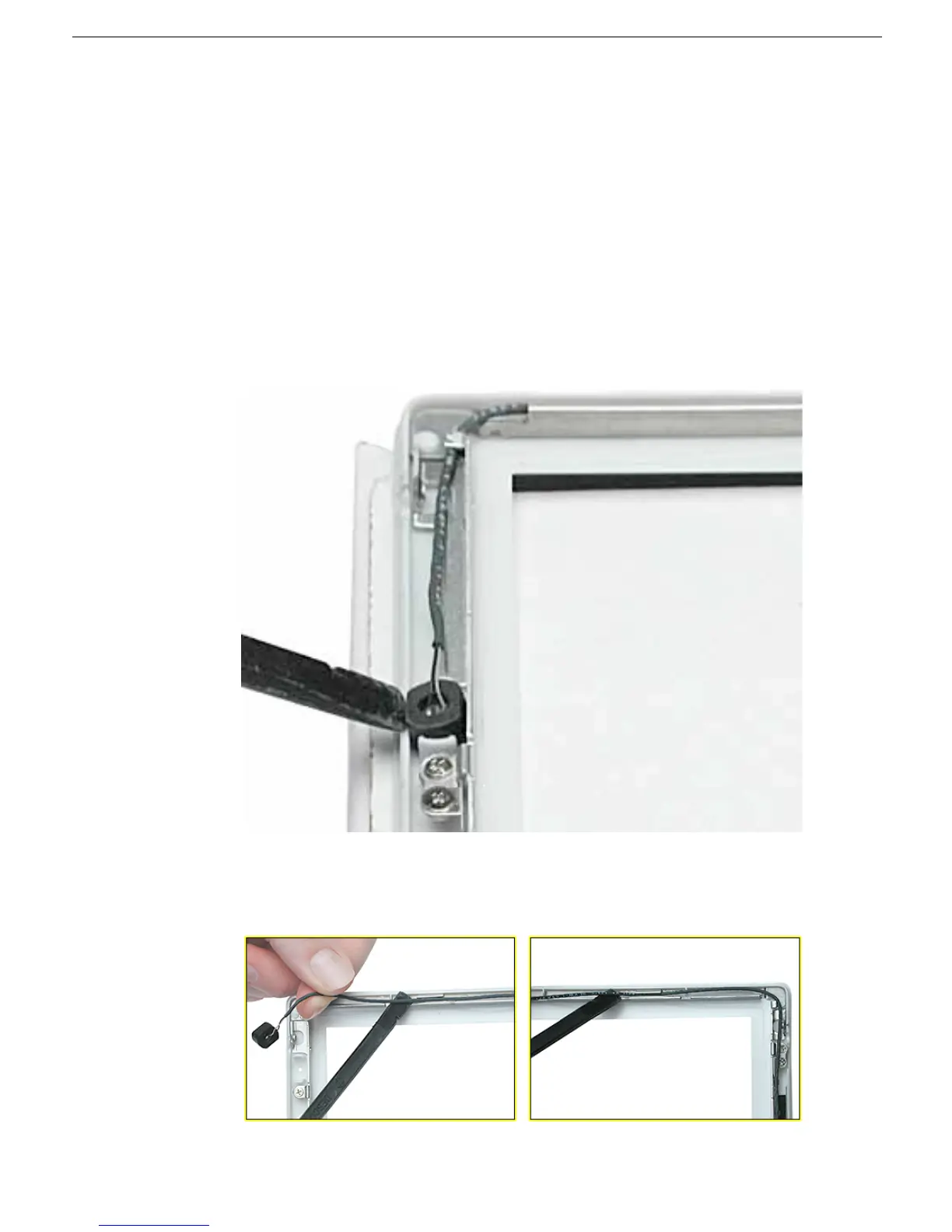
1. With the bezel assembly lying on a soft cloth, use a black stick to loosen the slack on
the cable near the microphone gasket.
2. Pry up the microphone gasket from the upper left corner of the bezel.
Warning:
Do not pull on the delicate wires attached to the microphone.
3. Working around the perimeter of the bezel, pull up the microphone cable from the
cable channel, being careful not to strain any other cables.



 To Next Page