25 -
iBook (14.1 LCD 16 VRAM) Take Apart
Bottom Shield
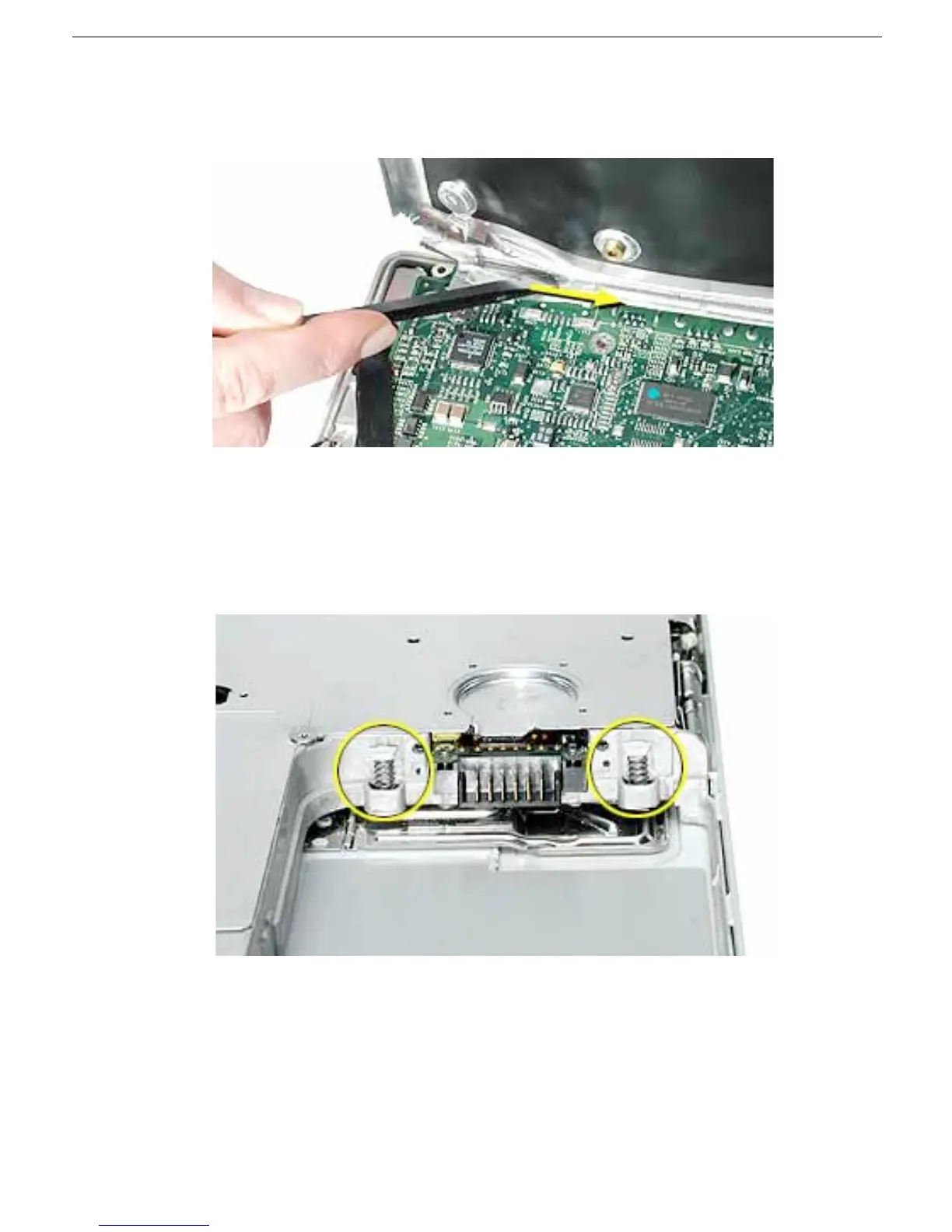
4. If necessary, use a black stick to separate the foil tape on the bottom shield from the
I/O bezel shield.
5.
Note:
The two springs in the battery connector can become loose. When
reassembling the computer, make sure that the two springs in the battery connector
are in place before installing the bottom case. Each spring might have grease on the
coils, and each has a plastic cap on one end. Make sure the cap fits securely on the
spring, and the curved side of the cap is positioned against the inner frame.
6. Install the replacement bottom shield, and reassemble and test the computer.



 To Next Page