27 -
iBook (14.1 LCD 16 VRAM) Take Apart
Fan
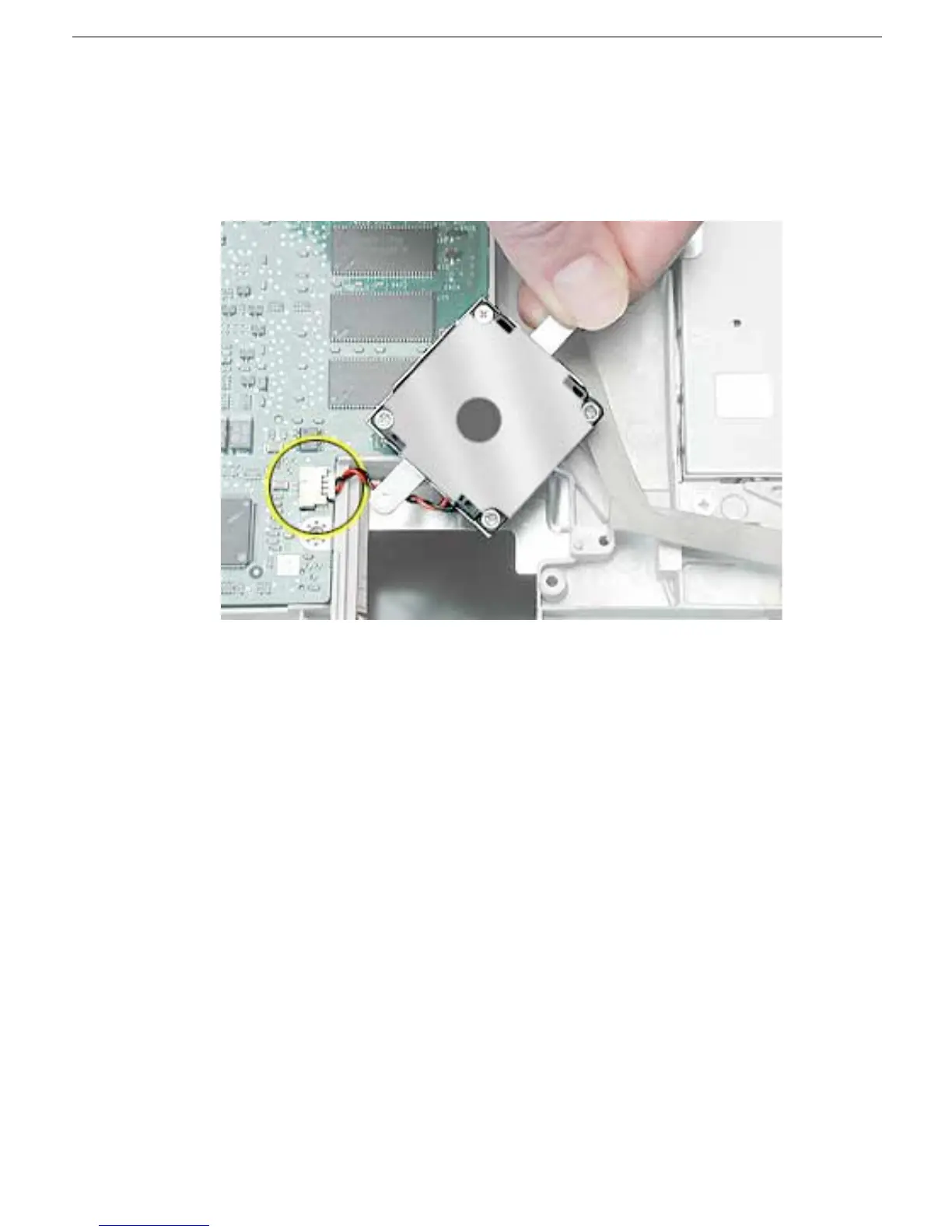
2. Lift the fan and bracket from the computer, and disconnect the connector from the
logic board. (Use a black stick, if necessary.)
Note:
When installing the replacement fan, make sure that the fan cable routes
underneath the fan bracket.
3. Install the replacement fan, and reassemble and test the computer.



 To Next Page