iBook (14.1 LCD 16 VRAM) Take Apart - 66
Logic Board
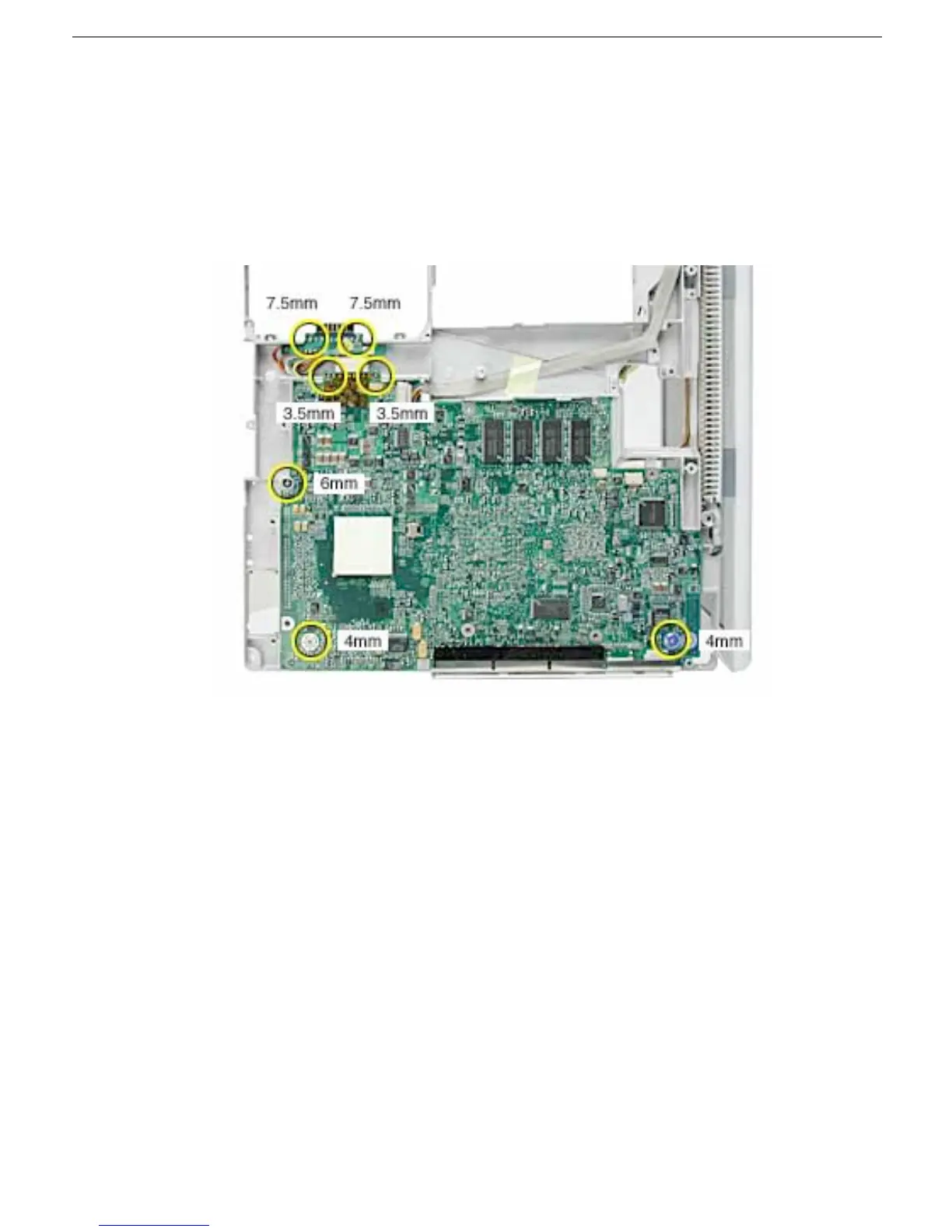
8. Turn over the frame, and remove the following:
• Two 7.5 mm long screws at battery transfer board
• Two 3.5 mm long logic board screws
• One 6 mm long logic board screw
• Two 4 mm long logic board screws
9. Disconnect the DC board connector.
Note: When reassembling the computer, make sure that the underside of the
replacement logic board includes the thermal transfer pad covering the large chip.
Note: When reassembling the computer, make sure that you transfer the following
items from the original logic board to the top of the replacement logic board:
• Memory card(s)
• Strip of foil tape extending from the top of the Ethernet port, over the top of the
modem port, and folding down the side of the modem port



 To Next Page