75 - iBook (14.1 LCD 16 VRAM) Take Apart
LCD Panel
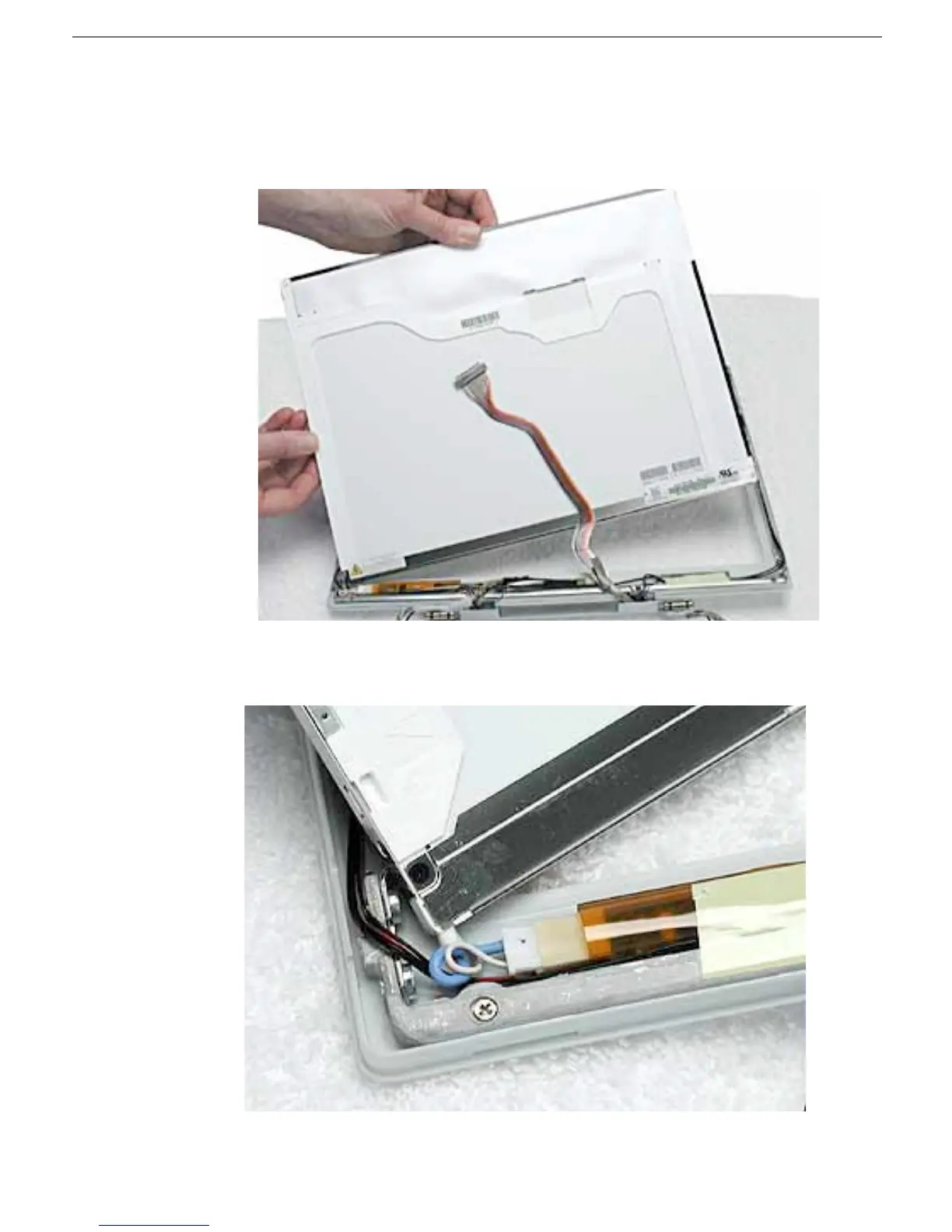
13. Warning: When lifting the LCD panel, be careful not to strain the inverter cable.
Carefully lift up the LCD panel, pivoting it where it is still connected to the inverter by
the 2-pin inverter connector.
14. Disconnect the inverter cable from the inverter board at CN2 and remove the LCD
panel.
15. Install the replacement LCD panel, and reassemble and test the computer.



 To Next Page