I hope you have found these iPad tips useful and if you have any of your own, feel free to leave a few in the
comments.
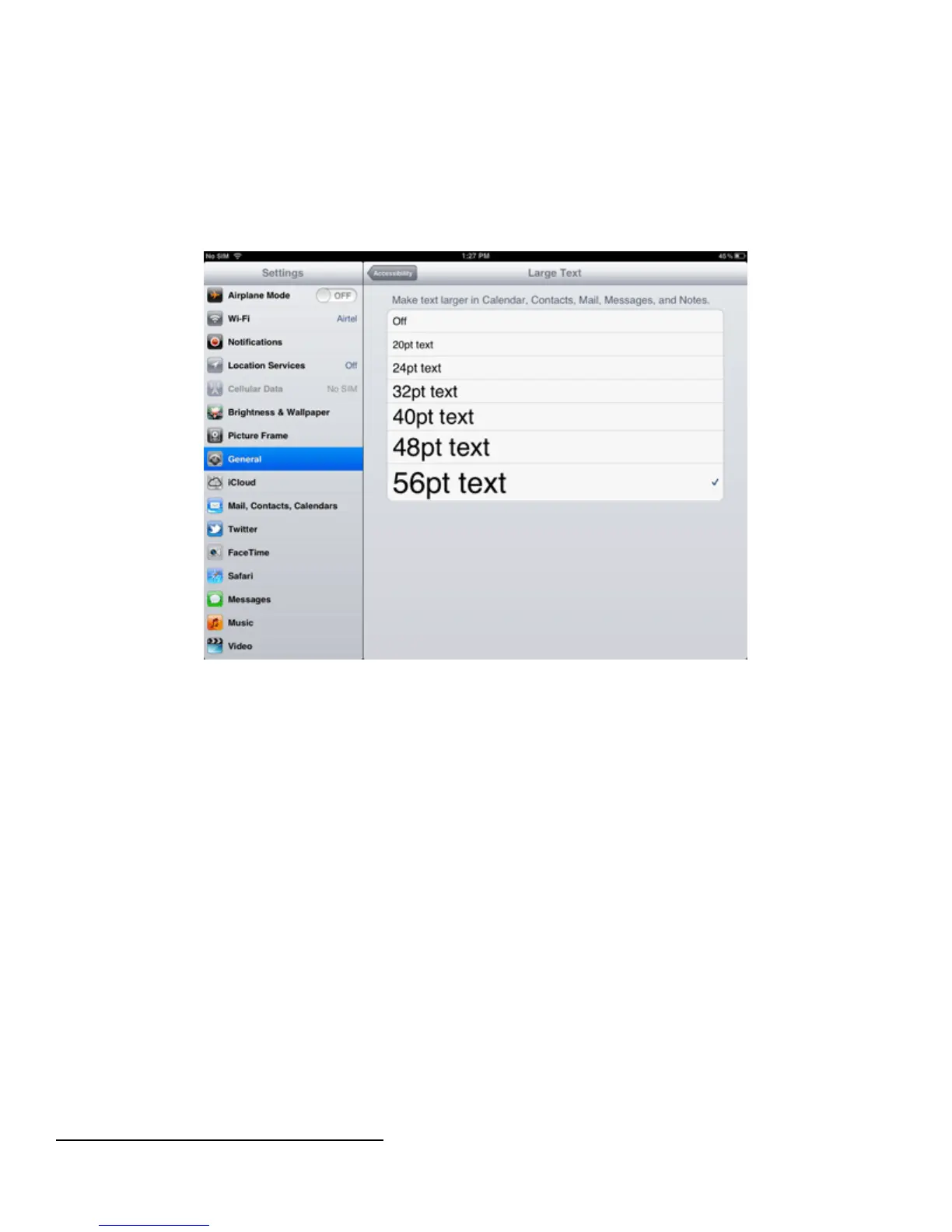
31. Create Big Print
If you don’t always have your reading glasses to hand, it can be a hassle having to squint to read small fonts
within text messages, notes or emails. Pop into Settings>General and scroll down to Accessibility. Then use the
Large Text option to make the words in many applications look larger.
32. Avoid Problematic Auto-Corrections
Your iPad corrects misspelled words when you type, but it can get it wrong. To avoid missing auto-corrected
words, go to Settings>General>Accessibility. Turn ‘Speak Auto-text’ on and you’ll hear a voice pronounce
every corrected word.
33. Rearrange Your Icons
If you fancy tidying up your home screen and moving some icons around, tap and hold on any icon until all of
the icons start to shake (jiggle mode) and then press and hold on a moving icon. You will then be able to drag
and arrange it wherever you want on the screen.
34. How to Delete Unwanted Apps
You can easily delete apps which you no longer use in order to free up precious storage space on your iPad.
Simply press and hold on an app icon until the screen starts to shake (this is known as jiggle mode) and then tap
on the ‘x’ next to the app’s icon. You can re-download paid-for apps for free, so you’ll never lose anything.
35. Hard Reset
Resetting Your Ipad To Default Settings:



 To Next Page