Select your favorite genres and artists. When you first tap For You, youʼre asked to tell
Apple Music about your preferences. Tap the genres you like. (Double-tap those you
love, and touch and hold the genres you donʼt care for.) Tap Next, then do the same with
the artists that appear.
To add a specific artist who isnʼt listed, tap Add an Artist, then enter the artistʼs name.
Apple Music uses these preferences when recommending music to you.
Update genre and artist preferences. Tap For You, tap , then tap Choose Artists For
You.
Library
The Library tab includes any added or downloaded music from Apple Music, music and
music videos synced to iPad, iTunes purchases, and the music you make available
through iTunes Match.
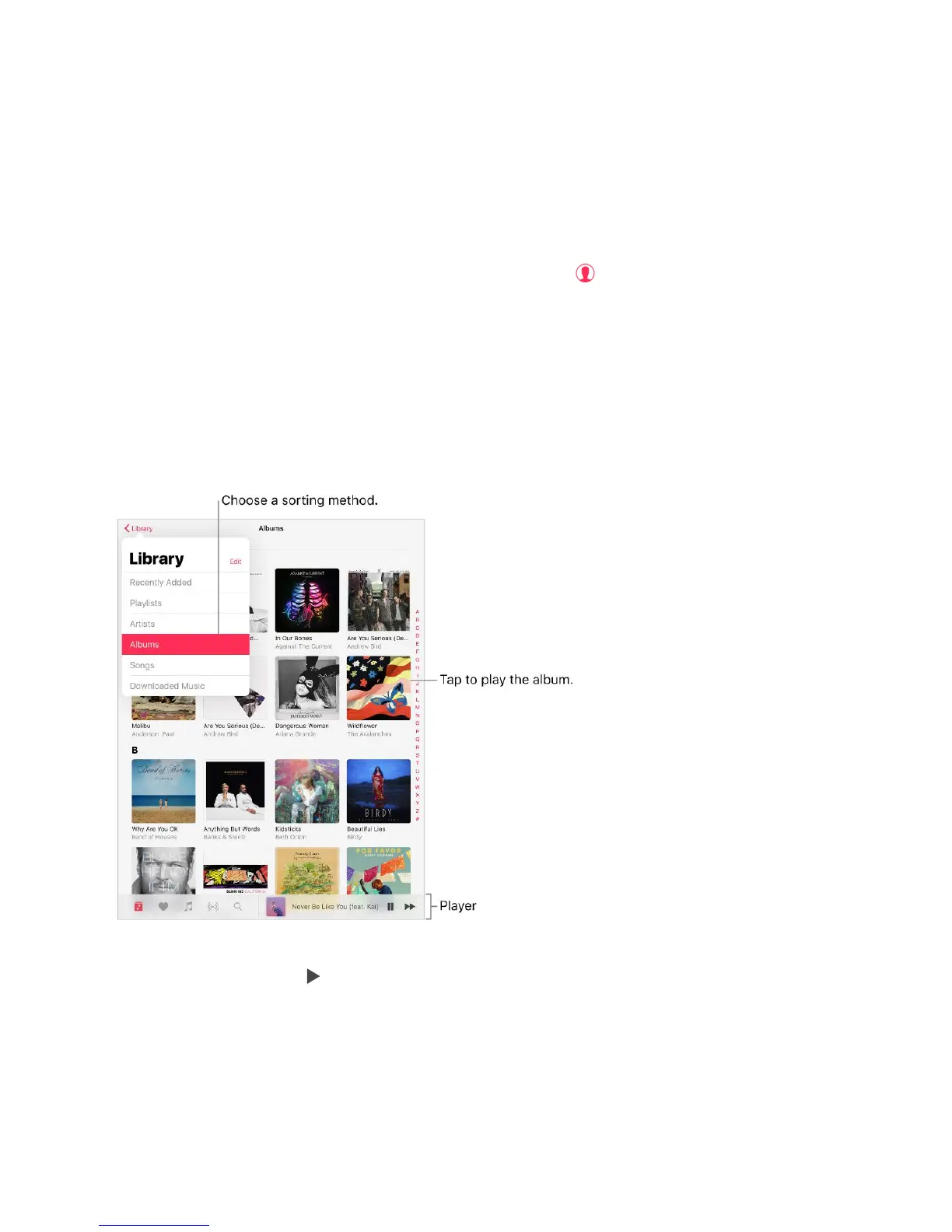
Browse and play your music. Tap the Library menu, choose a category, touch and hold
the album art, then tap . Tap the player to show the Now Playing screen.
Sort your music. Tap the Library menu, choose Playlists, Albums, or Songs, then tap
Sort.
View more categories. Tap the Library menu, tap Edit, then select additional categories.



 To Next Page