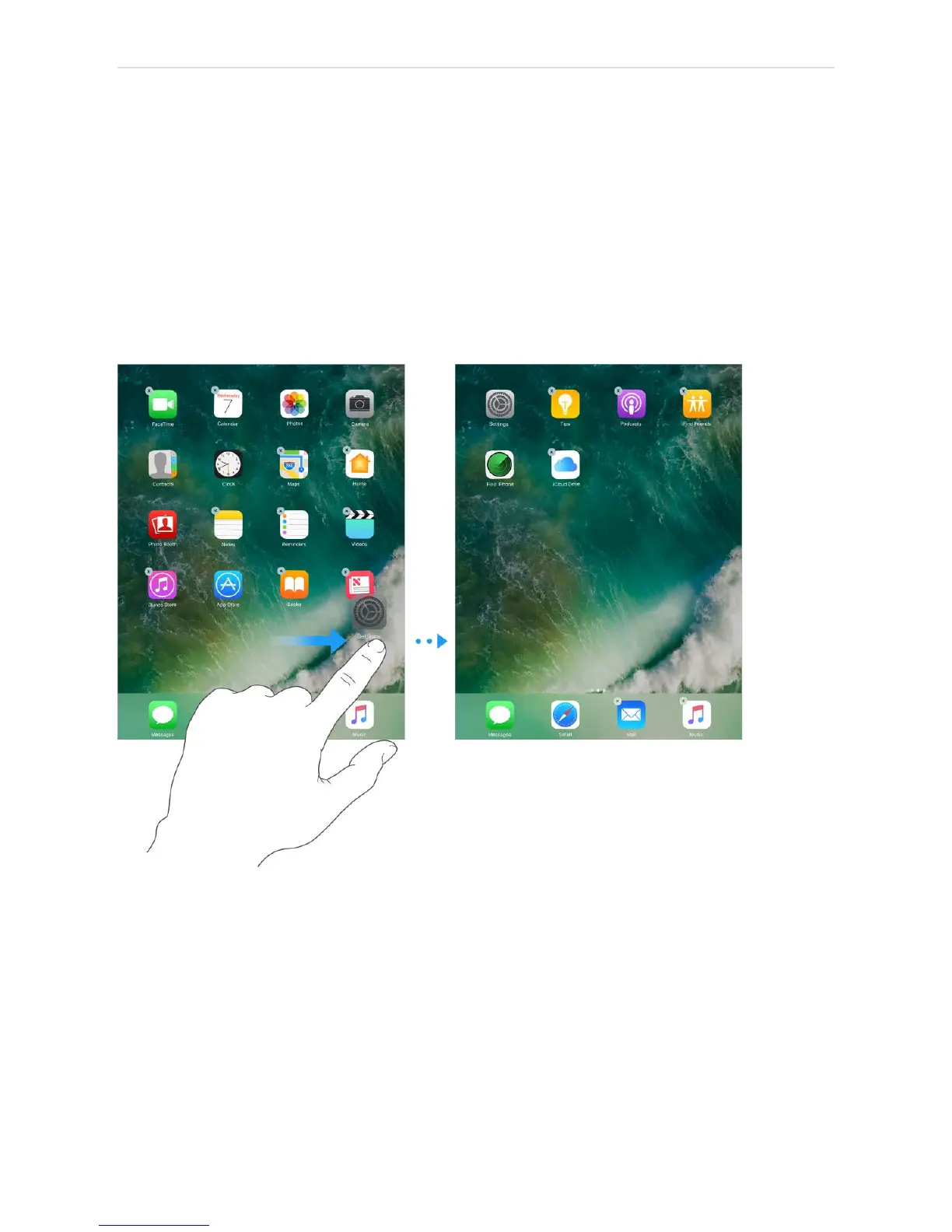
Arrange your apps
Arrange apps. Touch and hold any app on the Home screen until you see the app icons
jiggle, then drag apps around. Drag an app to the edge of the screen to move it to a
different Home screen, or drag it to the Dock at the bottom of the screen (you may need
to remove another app first). Press the Home button to save your arrangement.
Create a new Home screen. While arranging apps, drag an app to the right edge of the
last Home screen. The dots above the Dock show which of your Home screens youʼre
viewing.
Start over. Go to Settings > General > Reset, then tap Reset Home Screen Layout to
return the Home screen and apps to their original layout. Any folders youʼve created are
removed, the original wallpaper is restored, and apps youʼve downloaded are placed after
apps that came with your iPad.



 To Next Page