Using Your iPad’s Physical and Virtual Controls
|
21
Muting the Volume or Locking the Screen
Rotation Without the Side Switch
You can also mute your iPad or lock its screen using the Home button. If you’ve
configured your side switch to mute the iPad, you can still quickly lock the screen
using these steps (and vice versa):
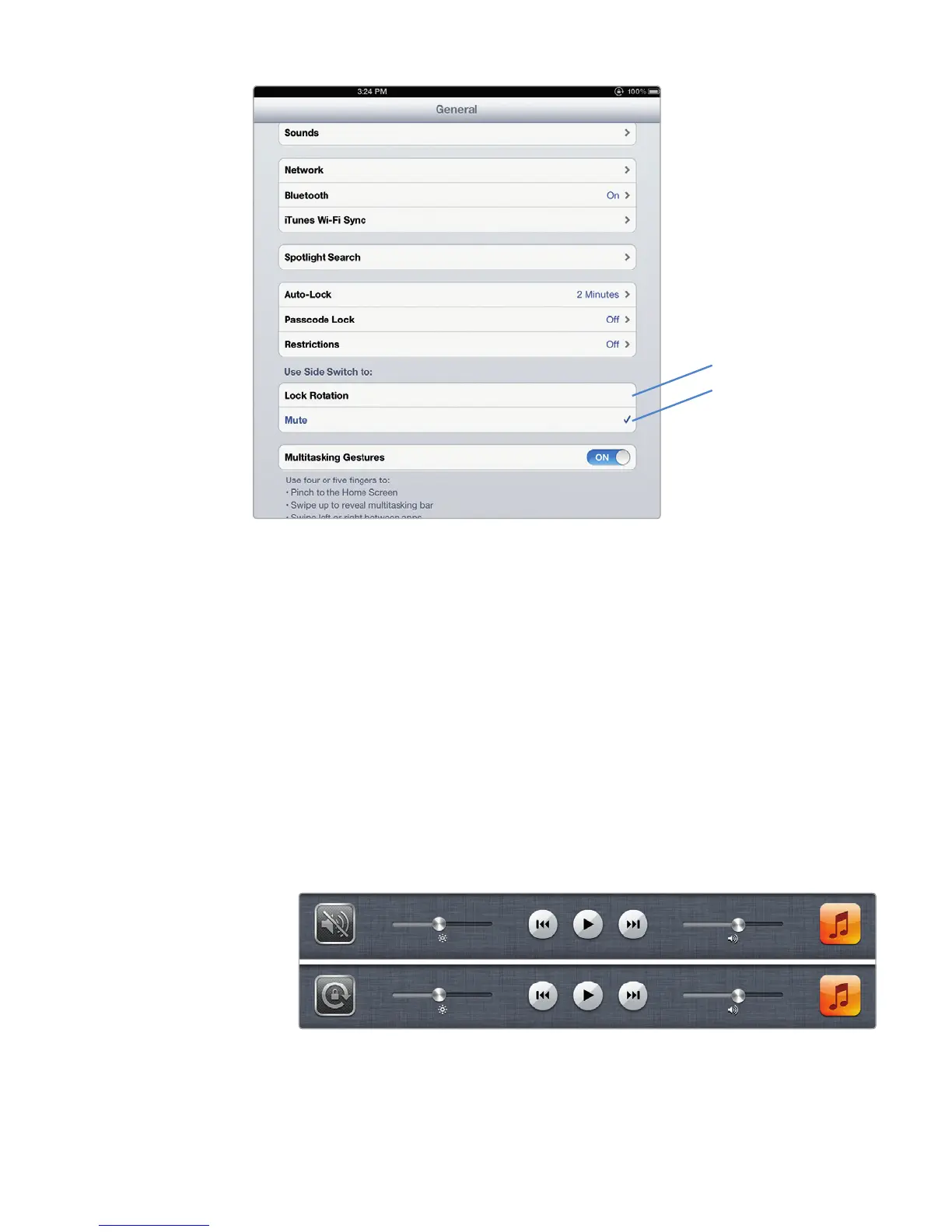
1. Press the Home button twice. A list of icons appears (see Figure 3-3).
2. Swipe this row of icons to the right until you see the Mute or Screen Rotation
Lock icon, as shown in Figure 3-6.
3. Tap the Mute or Screen Rotation Lock icon to mute the volume or lock or
unlock the screen rotation. The icon that appears will depend on whether
you configured the side switch to Mute or Lock Rotation.
FIGURE 3-5: Choosing between Mute or Lock Rotation
FIGURE 3-6: The Mute or Screen Rotation Lock icon appears
Lock Rotation
Mute



 To Next Page