24
Getting Started with Apple iOS Devices
• Podcast Central: This comprehensive collection of podcasts is produced by the
students, teachers, and administration of Mabry Middle School in Marietta, Georgia.
itunes.apple.com/WebObjects/MZStore.woa/wa/viewPodcast?id=73888013
Creating Podcasts with GarageBand
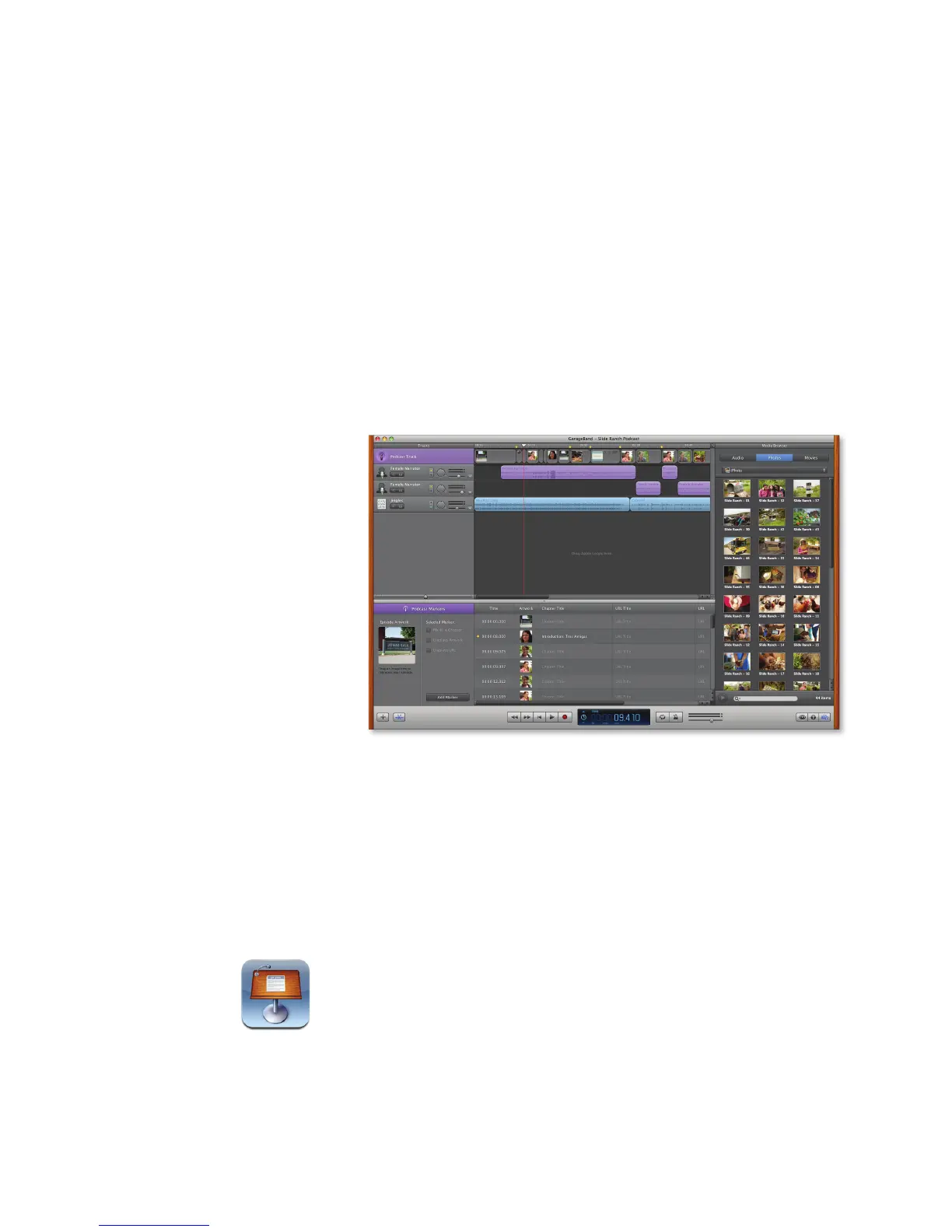
To create an audio podcast, you only need GarageBand, a computer with a built-in
microphone, and your students’ creativity. To get started, students open a new podcast
le in GarageBand. They click simple controls to start, stop, and play back recording,
then add sound eects, jingles (short music snippets designed for podcast use), and
other music. GarageBand automatically adjusts the sound quality and volume levels.
Students can also create an enhanced podcast by adding photos or other images from
an iPhoto library or from Photos on iPad or iPod touch. They could even add hypertext
links that send listeners to relevant websites.
Students can publish the podcast to the iTunes Store, post it online, or add it to a
school website.
Creating Video Podcasts with iMovie
To create a video podcast or another movie project, open iMovie and create a new
movie project, selecting an Apple-designed theme for the project if desired. Then add
video clips that are already saved in an event in iMovie or import them from a camera,
the computer’s hard disk, or another source. Drag the video clips you want to include
to the iMovie project area and then add sound eects, music, maps, photos, and other
images. You can record voiceover narration using the computer’s built-in microphone
and add title slides and transitions. Add a green-screen eect to make it look like a
person is talking in front of a dierent background, or add a solid color or animated
background.
Producing Presentations with Keynote on the Mac
As discussed earlier in “Creating and Sharing Presentations, Documents, and
Spreadsheets,” you and your students can use the Keynote app to produce great-
looking presentations on any topic. You can also use Keynote on the Mac to create
new presentations or make changes to the slideshows created with Keynote on an
iOS device. As with the Keynote app, you can choose a theme and then create slides
that include text, charts, tables, images, movies, animation eects, and transitions. With
Keynote on the Mac, you can also add voiceover narration to presentations and then
share them on iPad or iPod touch.



 To Next Page